Brand Kit Integration: The New Standard for Enterprise AI Decks
Brand Kit Integration: The New Standard for Enterprise AI Decks
Let's be honest: most enterprise decks don't fail because the content is weak. They fail because they look like five different companies made them. Slide 3 uses the 2019 logo. Slide 14 has a font that shipped with Windows Vista. Slide 22's accent color is close to your brand purple — but not quite. Individually, these are small sins. Collectively, they erode the one thing your marketing team spent years building: trust in the brand.
This is exactly why brand kit integration is becoming the new standard for enterprise AI presentation tools. It's no longer enough for a tool to generate slides that look "nice." Corporate teams need every deck — from a sales pitch to an internal training module — to look unmistakably like it came from the same company. And the only way to do that at scale is to bake brand rules directly into the AI.
01. The Quiet Cost of Off-Brand Decks
Here's a scenario you've probably lived through. Your regional office in Berlin needs a client deck by Friday. The local designer is on leave, so the account manager "borrows" a template from last year's campaign — the one with the outdated logo and the wrong color palette. Nobody notices until the deck is already in front of the client.
The real cost of off-brand decks isn't aesthetic; it's reputational. Every inconsistent deck chips away at brand recognition, and in a world where buyers see dozens of pitches per week, a slightly-off logo or a mismatched font is enough to make a prospect hesitate.
The pain points are familiar:
- No single source of truth for brand assets across teams
- Manual enforcement that depends on one person checking every slide
- Shadow templates that multiply and drift further from the official brand
- Wasted hours redoing slides that should have been right the first time
The solution isn't more brand policing. It's making the brand impossible to get wrong — which is precisely what a well-integrated brand kit does.
02. What a Brand Kit Actually Contains
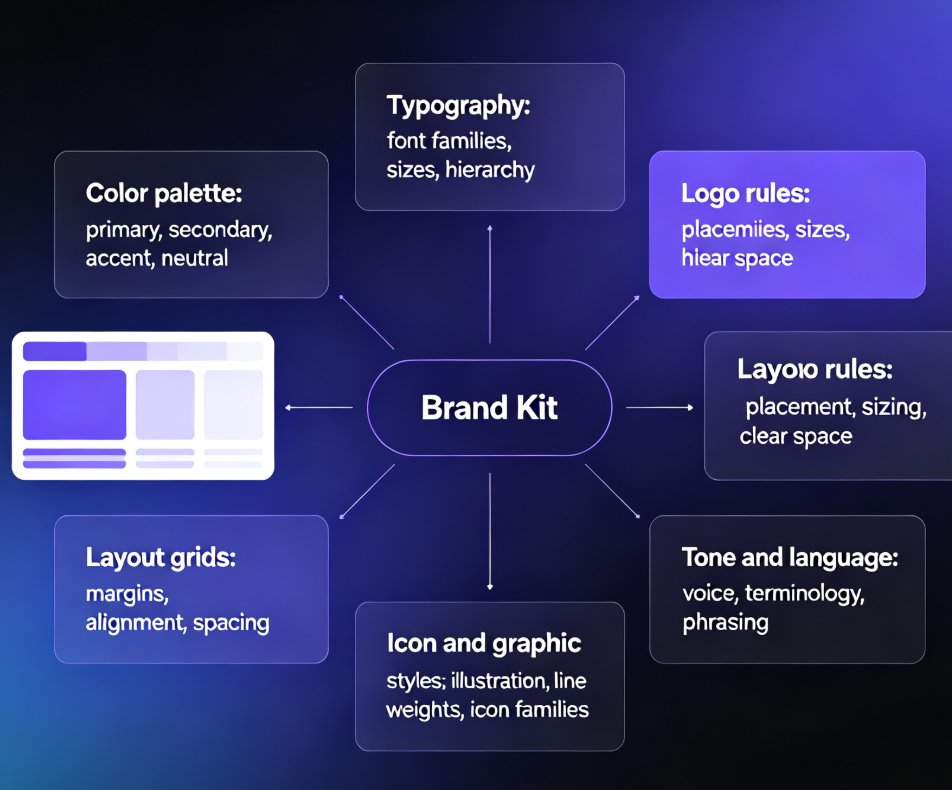
A brand kit is more than a logo file and a hex code. In the context of AI presentation tools, it's a structured set of rules that governs every visual decision the AI makes.
Think of it as the operating system for your brand's visual identity:
| Component | What It Controls | Why It Matters |
|---|---|---|
| Color palette | Primary, secondary, accent, and neutral colors | Prevents the "close but not quite" problem |
| Typography | Font families, sizes, and hierarchy | Keeps every slide readable and on-brand |
| Logo rules | Placement, sizing, and clear-space requirements | Stops logo misuse before it happens |
| Layout grids | Margins, alignment, and spacing | Gives decks a consistent rhythm |
| Icon & graphic styles | Illustration style, line weights, icon families | Unifies visuals across all content |
| Tone & language | Voice guidelines, terminology, and phrasing | Aligns copy with brand personality |
When these rules live inside an AI presentation tool, they stop being guidelines and start being guardrails. The AI simply won't generate a slide that violates them.
This is a meaningful shift. Traditional templates are static — they look right until someone stretches a text box or swaps in a different font. A brand kit is dynamic; it adapts to whatever content you throw at it while keeping the visual identity intact.
03. Why Manual Brand Enforcement Fails at Scale
If brand consistency were just a matter of discipline, every company would already have it. The reality is that manual enforcement doesn't scale. Here's why:
- One brand manager can't review every deck. In a company of 500 people, dozens of decks get created every week. No single person can check them all.
- Freelancers and contractors don't have brand context. They produce great work, but they often guess at colors and fonts.
- Speed kills consistency. When a deadline is tight, the first template that "sort of works" wins — even if it's off-brand.
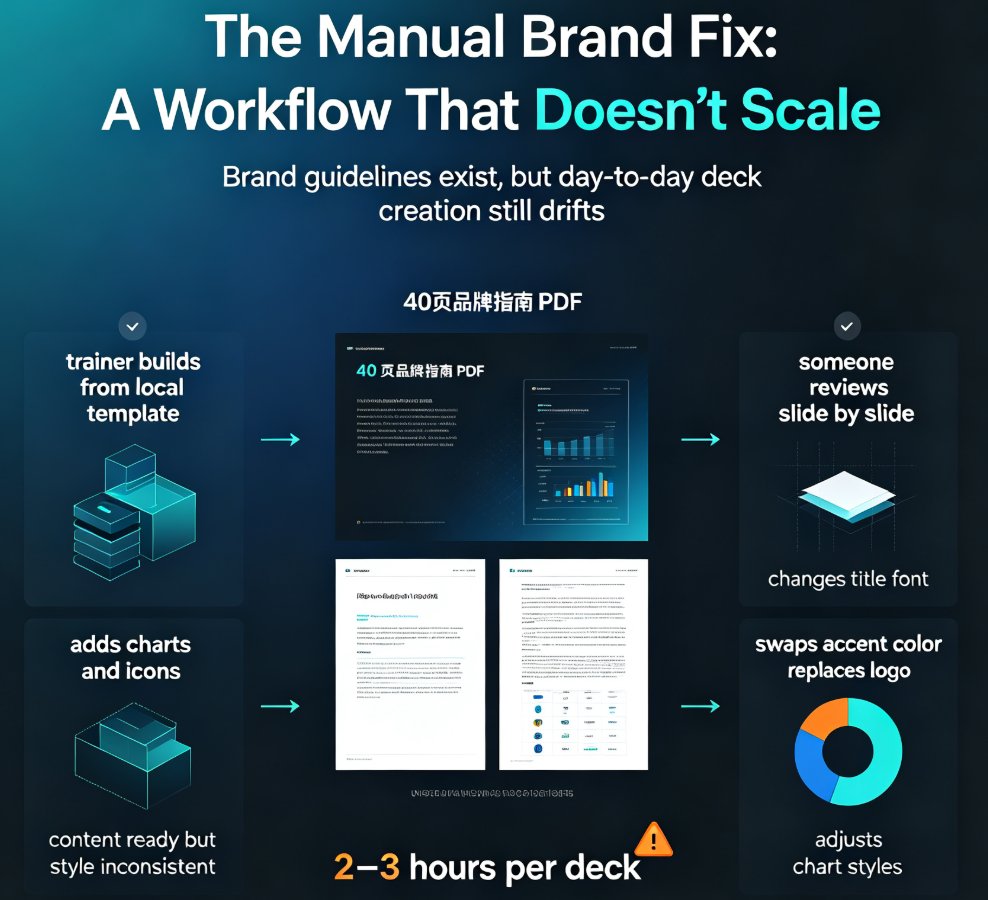
- Brand guidelines documents are rarely read. The 40-page PDF you spent months writing? Most people skim it once and forget it.
The outcome of manual enforcement is predictable: brand dilution that compounds over time. Each slightly-off deck makes the next one slightly more off. Before long, your "brand" is whatever the last person happened to use.
This is where AI presentation tools with brand kit integration change the game. Instead of asking people to follow rules, the tool enforces them automatically. You don't need a brand police force; you need a system that makes compliance the default.
04. How AI Presentation Tools Turn Brand Kits into Guardrails
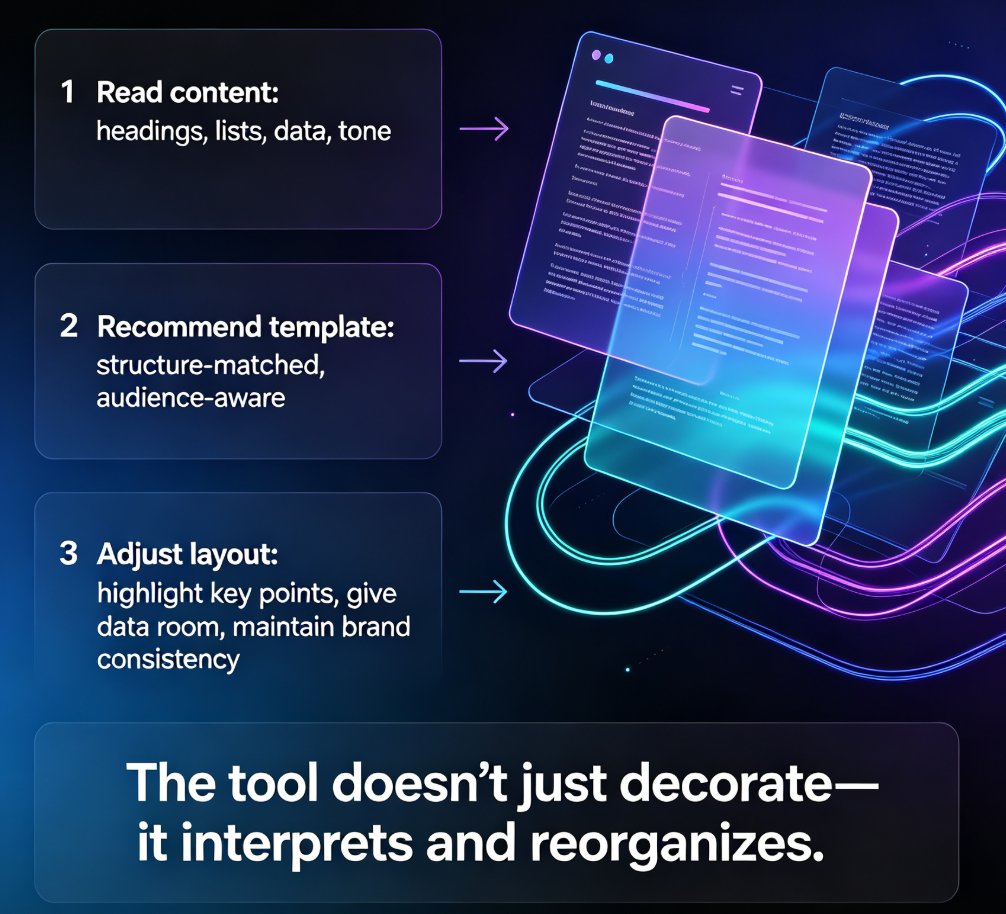
Here's how the workflow works in practice. You upload your brand assets — logo, colors, fonts, and any layout preferences — into the tool. The AI reads these rules and applies them to every slide it generates. When you paste in a Word outline or type a prompt, the AI doesn't just create slides; it creates slides that are already on-brand.
The difference between traditional brand management and AI-driven brand kits is stark:
| Dimension | Traditional Brand Management | AI Brand Kit Integration |
|---|---|---|
| Enforcement | Manual review, human judgment | Automatic, rule-based |
| Speed | Days of back-and-forth | Seconds per deck |
| Consistency | Varies by person and project | Uniform across all decks |
| Scalability | Breaks down past ~50 decks | Handles thousands of decks |
| Error rate | High, especially under deadline | Near zero for brand rules |
| Training required | Extensive onboarding | Minimal — the AI does the work |
The result is a dramatic reduction in the time teams spend fixing slides. Instead of hunting for the right font or adjusting a color by eye, people can focus on what actually matters: the content.
If you've ever wondered why your AI slides look off-brand, the answer is usually that the tool doesn't have access to your brand rules. A brand kit closes that gap.
05. Zendeck's Brand Kit: Built for the Way Teams Actually Work
Zendeck's approach to brand kits is designed for the messy reality of enterprise work. You don't need to be a designer to set it up, and you don't need to babysit the AI to get consistent results.
Here's what makes it different:
- One-click reskinning. If you have an existing deck that's off-brand, Zendeck can reapply your brand kit across all slides in a single pass. No manual adjustments, no hunting for stray colors.
- Smart layout enforcement. The brand kit doesn't just control colors and fonts; it also governs layout grids and spacing, so every slide has the same visual rhythm.
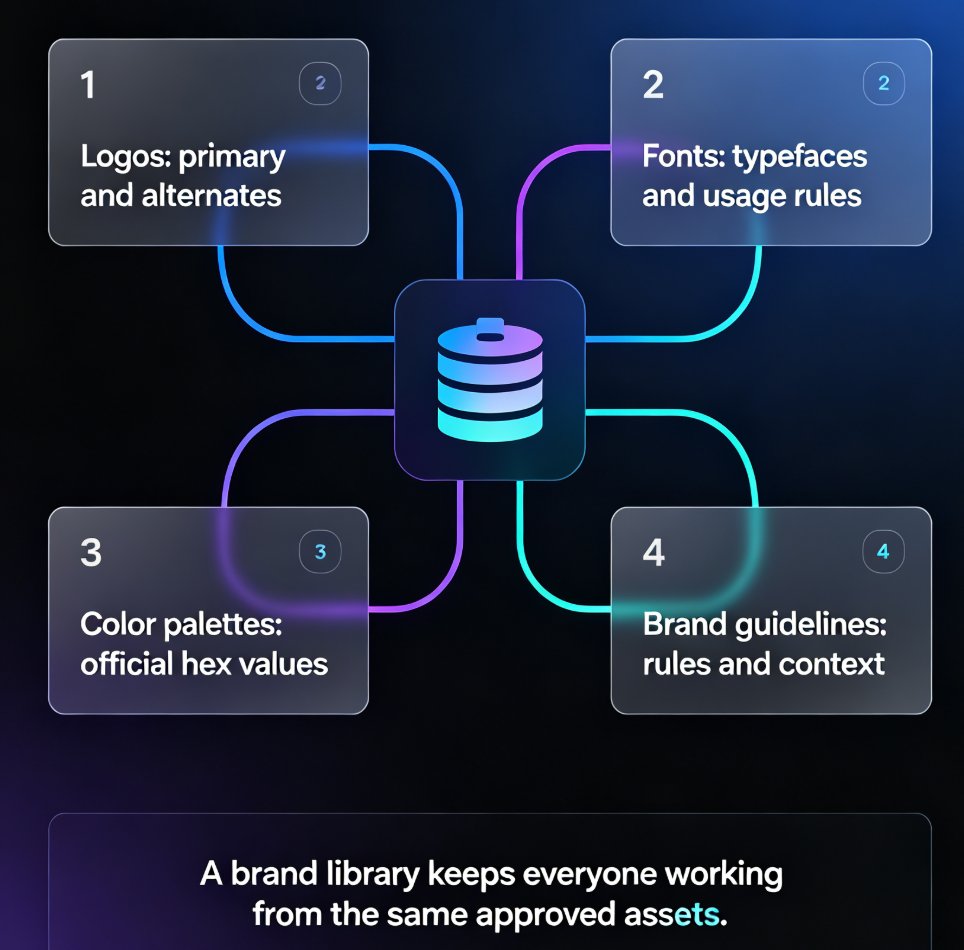
- Asset library integration. Your approved icons, charts, and illustrations live alongside your brand kit, so the AI pulls from a vetted pool rather than inventing random visuals. This ties directly into how AI asset libraries are revolutionizing corporate brand consistency.
- Template selection that respects your brand. When Zendeck picks a template, it filters by what's compatible with your brand kit, so you never end up with a design that fights your identity. You can see how this works in our guide to AI deck template selection.
The practical payoff is simple: your team can generate on-brand decks in minutes, without waiting for a designer or a brand manager to sign off. That's the difference between a tool that makes slides and a tool that makes your company's slides.
For a deeper walkthrough, check out how to set up and use brand kits in Zendeck or explore five ways to create a custom brand kit for consistent decks across your organization.
06. Rolling Out Brand Kits Across Your Organization
Adopting a brand kit isn't just a tooling decision; it's a process change. Here's what we've seen work well for teams that make the switch:
Start with a single brand kit. Don't try to cover every sub-brand, campaign, and regional variant on day one. Pick your core corporate identity, get it into the tool, and prove the workflow with one team.
Make the brand kit the default. When everyone's default template is the brand-kit-enabled one, compliance happens without anyone asking for it. The path of least resistance should be the on-brand path.
Audit your existing assets. Before you upload your brand kit, take stock of what's actually current. That logo from 2018? Archive it. That font license you stopped paying for? Drop it. Your brand kit should reflect your brand today, not your brand's history.
Train the people who create decks. The tool does the heavy lifting, but your team still needs to know the workflow: paste an outline, pick a template, let the AI apply the brand kit. A 30-minute session is usually enough.
Measure the before and after. Track how many decks get flagged for brand issues in the month before and after you roll out the brand kit. The drop is usually dramatic — and it makes a great metric for your next budget meeting.
The broader trend here is worth noting: as AI presentation tools mature, brand governance is becoming a core feature rather than an afterthought. This aligns with the shift toward AI-governed brand consistency and smart templates, where the AI doesn't just suggest design options — it enforces the rules.
FAQ
What is a brand kit in an AI presentation tool? A brand kit is a structured set of brand rules — colors, fonts, logos, layout grids, and icon styles — that the AI applies automatically to every slide it generates. It ensures all decks follow the same visual identity without manual oversight.
How does Zendeck's brand kit ensure consistency across decks? Zendeck's brand kit governs every visual decision the AI makes, from color and typography to layout and asset selection. When you generate a deck, the AI pulls from your approved brand assets and applies your rules automatically, so every slide is on-brand by default.
Can a brand kit be applied to existing decks? Yes. Zendeck's one-click reskinning lets you apply your brand kit to an existing deck in a single pass, automatically updating colors, fonts, and layouts to match your brand guidelines.
How long does it take to set up a brand kit in Zendeck? Most teams get a basic brand kit set up in under 15 minutes. You upload your logo, enter your brand colors and fonts, and the AI handles the rest. More complex kits with custom layouts and asset libraries take a bit longer, but the process is designed to be designer-friendly, not designer-required.