Zendeck vs. Gamma: Which AI Presentation Tool Fits Your Team Better?
Let's be real: choosing an AI presentation tool feels like picking a favorite child. You've got Gamma with its slick prompt-to-deck magic, and you've got Zendeck, which promises to turn your existing documents into polished slides without the design headache. Both sound great, but they solve different problems. If you're trying to figure out which one fits your team, you're not alone. I've spent years helping teams adopt presentation tools, and I've seen the confusion firsthand. So let's break it down—no fluff, just the practical differences that matter.
01 The Core Difference: Document-First vs. Prompt-First
The biggest difference between Zendeck and Gamma comes down to how you start. Gamma approaches presentation AI from the prompt side: you type a topic, and it generates both the content and the design simultaneously. It's great for brainstorming or when you have a blank page and need a first draft fast. But here's the catch: that AI-generated text often needs heavy editing for accuracy and tone, and if you try to import an existing PowerPoint, Gamma reflows your slides into its card-based vertical format—which can shift layouts and break your formatting.
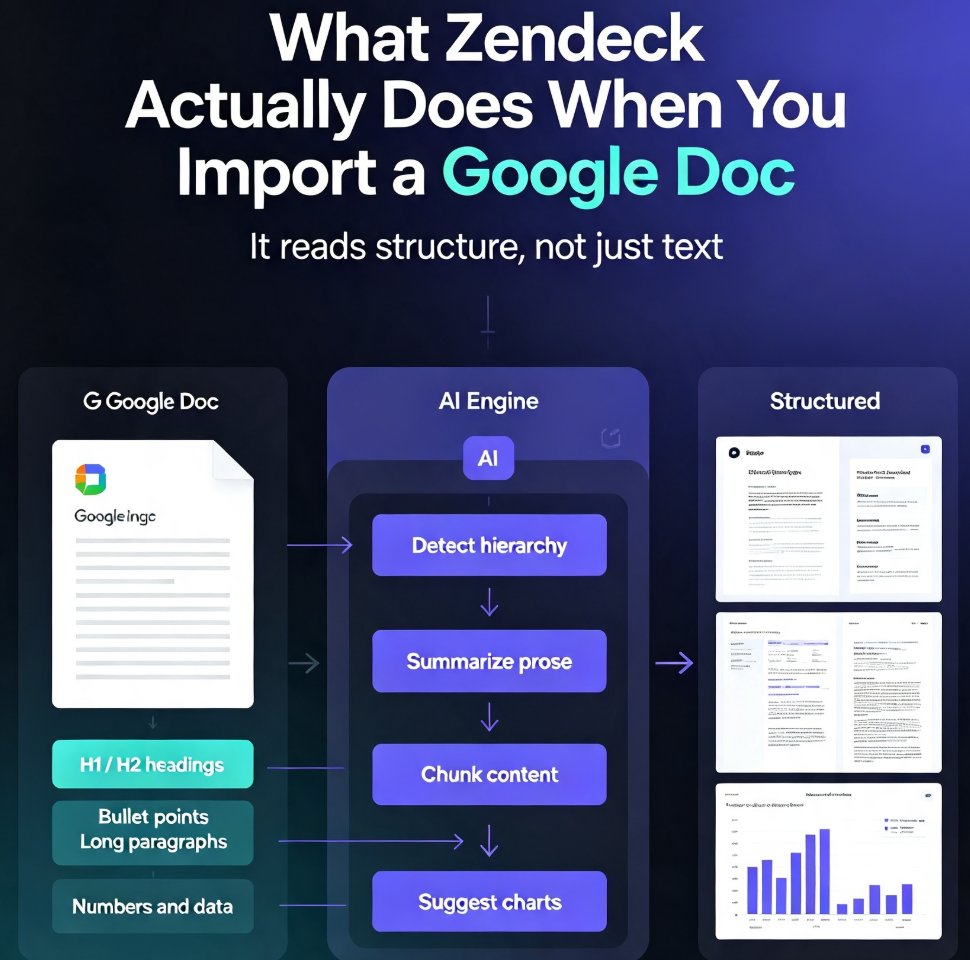
Zendeck takes the opposite approach. It's built for people who already have content—a Word report, a PDF, a Markdown file, or even a brain dump. You upload the document, choose a theme, and Zendeck maps your structure into clean, on-brand slides. If your team lives in Word documents and needs polished decks fast, Zendeck is the clear winner. No reflowing, no broken layouts, just a direct path from document to deck.
02 Feature Comparison: What Actually Matters
Let's put the two side by side. I've pulled together the features that matter most to real teams—not just the marketing buzzwords.
| Feature | Zendeck | Gamma |
|---|---|---|
| Input methods | Word, PDF, Markdown, TXT, outline | Topic prompt (text) |
| Design control | Smart layout, one-click reskin, brand kits | AI-generated themes, limited customization on free tier |
| Export options | PPTX, PDF, Google Slides | PPTX (paid plan only), PDF |
| Collaboration | Real-time editing, link sharing, external client permissions | Team collaboration on paid tiers |
| Brand consistency | Custom brand kits, asset library | Basic theme options, advanced customization paid |
| PPT to video | Yes—turn slides into narrated micro-courses | No |
| Pricing model | Free tier available, affordable paid plans | Free tier, but advanced features require paid |
The table tells the story: Zendeck is built for production workflows, while Gamma is built for ideation. If you're a consultant who needs to turn a 15-page report into a client-ready deck by tomorrow, Zendeck's document import and brand kit are lifesavers. Gamma would have you starting from scratch, typing a prompt, and then editing the AI's output—which takes time you might not have.
03 When Zendeck Is the Right Choice
You Already Have the Content
If you're a consultant, analyst, or researcher, you probably have a Word document or PDF that's already full of insights. Zendeck lets you import that file directly and generates slides that follow your structure. I've seen a consultant create a data-rich case study deck in 10 minutes using Zendeck—just upload the report, pick a theme, and let the AI handle the layout. That's not a hypothetical; it's a real workflow that saves hours.
Brand Consistency Is Non-Negotiable
Your marketing team sends out decks every week, and they all need to look like they came from the same brand. Zendeck's brand kit feature lets you set your fonts, colors, and logos once, then apply them to every deck automatically. This is a game-changer for agencies and corporate teams. Gamma has some theme options, but advanced customization is locked behind a paid tier, and even then, it's not as robust as a dedicated brand kit.
You Need to Turn Slides into Video
Training teams, HR departments, and educators—listen up. Zendeck's PPT-to-video feature is a killer differentiator. You can take a static deck and turn it into a narrated micro-course in minutes. That's perfect for onboarding, compliance training, or sharing async updates with a distributed team. Gamma doesn't offer this at all. If video is part of your workflow, Zendeck is the only choice here.
04 When Gamma Makes Sense
You're Brainstorming from a Blank Page
Gamma shines when you have a topic but no existing content. Type "Q3 marketing strategy" and it'll generate a full deck with structure and design. If you're in the early stages of a project and just need something to react to, Gamma can get you there fast. But remember: you'll likely spend time editing the AI's text for accuracy and tone. It's a starting point, not a finished product.
You Value Speed Over Control
If you need a rough draft in five minutes and don't care about brand guidelines or perfect formatting, Gamma's prompt-based approach is hard to beat. It's a great tool for personal use or quick internal brainstorming. But for client-facing decks or anything that needs to look professional, you'll probably end up redoing the design anyway.
05 Export and Collaboration: The Hidden Dealbreakers
Let's talk about the stuff that's easy to overlook but will bite you later. Gamma requires a paid plan for PowerPoint export. That's a big deal if your stakeholders live in Microsoft Office. Zendeck, on the other hand, offers export to PPTX, PDF, and Google Slides—so you can share editable files with anyone, regardless of their tool. I've seen teams get stuck when they can't send a .pptx to a client because the tool they chose locks that behind a paywall. Zendeck doesn't do that.
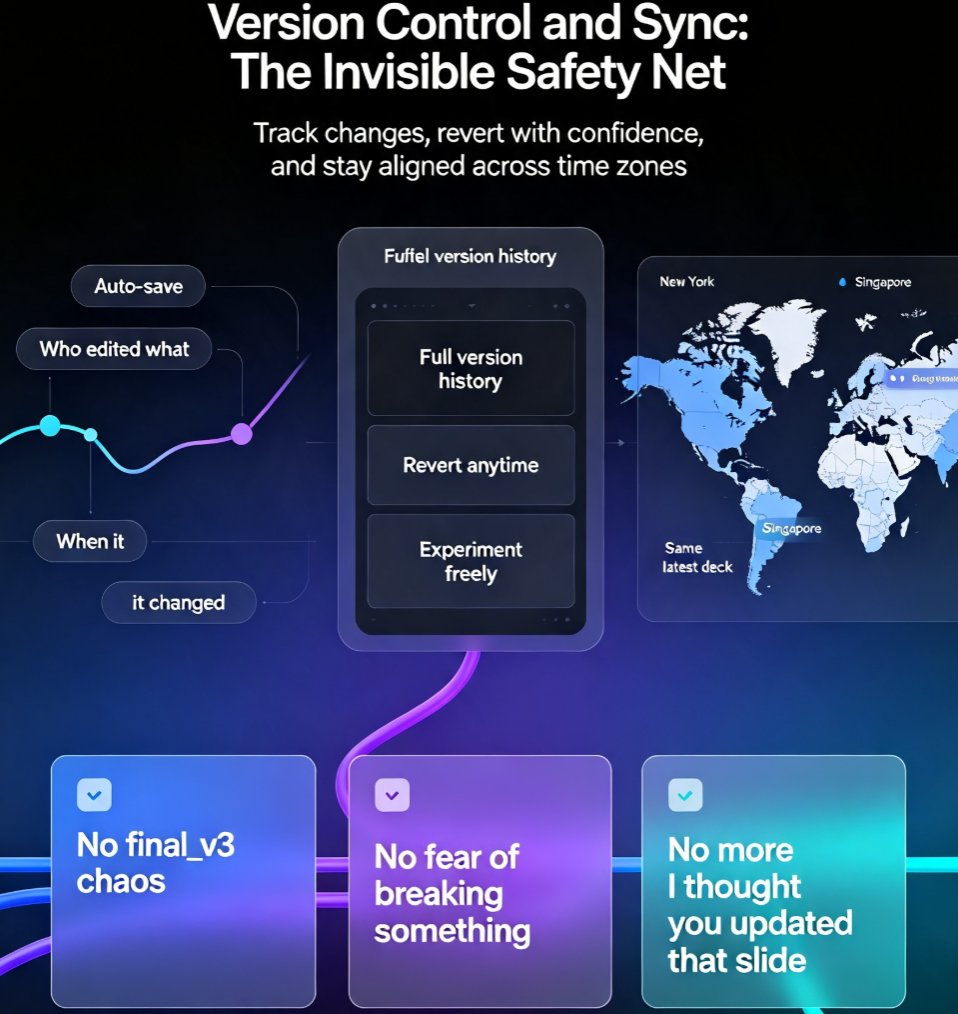
Collaboration is another differentiator. Zendeck supports real-time editing and link sharing, and you can even collaborate with external clients using granular permissions. Gamma's team collaboration features are on paid tiers, and even then, they're not as flexible. If your team works with outside stakeholders—agencies, consultants, freelancers—Zendeck's permission controls are a huge win.
06 The Verdict: Which One Fits Your Team?
If your team starts with existing content, needs brand consistency, or wants to repurpose decks into video, Zendeck is the obvious choice. It's built for production, not just ideation. Gamma is a great tool for brainstorming, but it falls short when you need to deliver polished, on-brand presentations quickly.
Here's a simple way to decide:
- Choose Zendeck if: You work with Word, PDF, or Markdown files; you need to maintain brand guidelines; you want to turn slides into videos; you need reliable PPTX export.
- Choose Gamma if: You're starting from a blank page, need a quick draft, and don't mind editing AI-generated content or paying extra for PowerPoint export.
I've seen teams waste weeks trying to force a tool to fit their workflow. Don't be that team. Pick the tool that matches how you actually work. For most professional teams, that's Zendeck.
FAQ
Can Zendeck import Word documents and convert them to slides?
Yes, Zendeck lets you upload a Word outline or paste Markdown/TXT, and it generates structured, visually consistent slides in minutes. This is a core strength—unlike Gamma, which reflows imported PowerPoints into a card-based format that can break your original layout.
Does Gamma require a paid plan for PowerPoint export?
According to comparison reviews, Gamma and Beautiful.ai require paid plans for PowerPoint export. Zendeck offers export to PPTX, PDF, and Google Slides, making it easier to share editable files with stakeholders who live in Microsoft Office.
Which tool is better for maintaining brand consistency across a team?
Zendeck is built for brand consistency. You can set up a custom brand kit—fonts, colors, logos—and apply it across every deck. Gamma has some theme options, but advanced customization is locked behind paid tiers, and its AI-generated designs may drift from your brand guidelines.
Can Zendeck turn a presentation into a narrated video?
Absolutely. Zendeck's PPT-to-video feature converts static slides into narrated micro-courses, which is perfect for training, onboarding, or sharing async updates. Gamma doesn't offer this capability—it focuses on slide generation and design.
Ready to see the difference for yourself? Try Zendeck with your own document and see how fast it turns into a deck.