How to Keep Team Decks On-Brand with Zendeck Template Library
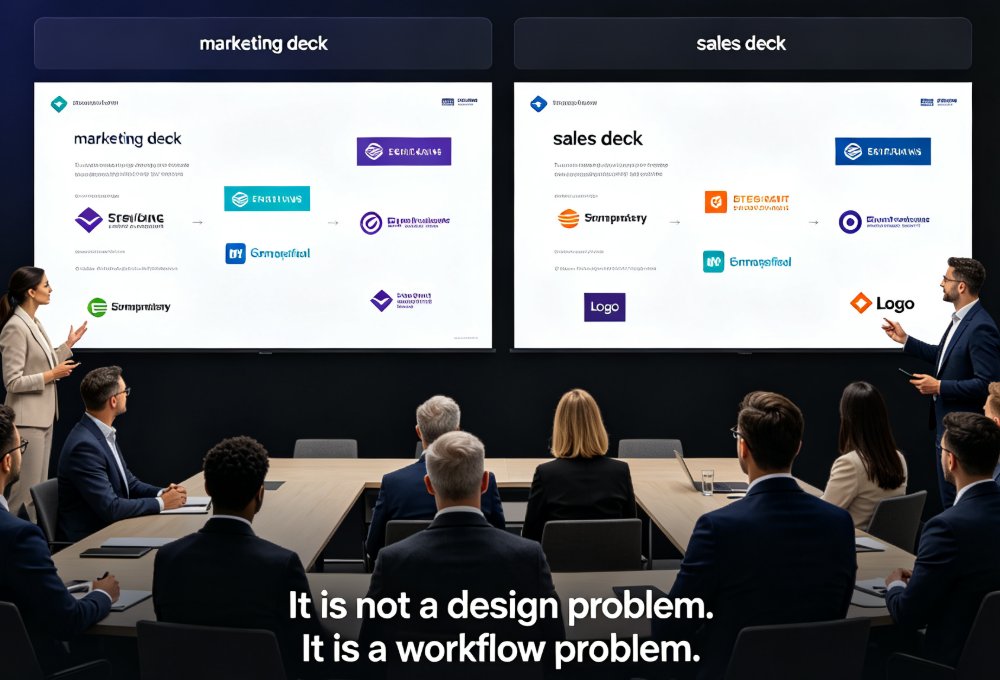
Let's be real: you've sat through it. The quarterly business review where the marketing deck looks like it belongs to a completely different company than the sales deck. Different fonts. Clashing colors. A logo that's been stretched, squished, and placed in three different corners across three different slides. Same brand, zero consistency.
It's not a design problem. It's a workflow problem. And it's costing you more than you think — in hours lost to manual formatting, in brand trust eroded one off-brand slide at a time, and in the quiet frustration of every non-designer who dreads making presentations because they know the design will get picked apart.
01 — Why "Just Use the Template" Never Works
Every organization has done this: you create a beautiful master template, share it with the team, and say "please use this for all presentations." A month later, you're looking at a deck with 14 different fonts and a footer that's been manually edited into oblivion.
The problem isn't your team's competence. It's that static templates don't enforce anything. People copy-paste from old decks. They override styles because they're in a hurry. They "just fix one thing" and break the whole layout. Before you know it, your brand guidelines PDF is collecting dust while your decks are collecting visual chaos.
A template only works if it's impossible to deviate from it. That's the core insight behind smart template systems — and it's the difference between a guideline and a guarantee.
02 — The Real Cost of Inconsistent Decks
Let's talk numbers. When Workday went through a company-wide rebrand, their team had just six weeks to update 23,000 customer-facing slides and demos. That's the scale of the problem when brand consistency isn't built into the workflow — and it's not just a rebrand problem. Every day, teams across organizations are producing decks that don't match the brand, and someone has to fix them.
The hidden costs add up faster than you'd expect:
- Hours lost to manual formatting — reformatting fonts, colors, and layouts by hand, deck after deck
- Brand dilution — inconsistent visuals weaken brand recognition and erode client trust
- Missed deadlines — decks get delayed while someone "cleans up" the design at the last minute
- Frustrated teams — non-designers avoid making presentations because they know the design will be criticized
Here's what that looks like in practice. We asked teams across marketing, HR, and ops about their monthly formatting workload — the numbers tell the story:
That's 13 hours per team, per month, saved — time that goes back into actual content, strategy, and messaging. And that's just the formatting cost. It doesn't account for the brand damage of a deck that makes your company look sloppy in front of a client.
03 — How Zendeck's Template Library Enforces Brand Consistency
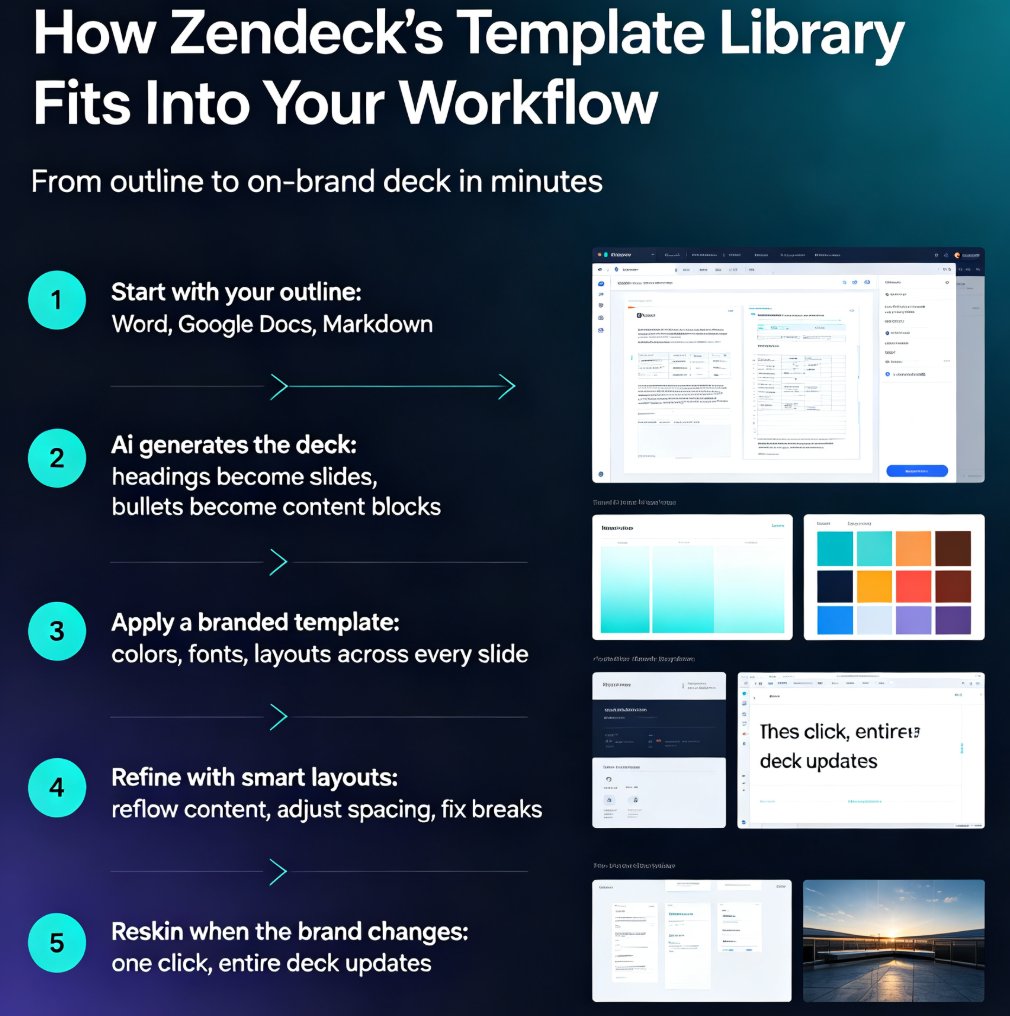
This is where Zendeck's template library changes the game. Instead of a static template file that people can override, Zendeck gives you a centralized library of approved templates with brand elements locked in.
When a team member starts a new deck, they pick from these templates. The fonts are set. The colors are set. The logo placement is set. There's no "quick fix" that breaks the layout, because the smart layout system keeps everything aligned automatically.
◉ What makes a template "smart"?
A smart template doesn't just look right — it behaves right. It adapts to your content. Add a bullet point, and the layout adjusts. Add an image, and the spacing reflows. The template maintains visual harmony no matter what you throw at it, which is exactly what static PowerPoint templates can't do.
The result: your team produces on-brand decks by default, not by accident.
For teams that need even tighter control, you can set up a custom brand kit with your logo, color palette, typography, and layout rules. Once configured, it applies across all new presentations — and you can even require it as the shared theme for your entire organization. No more "I didn't know which template to use." If you want to go deeper on setting up your brand kit, we've written a full guide on creating a custom brand kit in Zendeck for consistent decks.
Here's a quick comparison of how static templates stack up against Zendeck's smart approach:
| Capability | Static Template | Zendeck Smart Template |
|---|---|---|
| Font enforcement | Manual, easily overridden | Locked, auto-applied |
| Color consistency | Depends on user discipline | Enforced by brand kit |
| Layout adaptation | Breaks when content changes | Auto-reflows with smart layout |
| Legacy deck rebranding | Manual, slide by slide | One-click smart reskin |
| Team adoption | Low — people work around it | High — path of least resistance |
04 — One-Click Smart Reskin: Rebranding Without the Grunt Work
Here's the scenario that makes every marketing ops person wince: you've got 500 legacy decks built over the past three years, and the company just rebranded. Someone has to update all of them.
With Zendeck's one-click smart reskin, you don't have to. The feature takes any existing deck — even one built in another tool — and automatically applies your brand's fonts, colors, and layout rules. In a single click.
That's the difference between a six-week project and an afternoon. Instead of manually reformatting slide after slide, you reskin the deck, review it, and move on. The smart layout system handles the spacing, alignment, and visual hierarchy so everything looks like it was designed by a professional — because, in a sense, it was.
◉ What if my legacy decks were built in another tool?
Doesn't matter. Smart reskin works on any deck you can import. Whether it was built in PowerPoint, Google Slides, or by an external agency, the reskin process brings it up to your current brand standard. This is exactly the kind of capability that makes AI-governed brand consistency with smart templates possible at scale.
The reskin feature is the difference between a rebrand that takes weeks and one that takes an afternoon.
05 — Building a Brand Governance Workflow Your Team Will Actually Follow
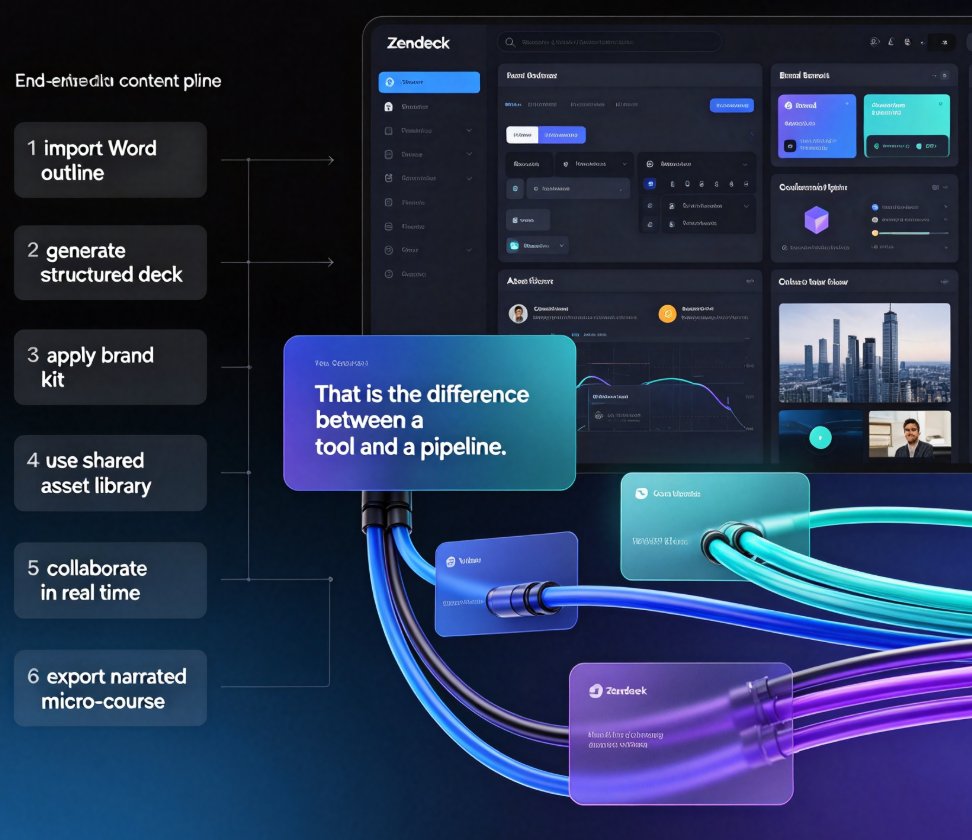
A tool is only half the solution. The other half is a workflow that makes brand consistency the path of least resistance. Here's what works in practice:
Step 1: Centralize your templates. Put all approved templates in one library that everyone can access. No more hunting through shared drives for "the good template." Zendeck's library does this natively.
Step 2: Lock down your brand kit. Set your logo, colors, and fonts once. Make them the default for every new deck. This is the single highest-leverage move you can make.
Step 3: Make reskin the standard for legacy decks. Instead of manually updating old presentations, run them through smart reskin to bring them up to brand standard. This is where AI asset libraries and brand consistency work together — your icons, charts, and illustrations all stay on-brand too.
Step 4: Review, don't redesign. When a deck comes back for feedback, focus on content and message — not on whether the colors match. That's already handled by the system.
Step 5: Save reusable slides. When someone builds a great slide, save it to your collection so the whole team can use it. Over time, you build a library of on-brand assets that makes every future deck faster. This is one of those hidden features of AI presentation tools that boost team productivity — the ones you don't realize you need until you have them.
06 — Real-World Scenarios: Marketing, HR, and Ops
Marketing. Your team produces pitch decks, campaign recaps, and webinar slides — often on tight deadlines. With a template library, every deck comes out looking like it was designed by the same person. When a last-minute pitch needs to be pulled together, you're not starting from scratch. You pick a template, drop in the content, and the design takes care of itself.
HR. Onboarding decks, training materials, and internal announcements all need to reflect the brand. HR teams aren't design teams, and they shouldn't have to be. With smart templates, anyone can produce a polished, on-brand deck for a new-hire orientation or an all-hands meeting — without opening a design tool.
Operations. Ops teams deal with process decks, status updates, and stakeholder reports. These are often the most neglected in terms of design — and the most visible internally. A template library ensures that even the most routine operational deck looks professional. And when you need to turn those decks into training videos, AI PPT-to-video tools extend the same brand consistency to your video content.
07 — Best Practices for Long-Term Brand Consistency
Keep your template library current. When your brand evolves, update the templates and reskin existing decks. Don't let old templates linger — they're a trap. The 2026 template library trend is moving toward contextual templates that adapt to content type, so staying current matters more than ever.
Train your team on the workflow. Show them how to pick a template, apply the brand kit, and use reskin. It takes 15 minutes and saves hours of back-and-forth. Make it part of onboarding for new team members.
Audit your decks quarterly. Pick a few recent presentations and check them against your brand standards. If you spot deviations, it's usually a workflow issue — fix the workflow, not the deck.
Let the tool do the design work. The whole point of smart templates is that your team doesn't need design skills. Trust the system. The more you let Zendeck handle the design decisions, the more consistent your output becomes — and the more your team can focus on what actually matters: the message, the audience, and the impact.
Start small, then scale. Pick one team, set up their templates and brand kit, and run a pilot for a month. Once you see the difference, roll it out across the organization. That's how AI deck template selection becomes a habit rather than a chore.
FAQ
Q: How does Zendeck's template library enforce brand consistency across teams?
A: Zendeck's template library centralizes approved brand templates with locked-down fonts, colors, and logo placements. When team members start a new deck, they pick from these templates, and the smart layout system automatically applies consistent styling — so there's no room for manual deviation. You can also require a shared theme across your entire organization.
Q: What is one-click smart reskin and how does it work?
A: Smart reskin takes any existing deck — even one built in another tool or by a contractor — and automatically applies your brand's fonts, colors, and layout rules in a single click. It's especially useful for rebranding legacy decks or standardizing ad-hoc presentations from different teams, cutting what used to be a multi-week project down to an afternoon.
Q: Can I create a custom brand kit in Zendeck?
A: Yes. You can set up a custom brand kit with your logo, color palette, typography, and layout preferences. Once configured, it applies across all new presentations and can be enforced as the shared theme for your entire organization, so every deck starts on-brand by default.
Q: How long does it take to rebrand a large deck library with Zendeck?
A: With one-click smart reskin, a deck that would take hours to manually reformat can be rebranded in minutes. For large-scale efforts — like a company rebrand affecting thousands of slides — teams can process decks in batches rather than slide by slide, turning a six-week project into a manageable task.
Q: Does Zendeck work for teams without design skills?
A: That's the core design philosophy. Zendeck handles the design decisions — layout, spacing, color harmony — so anyone on your team can produce a professional, on-brand deck without opening a design tool. Marketing, HR, and ops teams all benefit equally.