How Zendeck AI Automates Standard Decks for HR and Corporate Trainers
01. Why HR and Trainers Are Stuck in Deck Hell
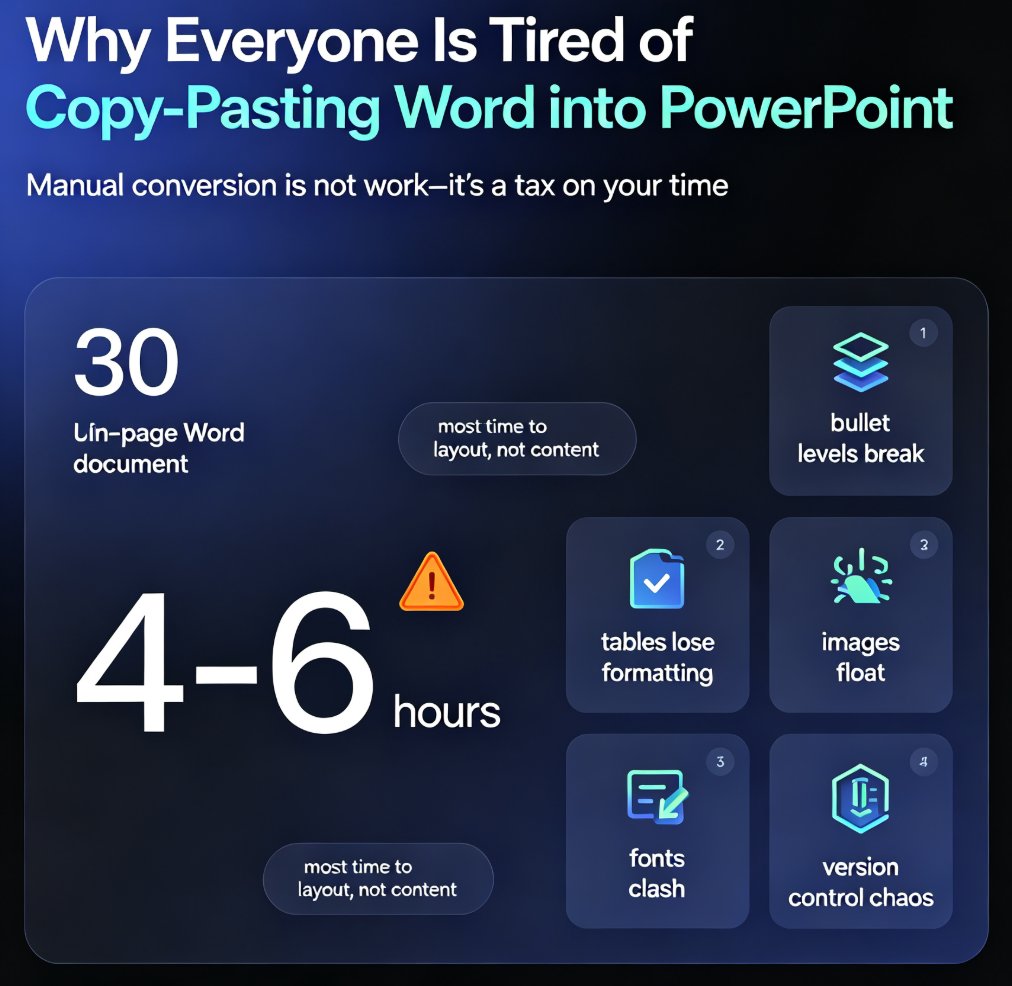
Let's be real: if you're in HR or corporate training, you've spent more Friday afternoons tweaking PowerPoint than talking to people. That's not your job. Your job is to onboard new hires, communicate policies, and make training stick — not to be a PowerPoint janitor.
Yet every policy change means a full deck refresh. Every new hire gets the same 40-slide onboarding deck, but someone has to rebuild the regional version with the local office photo. Every compliance update forces you to swap out three slides and re-export the file. Sound familiar?
The silent killer is the time spent on repetitive design tasks that add zero strategic value. You copy old slides, paste new text, adjust the logo, and hope the fonts don't break. Multiply that across every location, every training module, every quarterly update — and you're looking at days of lost productivity per month.
According to a 2026 analysis from 2Slides, HR departments using AI presentation generators report reducing deck creation time by 85-92% while maintaining brand consistency across all employee-facing materials. That's not a fancy claim; it's a direct result of automating the design layer.
The problem is that most HR teams haven't moved beyond manual tools. And that's exactly where Zendeck comes in. Zendeck's AI-powered platform turns plain Word outlines into polished, on-brand decks in seconds — no design skills required.
02. The Zendeck Workflow: From Word Outline to Polished Deck
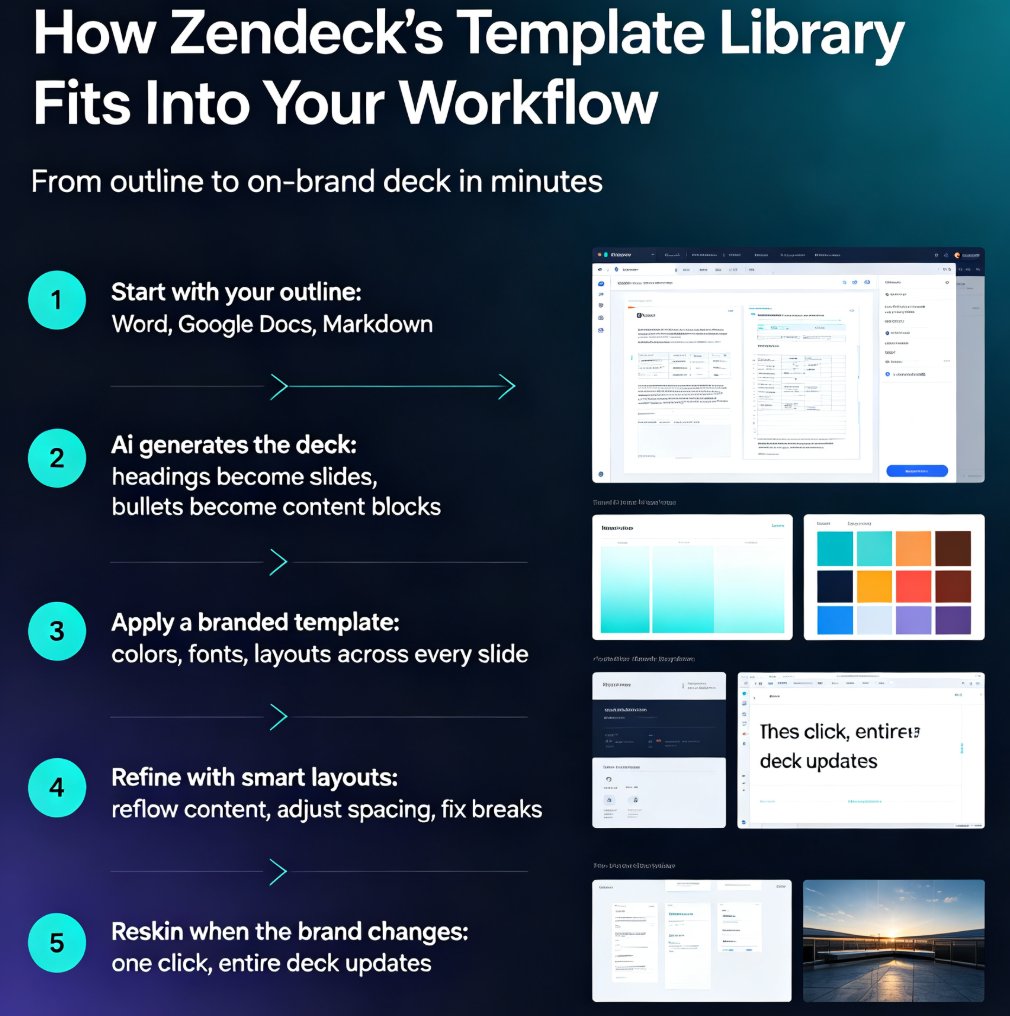
Let's walk through how Zendeck actually works for HR and training teams. It's a three-step process that removes 90% of the friction.
Step 1 – Write your content in Word, Markdown, or TXT. You don't need to think about design. Just write the facts: company history, org structure, benefits, compliance rules, role expectations. Use simple headings and bullets — the AI understands the hierarchy.
Step 2 – Import into Zendeck. Upload the file or paste the text. Zendeck's AI parses your outline and generates a structured, visually consistent deck with slides, headings, and placeholders for images. You can choose a template from the library or let Zendeck pick one based on the content type.
Step 3 – Reskin with one click. If you already have a brand kit in Zendeck (or want to apply a uniform theme), the smart layout feature automatically adjusts fonts, colors, and spacing. You can also swap templates midstream without breaking the layout.
This is not a manual pipeline. It's like sending your Word doc to a designer who gives you a finished deck back in 30 seconds. And because the whole process is AI-driven, the output is consistent across every deck you create.
!
For a deeper look at how AI presentation ties into your existing documentation, check out our piece on AI presentation tools and Word/Google Docs integration.
03. Template Library: Your Brand's Best Friend
One of the biggest pain points for HR is maintaining brand consistency. Different offices create their own deck versions, and suddenly the logo is stretched, the colors are off, and the font mix looks like a ransom note.
Zendeck's template library includes 1,500+ templates optimized for HR use cases — onboarding, compliance, benefits, culture, training modules. But the real magic is how templates enforce structure, not just look.
Each template comes with predefined slide layouts, placeholder blocks, and design tokens. When you generate a deck from a Word outline, Zendeck maps your content to the most appropriate layout. Headlines become slide titles, bullet lists become clean text blocks, and tables become structured charts. That means your deck looks professionally designed even if your content is just a plain outline.
And because the library is searchable by use case, you don't have to spend an hour flipping through options. You can find "onboarding" and get a deck that's built for that purpose — not a generic business deck you have to bend into shape.
If you're curious how Zendeck selects the right template for your content, we broke down the logic in AI Deck Template Selection: How Zendeck Picks the Right Look for You.
04. Real Scenarios That Save Your Week
Let's make this concrete. Here are three scenarios where Zendeck transforms HR and training workflows.
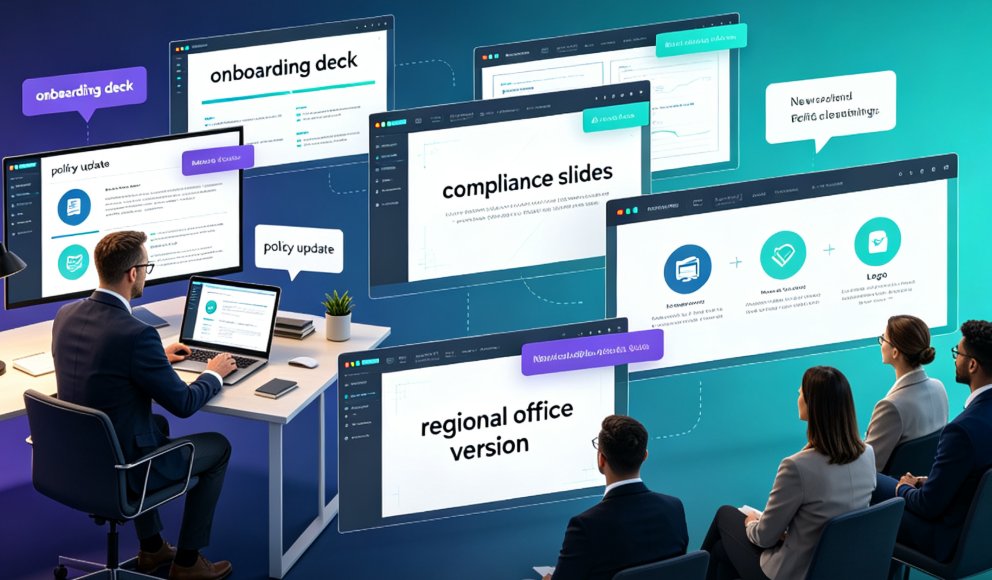
Scenario A – Onboarding deck for a new regional office. You have a core onboarding outline from HQ, but you need to include local benefits and office logistics. Instead of manually copying slides and editing dozens of decks, you paste the local content into the outline, import to Zendeck, and generate a fresh deck. The AI keeps the same brand kit and structure, so the regional deck looks exactly like HQ's — just localized.
Scenario B – Policy change rolled out company-wide. The RTO policy just changed, and you need to send a 15-slide update to all managers. You write the policy changes in Word, import to Zendeck, and generate a deck in under a minute. The AI creates a narrative structure: what's changing, why, and what managers need to do. You then export the deck as a PPTX or use the PPT-to-Video feature to create a narrated micro-course for asynchronous viewing.
Scenario C – Compliance training for a global team. Your team spans 22+ languages. You write the compliance module in English, then generate localized versions using Zendeck's multilingual support. Each version keeps the same layout and brand styling — no more scattered translations with broken formatting.
These aren't hypotheticals. HR teams using AI presentation tools report creating complete onboarding decks in under 30 seconds with a uniform look across all offices — a direct outcome of using platforms like Zendeck.
The outcome: you stop being the deck monkey and start being the person who actually shapes employee experience.
05. The Numbers: How Much Time You Actually Save
The 85-92% time reduction figure isn't just a vendor stat — it aligns with what we see when teams start using Zendeck for standard deck production. But let's break it down into comparable units.
Here's a typical before/after for a 40-slide onboarding deck:
| Task | Manual (hours) | Zendeck (hours) | Savings |
|---|---|---|---|
| Writing outline | 1.5 | 1.5 | 0 |
| Designing slides | 4.0 | 0.2 | 3.8 |
| Branding & reskin | 2.0 | 0.1 | 1.9 |
| Review & revisions | 1.5 | 0.5 | 1.0 |
| Export & distribution | 1.0 | 0.1 | 0.9 |
| Total | 10.0 | 2.4 | 7.6 (76%) |
Even in this conservative estimate, you save 7.6 hours per deck. For a team that produces five decks a month, that's 38 hours — a full workweek — saved. And that's without counting the time you get back by avoiding mistakes that lead to rework.
The efficiency isn't just about speed; it's about consistency. When every deck follows the same structure, fewer questions come back to you. Employees know what to expect, and your reputation as a reliable team grows.
06. Pro Tips for Standardizing Your Decks
You can get even more out of Zendeck with a few habits that veteran users pick up. Here are my practical tips, off the record.
Tip 1: Build a "master outline" for recurring decks. Spend an hour writing a comprehensive onboarding outline once, then use it for every new cohort. Copy it, tweak the details, import to Zendeck. You'll never start from a blank slide again.
Tip 2: Use Zendeck's brand kit religiously. If you haven't set one up yet, do it once with your logo, colors, and fonts. The AI will apply it to every deck, so your brand stays intact even when someone on the team is sick and someone else takes over.
Tip 3: Don't skip the review step. Zendeck is great, but a human eye catches the weird phrase or the missing policy reference. Always allocate a few minutes to scan the generated deck before shipping it out. Think of it as editing a draft your best designer drafted for you.
Tip 4: Repurpose decks into micro-courses. Your training decks don't have to live only as PowerPoints. Use Zendeck's PPT-to-Video to add narration and subtitles, turning a static deck into an accessible, on-demand module. This is also a subtle way to make your content more inclusive — see our guide on accessible micro-courses with auto-subtitles.
Tip 5: Version control your outlines. Keep a folder of your master outlines in Word or Markdown, and track changes with your team. That way, when policy updates come, you can quickly see what changed and feed it back into Zendeck without hunting through old decks.
FAQ
How does Zendeck convert a Word outline into a deck? You paste or upload a Word outline (or Markdown/TXT) into Zendeck. The AI parses headings, lists, and paragraphs, then applies a selected template to generate structured, visually consistent slides in seconds. You can restyle with one click using the smart reskin feature.
Can Zendeck handle 50-slide onboarding decks? Yes. Zendeck builds decks of any length from outlines, though it's optimal for 30-50 slides. The AI maintains consistent layout and branding across all slides, so large decks don't look cobbled together.
Does Zendeck support multiple languages for global teams? Zendeck supports over 22 languages for global workforces. You can generate decks in English, Spanish, Mandarin, and more, while keeping the same visual style and brand elements.
How do I keep company branding consistent across decks? Zendeck's custom brand kit lets you store logos, color palettes, fonts, and layouts. When you generate a deck from a Word file, Zendeck automatically applies your brand kit, so every employee-facing deck looks like it came from the same design team.
Is Zendeck worth it for small HR teams? Absolutely. Even if you only create one deck per month, Zendeck saves 8-9 hours per deck. For a small team, that's a full person-day each month — time you can spend on recruiting, employee relations, or actually training people.