Localize Training Decks Fast: Zendeck Multilingual PPT & Video
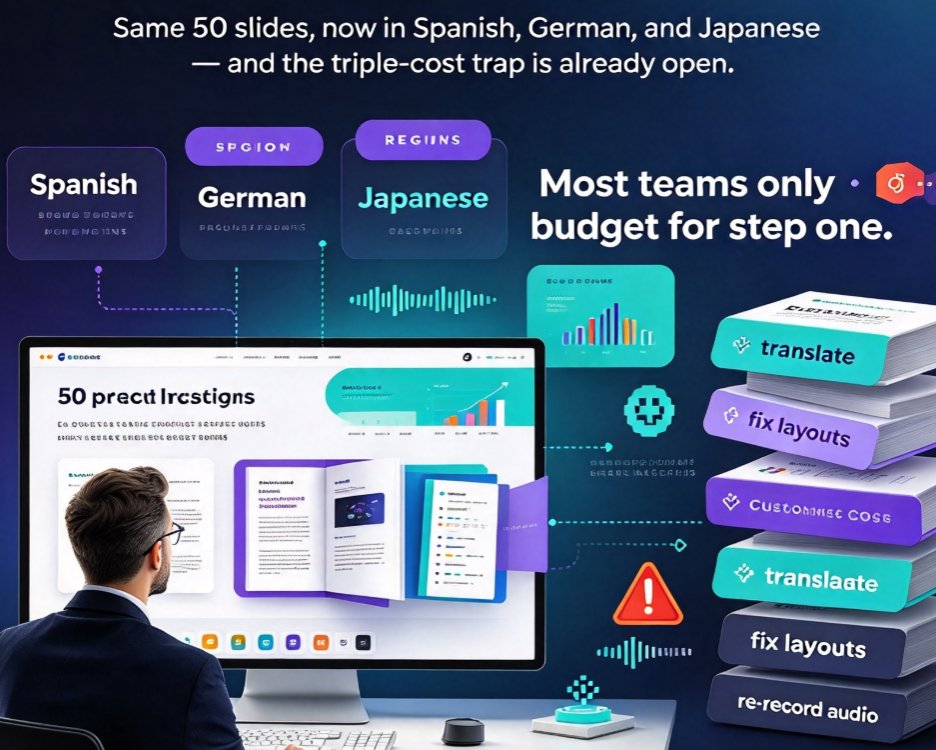
Let's set the scene. You're a training manager at a company that just expanded into three new regions. The same 50-slide onboarding deck needs to be understood in Spanish, German, and Japanese — ideally by Monday. The deck has custom fonts, tight charts, icons placed pixel-perfect, and a voiceover you recorded last quarter.
Your first instinct? Open the file, start translating, pray the text fits the boxes, and schedule a re-recording session. That's the triple-cost trap. Translating text is step one; fixing every broken layout is step two; redoing the audio is step three. Most teams only budget for step one.
Here's the honest truth: when your design survives translation, localization stops being a design problem and becomes a content problem — and content problems are cheap to solve. Tools like Zendeck are built around that principle, and the workflow difference is measurable.
01 Why Localization Is a Triple Whammy
Let's break down what actually happens when you localize a training deck the old-fashioned way. It's rarely one task; it's three, stacked on top of each other.
Pain point 1: Translation is only 30% of the work. The text itself — whether done by a human linguist or a machine translation tool — is the easy part. The pain arrives when you paste "Onboarding Portfolio" into German and it comes back as "Onboarding-Portfolioübersicht." The box was designed for 18 characters; now it's holding 26. Text overflows, bullets clip, and the slide that looked crisp at 9 a.m. looks broken by 9:05.
Pain point 2: Layout fixing is invisible, unglamorous labor. Realigning text boxes, resizing buttons, re-fitting charts, checking that the icon doesn't collide with the new headline — this is the work nobody writes in the project plan, and it eats hours across every language version. For a 50-slide deck, multiply that by three or four languages and you're booking a day just for alignment.
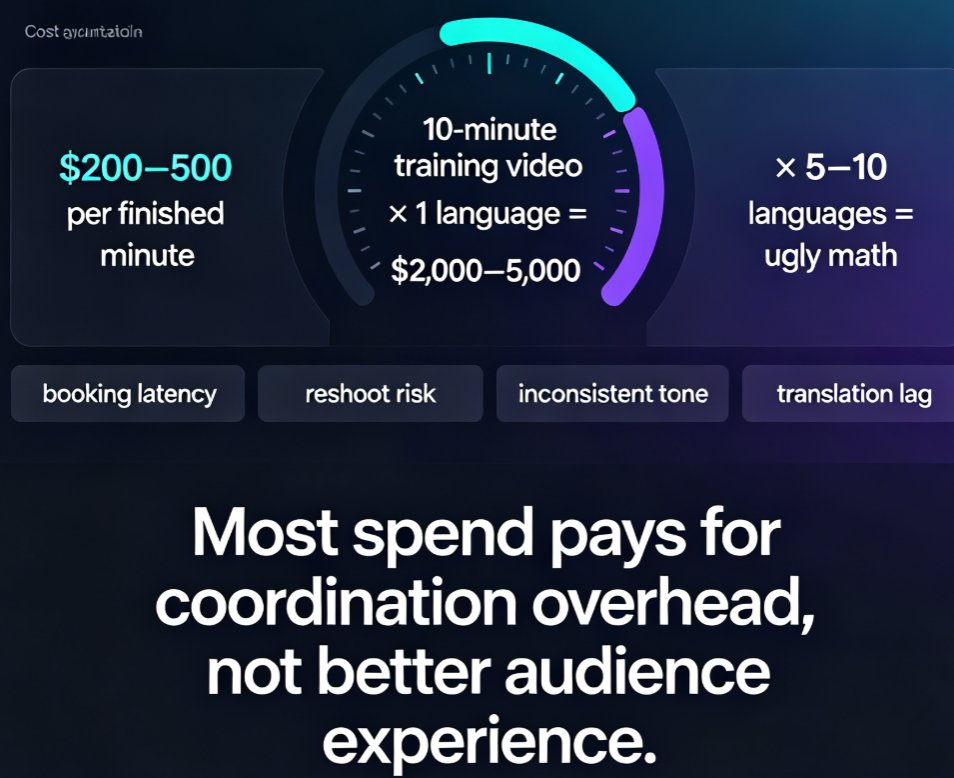
Pain point 3: Voiceover re-recording is the most expensive step of all. You can't "translate" an audio track. Traditionally, you re-book the narrator, re-record every slide, re-sync to the new timing, and re-subtitile. For many teams, that means pulling in internal volunteers whose delivery is uneven — or paying talent rates per session, per language.
The outcome is predictable: localization projects blow past deadlines, cost more than the original production, and get delayed so often that regions launch training weeks late.
That's the world Zendeck is built to retire.
02 The Breaking Point: Layouts and Voiceovers
If translation is the visible part of localization, layout stability and narration are the hidden multipliers. Fix those, and the whole equation changes.
◉ Why does translated text break layouts in the first place?
Because most slide tools glue content to fixed boxes. When a string overflows, the box doesn't grow gracefully — it clips, pushes neighbors, or leaves a mess you have to re-align by hand. Zendeck's layout engine works differently: it holds a stable grid, re-flows text, and re-applies spacing rules automatically. Paste in longer German strings or shorter Japanese ones, and the layout absorbs the change instead of fighting it.
◉ Do you really need to re-record every language?
Here's where most teams waste the biggest share of their budget. If your narration is generated as part of a PPT-to-Video workflow — not recorded in a studio — then regenerating it per language takes minutes, not sessions. The script is data; the voiceover is a render.
If you can reuse the same narration workflow instead of re-recording, you cut the most expensive part of localization to nearly zero. That single shift turns "we can't afford three language versions" into "which four languages do we need?"
One practical note before we continue: localization goes beyond voiceover. Subtitles should follow each language, pacing changes, and accessibility matters. auto-generated subtitles stay in sync with the regenerated narration, which keeps everything consistent without manual timing work. If accessibility is on your roadmap, this is the part you'll want to keep an eye on.
03 Manual vs. Zendeck: An Honest Time Comparison
Let's get concrete with the scenario from the intro: a 50-slide onboarding deck localized into Spanish, German, and Japanese. Here's what manual localization looks like versus a Zendeck-assisted workflow, based on typical team effort.
A few honest caveats before you quote those numbers: the manual figures assume a competent designer who knows the deck. The translation itself (the raw linguistic work) is roughly the same in both columns — Zendeck doesn't replace your translator, and it shouldn't. What it removes is the repetitive labor around translation: re-alignment, re-fitting, re-timing.
Here's the same comparison as a checklist-style table, which teams often find easier to share with stakeholders:
| Step | Manual localization | Zendeck-assisted | The difference |
|---|---|---|---|
| Translate slide text | Word-by-word in PowerPoint; text overflows boxes | Translate in your usual tool, paste it in — layout holds | No re-fitting after every paste |
| Fix broken layouts | Re-align boxes, resize charts, adjust spacing per language | Smart layout re-applies spacing rules automatically | ~5 hours saved across three languages |
| Voiceover | Re-book narrator, re-record every slide | Regenerate narration per language in the PPT-to-Video workflow | ~8.5 hours saved; consistent delivery |
| Subtitles | Generate, sync, retime manually | Auto-generated, in sync with regenerated narration | No manual timing work |
| Total (3 languages) | ~25 hours | ~6 hours | ~76% faster |
76% faster on a routine localization project means you're not choosing between languages anymore — you're choosing how many new regions to launch. For teams producing AI-generated video decks for corporate training, that shift is the whole point.
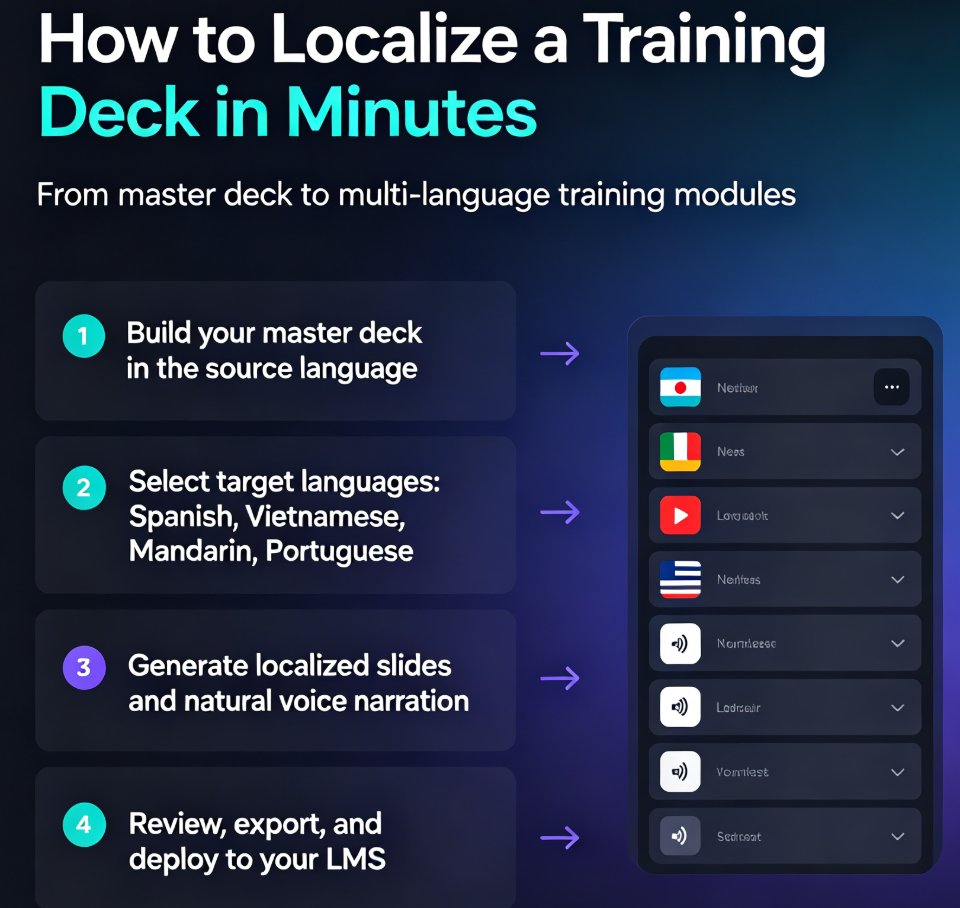
04 The Exact Workflow: One Master Deck, Many Languages
Here's the practical path we use, and you can steal it wholesale.
Step 1: Duplicate the master, don't touch the original
The golden rule of localization is that the source file stays sacred. Duplicate your polished English (or source-language) deck in Zendeck, so every experiment happens on a copy. This also gives you a clean diff later when someone asks "what changed in the Spanish version?"
Step 2: Translate the text, then paste it in
Do the translation in the tool you trust — a human linguist, a translation management system, or an MT engine with proper review. The key is that you translate slide text, speaker notes, and any on-screen labels before touching Zendeck. Once you paste the translated strings into your duplicated deck, the layout engine absorbs the length changes. Short German verb forms and long Japanese titles land cleanly, without you touching a single text box.
Step 3: Regenerate narration, don't re-record
Now the fun part. Instead of scheduling a narrator, open the PPT-to-Video workflow and regenerate the voiceover in your target language. The script is already translated; Zendeck turns it into an embedded narration track per language. No studio. No booking. No "can you say that again, flatter?"
Step 4: Let subtitles follow automatically
One of the hidden cost drivers in localization is subtitling — translating the on-screen words, syncing timing, adjusting for reading speed. Zendeck auto-generates subtitles that stay in sync with the regenerated narration, which matters for accessibility too. If your regions have compliance requirements, this is the step that keeps you honest.
Step 5: Export per language as video micro-courses
Each language version exports as a shareable video micro-course. That's the beauty of building once and rendering many: your accessible micro-course pipeline with auto-subtitles now covers every region equally.
A friend's advice on pacing
Here's the unglamorous tip nobody puts on the roadmap: localize in batches, not binges. Translate and paste one module (say, 10 slides), export one language, and check the render before mass-producing all three. Catching a spacing issue on slide 12 early costs you ten minutes; catching it after 150 slides costs an afternoon. Trust me.
For more on the narration side specifically, our guide on adding narration to slides walks through voice settings and sync options, and the PPT-to-Video category has deeper walkthroughs.
05 When This Approach Pays Off Most
Real talk: not every deck deserves a full multilingual rollout. You don't need three language versions of a quarterly internal update. But some scenarios make the ROI obvious:
- Onboarding at scale. Your new-hire deck is the same everywhere — the only difference is language. Localize it once, reuse it for every hire in every region.
- Compliance and safety training. Regulators require localized versions in many industries. The faster you produce them, the faster you start operating in a new market.
- Customer education and partner enablement. If your product sells in four countries, your training should speak four languages. This is where the content ROI multiplies: one deck becomes four assets, each with video, subtitles, and shareable slides.
- Micro-course libraries. If you run a learning platform, a library of 20 localized micro-courses creates far more value than a single translated deck. The workflow scales linearly.
If you're just starting the multilingual journey, one practical first step is to pick a single high-traffic deck, run the workflow above, and time yourself. Your own numbers will probably land close to the ~76% reduction we saw — and when your boss asks for the business case, you'll have a measured answer, not a guess.
Teams that want to standardize further often combine this with brand kits and smart templates so the localized decks stay on-brand automatically. And if you're weighing tool choices, our 2026 presentation tool trends piece covers how AI-driven layout is moving beyond generic templates.
06 The Bottom Line
Localization doesn't have to be a triple-cost project. The expensive parts — fixing broken layouts and re-recording voiceovers — are exactly the parts that AI-driven workflows remove. Zendeck's layout-stable text replacement and regenerable narration turn a 25-hour multilingual grind into a walkable 6-hour task.
The teams that win on global training aren't the ones that translate faster. They're the ones that stopped rebuilding the same content from scratch. When you treat a training deck as a reusable asset rather than a one-off deliverable, every new language version becomes a rounding error instead of a project.
So next time someone asks for the deck "in Japanese too," don't reach for the recording studio. Reach for the workflow that makes it a Tuesday-morning task.
FAQ
Does Zendeck translate my training deck automatically?
Zendeck doesn't replace your translation provider — it removes the expensive part around translation. You translate the text in your usual tool (a human linguist, a translation service, or an MT tool you trust), then paste the translated text into Zendeck. Because the layout engine holds spacing and position, the translated text lands in place without breaking design. You focus on translation quality; Zendeck handles the layout.
Will my layouts break after text replacement?
That's exactly the problem Zendeck solves. Traditional tools let text overflow, clip, or push elements around when a translated string runs longer or shorter than the original. Zendeck's layout system keeps a stable grid, re-flows text, and re-applies smart spacing automatically. In our test scenario (a 50-slide deck into three languages), manual layout fixing took about five hours; with Zendeck it was under one.
Do I have to re-record voiceovers for each language?
No. Instead of booking talent and scheduling re-recording sessions, you regenerate narration in Zendeck's PPT-to-Video workflow. The same slide script gets a new embedded voiceover per language, on-brand voice included. In our scenario, re-recording three languages manually cost ten hours; regenerating narration took about an hour and a half total.
Can I export localized decks as video micro-courses?
Yes. Once your translated deck is clean and narrated, Zendeck exports each language version as a shareable video micro-course with auto-generated subtitles in sync. That's how teams turn one master deck into three (or more) regional training assets without rebuilding content from scratch — exactly the multi-format repurposing workflow we cover in this guide.
How much time can Zendeck realistically save on localization?
In our worked example — a 50-slide onboarding deck localized into Spanish, German, and Japanese — manual localization took around 25 hours across translation, layout fixing, and voiceover re-recording. The Zendeck-assisted workflow came to about 6 hours. That's a roughly 76% reduction in turnaround time, and the gap grows as your number of languages increases.