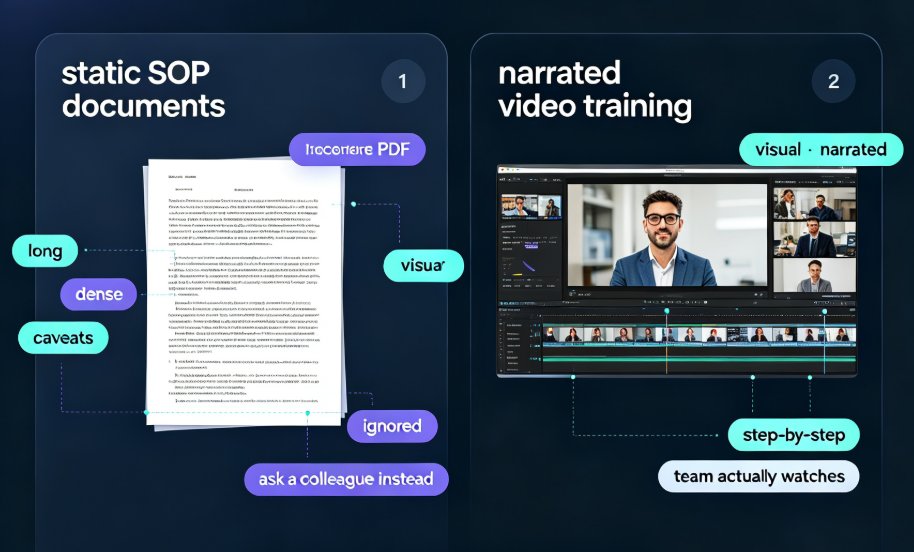
Localize Training Decks Fast: Zendeck's 40+ Voice Languages Explained
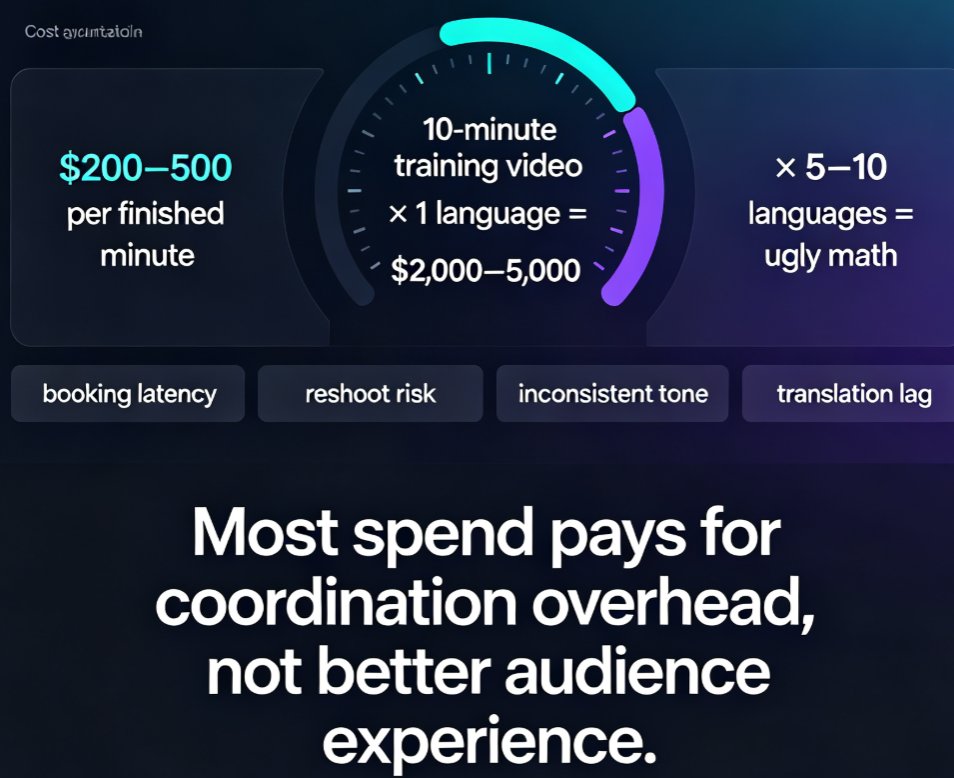
Let's be honest: if you run L&D for a company with teams in more than one country, you know this exact pain. You spend two weeks building a solid onboarding deck in English. Then you wait six weeks for translations, another two for studio voiceover, and by the time the localized version ships, the content is already outdated. Sound familiar?
That bottleneck isn't a process problem — it's a tooling problem. And it's exactly what Zendeck's 40+ voice languages are designed to eliminate.
01 The localization bottleneck nobody budgets for
Global workforces are more linguistically diverse than ever, and the expectation that training meets employees in their own language is no longer a nice-to-have. Research from the Association for Talent Development (ATD) shows that localised content drives deeper engagement, faster course completion, and stronger knowledge retention. The logic is simple: people learn best in their native language.
But here's the catch. Traditional localization means hiring translators, booking voiceover studios, and coordinating review cycles across time zones. For a single training module, that's weeks of calendar time and a budget line most teams never planned for. And if you have ten modules? Multiply everything by ten.
The hidden cost is worse than the visible one. When training ships late, onboarding slows down, compliance deadlines slip, and new hires in non-English markets start their jobs with a knowledge gap. You don't see that cost on an invoice, but you feel it in productivity and retention.
The result is a bottleneck that quietly kills your global training roadmap. Teams in non-English markets either wait months for content or fall back on English-only training that they half-understand. Neither outcome is acceptable when your workforce spans five countries.
02 What Zendeck's 40+ voice languages actually do
This is where the game changes. Zendeck generates and narrates courseware in 40+ languages directly from your existing deck. No translators, no studio time, no back-and-forth with a voiceover agency. You paste your outline, the AI builds the slides, and the built-in voice synthesis narrates them in the language your team actually speaks.
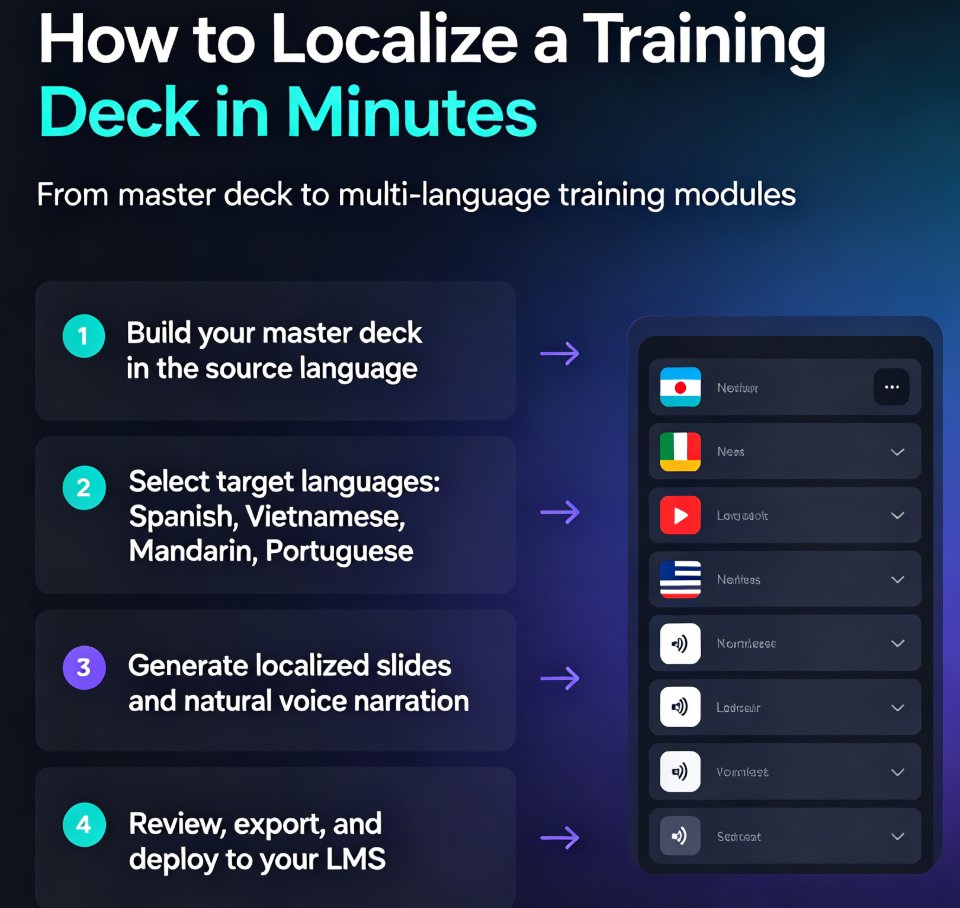
The workflow is deceptively simple. Start with your English deck, select the target languages, and Zendeck regenerates both the on-slide text and the narration. What used to take six weeks now takes minutes.
The key difference is that Zendeck removes the translator bottleneck entirely. You're not outsourcing translation — you're generating localized content in the same tool you used to build the original deck. That's a workflow shift, not just a feature. And it's a capability most presentation tools simply don't have.
If you're already using Zendeck's voiceover and subtitle features, the multilingual layer plugs right into that same pipeline. One tool, one workflow, many languages.
03 How to localize a training deck in minutes
Let me walk you through the actual workflow, because it's simpler than you'd expect.
Step 1: Build your master deck in your source language. Write the outline, let Zendeck generate the slides, and polish the content until it's exactly right. This is your single source of truth — every localized version flows from it. If you're new to this, the PPT-to-video narration workflow is a good place to start.
Step 2: Select your target languages. Spanish for your Mexico City office. Vietnamese for the Ho Chi Minh team. Mandarin for Shanghai. Portuguese for Brazil. You can pick one language or ten.
Step 3: Generate. Zendeck produces localized slides with natural voice narration in each selected language. The voice synthesis maintains emotion and tone — not robotic text-to-speech. This is the step where the weeks disappear.
Step 4: Review and deploy. Spot-check a few slides, export, and push to your LMS. Track completion by language group to make sure every region actually finishes the training.
04 Localization speed: the numbers
Let's put this in perspective with real numbers. The chart below compares the time to localize a single training module using three approaches.
The gap is stark. A traditional translation agency needs roughly 30 days per module. A freelance voiceover artist might get you there in two weeks. Zendeck's AI voice synthesis delivers the same module the same day — including regional variants. This is part of the broader shift toward AI-generated video decks in corporate training.
Here's how the three approaches stack up across the criteria that matter:
| Criteria | Traditional agency | Freelance voiceover | Zendeck AI voice |
|---|---|---|---|
| Time per module | 4-6 weeks | 2-3 weeks | Same day |
| Cost per module | $2,000-5,000 | $800-2,000 | Included |
| Regional variants | Manual, extra cost | Manual, extra cost | Built-in |
| Consistency across modules | Varies by vendor | Varies by talent | Consistent |
| Scalability to 10+ languages | Low | Low | High |
05 Regional variants and cultural fit
One thing that surprises people: localization isn't just about language, it's about the right variant of that language. Latin American Spanish and European Spanish are different enough that shipping the wrong one feels off. Same with Brazilian Portuguese versus European Portuguese, or Simplified Chinese versus Traditional Chinese.
Zendeck handles regional variants for major languages, so you can match your workforce precisely. That matters more than you'd think — culturally appropriate training gets better completion rates and fewer support tickets.
If you're rolling out training across multiple regions, matching the regional variant is as important as matching the language itself. Your Mexico City team will notice European Spanish immediately, and it undermines trust in the content.
06 Best practices for multilingual training
A few things I've learned from teams that do this well:
Keep the source deck clean. The better your master deck, the better every localized version. Fix the English before you generate the Spanish, not after.
Standardize terminology. Create a glossary for product terms and role names so translations stay consistent across modules. This is the difference between professional and sloppy.
Test with native speakers. Even great AI voices benefit from a quick native-speaker review. Budget one day for QA per language, not six weeks.
Track completion by language. If one region lags, you'll see it immediately and can adjust. This is where the data pays for itself.
And one more thing: don't treat localization as a one-time event. Your training content changes, and every change used to trigger a new translation cycle. With AI voice synthesis, updating a localized deck is as fast as updating the original. That changes how often you can refresh your training — and that's a strategic advantage, not just a convenience.
07 When AI voice isn't the right call
Let's be real: AI voice synthesis isn't the answer for everything. If you're producing a high-stakes executive message or a brand-defining launch video, a professional human voiceover is still worth the money. The same goes for content with heavy emotional nuance or complex legal language that needs a human touch.
But for the bulk of your training library — onboarding, compliance, product knowledge, safety — AI voice gets you 90% of the value at 5% of the cost. That's a trade most L&D teams make gladly.
The smart play is a hybrid approach: use AI voice for volume training content, and reserve human voiceover for the few pieces that truly need it. That's how you scale localization without sacrificing quality where it matters most.
FAQ
How many languages does Zendeck support for voice narration? Zendeck supports 40+ languages for voice narration, including major regional variants like Latin American Spanish, European Spanish, Brazilian Portuguese, and Simplified and Traditional Chinese.
Does Zendeck handle regional language variants? Yes. For major languages, Zendeck lets you select the specific regional variant your workforce needs, ensuring culturally appropriate training content.
How long does it take to localize a training deck with Zendeck? Most users localize a deck in minutes. You select your target languages, generate, and deploy the same day — compared to weeks or months with traditional translation.
Can I use Zendeck's localized decks in my LMS? Yes. Zendeck exports localized decks that you can upload to your LMS, and you can track completion by language group.
Do I still need a native speaker to review localized content? It's recommended for final QA, but the review is a quick spot-check rather than a full translation cycle. Most teams budget one day per language instead of weeks.