Curated workplace insights to help you work smarter

Zendeck curates workplace efficiency, industry insights, and software tutorials to help you find useful information faster。

402 articles 8 Categories
Latest Articles

Paste Notes, Get a Deck: AI Outline-to-Slides in Minutes

Office Efficiency 2026-08-24 783

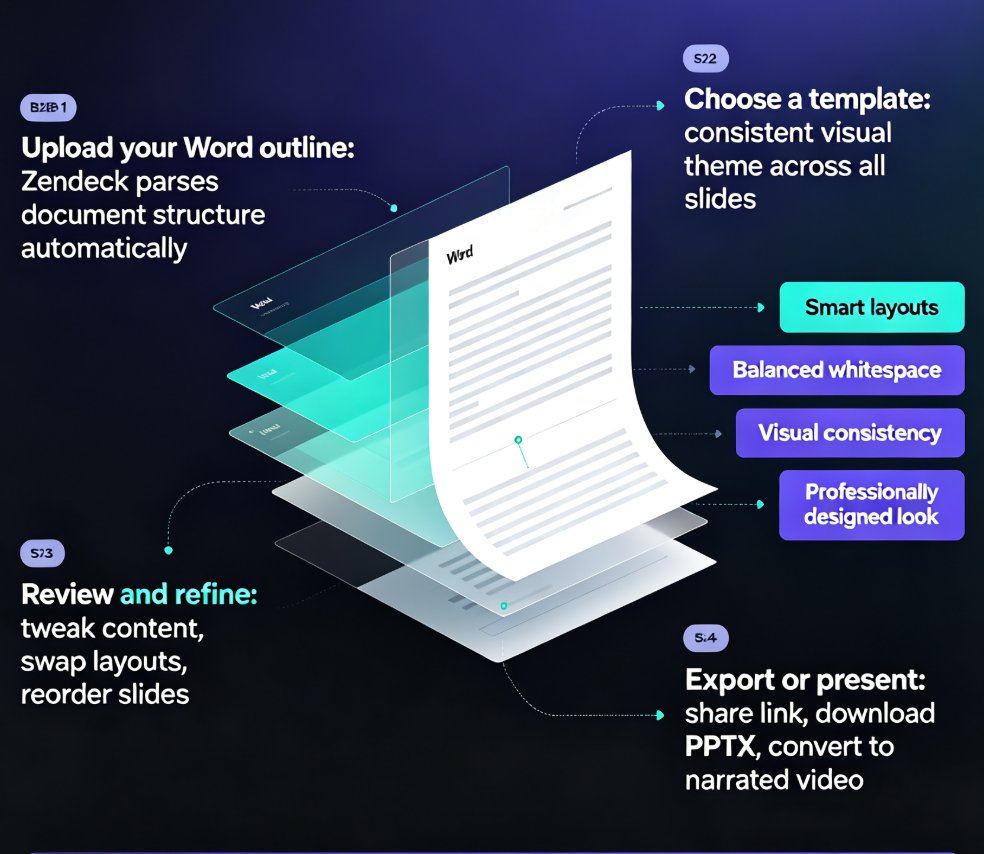
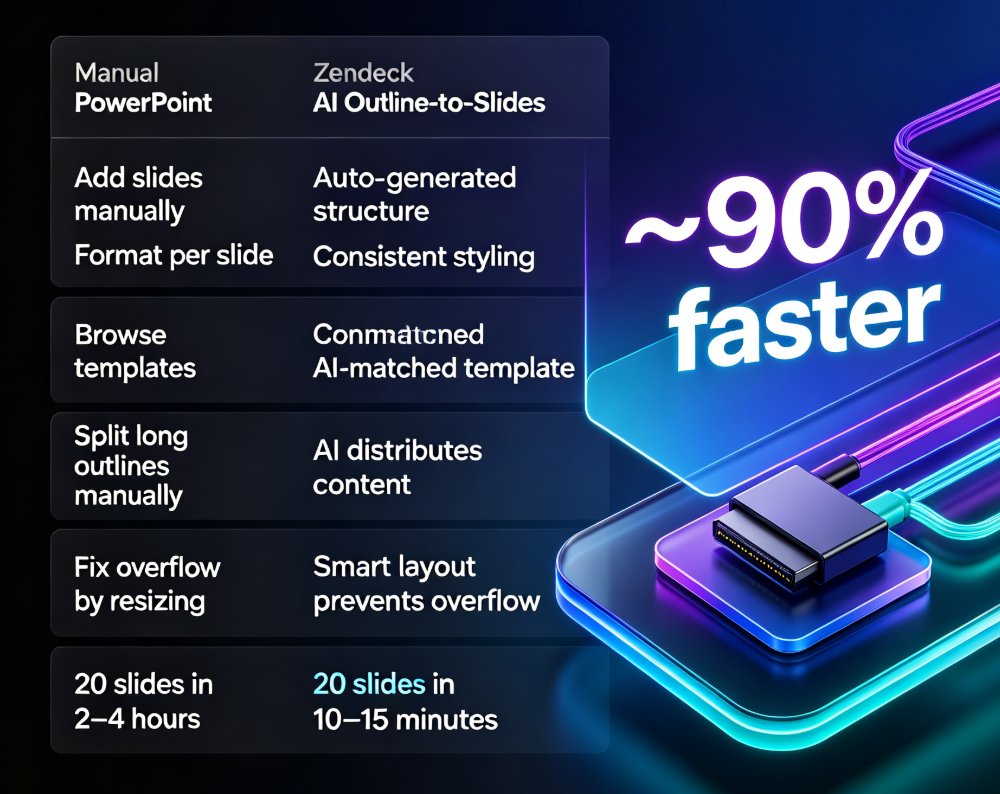
Turning raw notes into a polished presentation used to take hours of manual formatting. Zendeck's AI outline-to-slides workflow converts pasted Markdown, TXT, or Word outlines into a fully structured, designed deck in minutes. This guide walks through the exact process — from pasting your outline to reviewing the final slides — and covers how to structure your content for the best results, common mistakes to avoid, and who benefits most from this workflow. Whether you're an educator turning lesson plans into courseware, an HR professional converting policy documents into training decks, or a consultant preparing client presentations, the outline-to-slides approach eliminates the busywork between your content and your presentation. Learn the step-by-step workflow, see a comparison with manual PowerPoint building, and get practical tips for cleaner, more effective AI-generated decks.
From Static Slides to Narrated Micro-Courses: The PPT-to-Video Revolution

PPT to Video 2026-08-24 2997

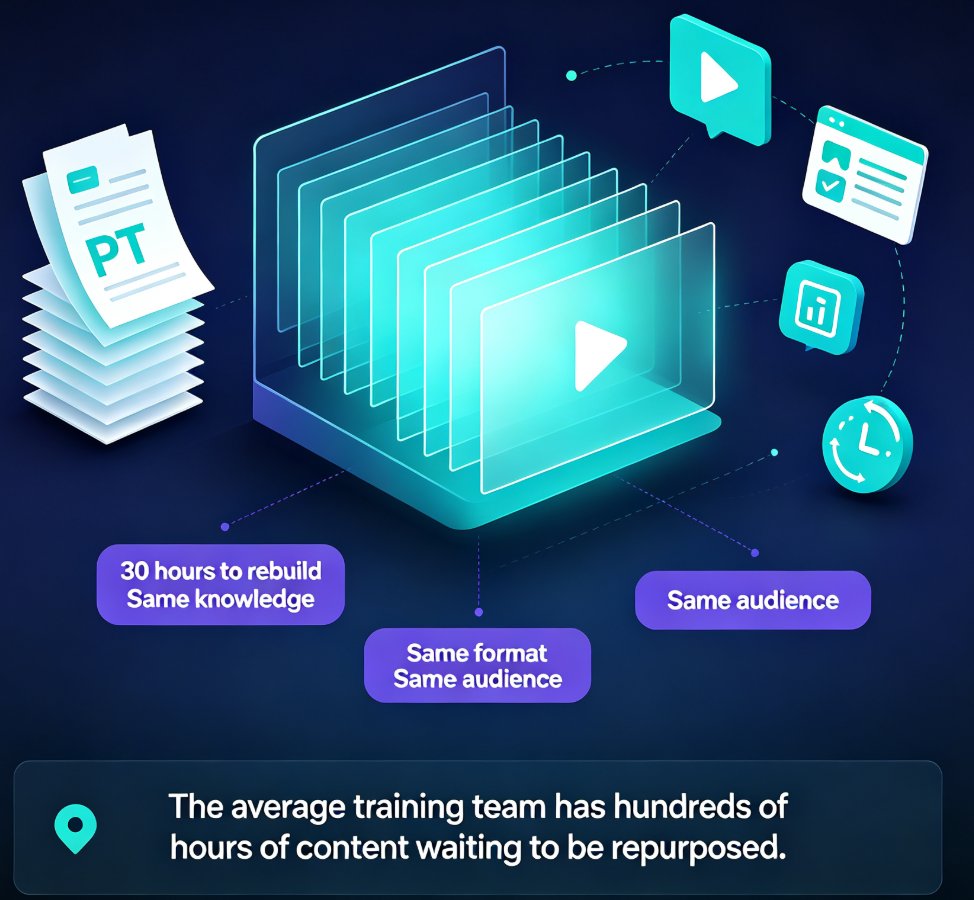
PPT-to-video is the fastest-growing format in corporate training and education, and Zendeck makes the transition effortless. Learn how automated narration, subtitles, and smart layouts turn any static PowerPoint deck into a watchable micro-course in minutes. This guide covers the trend, the workflow, and best practices for trainers, educators, and L&D teams who want to repurpose existing slide decks without video editing skills. Discover why narrated micro-courses outperform static slides for retention and engagement, and how Zendeck's PPT-to-video feature automates the heavy lifting — from voiceover generation to subtitle syncing. If you've been sitting on decks that only get used once, this is your playbook for turning them into always-on learning assets.

Real-Time Collaboration: How Zendeck Streamlines Team Deck Creation

Office Efficiency 2026-08-24 604

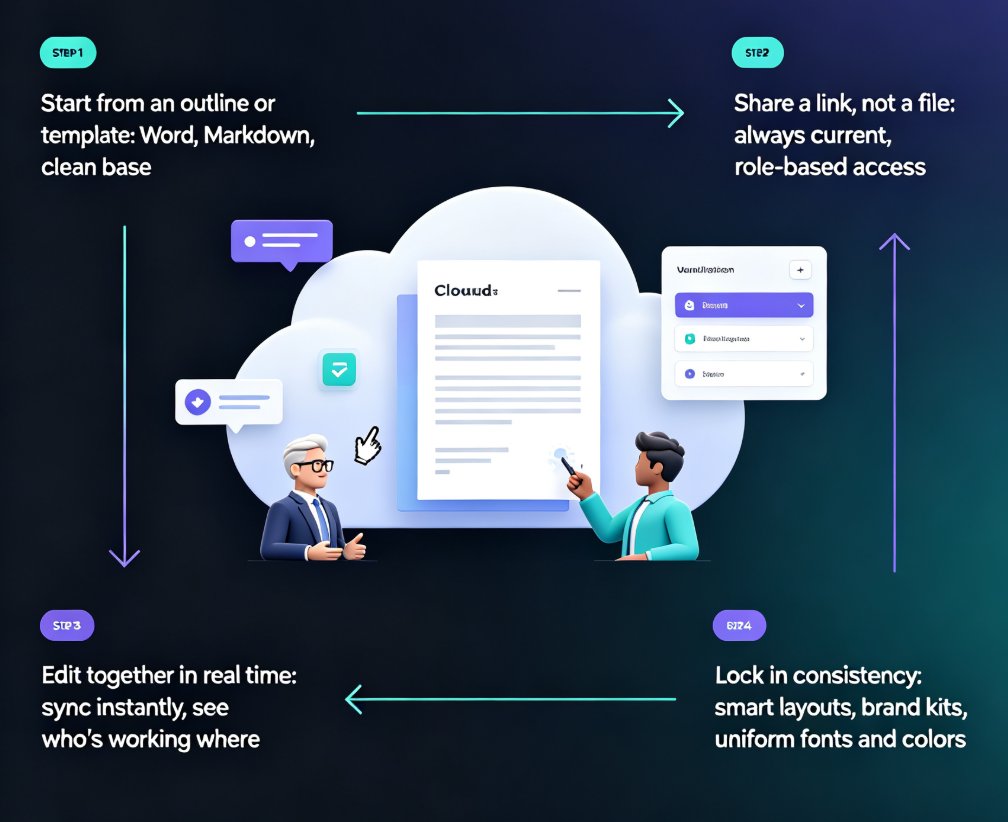
Zendeck's real-time collaboration and link sharing end version-control chaos for distributed teams. This guide shows how online editing, shared links, and smart templates let your whole team build decks together without emailing files back and forth. You'll see the exact workflow that replaces deck_final_v3.pptx chaos with a single live document, plus how inline comments, asset libraries, and brand kits keep everyone aligned. Whether you're a remote startup, a hybrid training team, or an HR department shipping quarterly updates, this is the practical playbook for collaborative presentation creation with Zendeck. Stop managing files and start building better decks together. Learn how to set permissions, divide work by section, and lock decks before presenting — so your team ships polished presentations every time, without the Friday-night panic.

Smart Layout: How One-Click Design Systems Kill Manual Formatting

Courseware Design 2026-08-24 1150

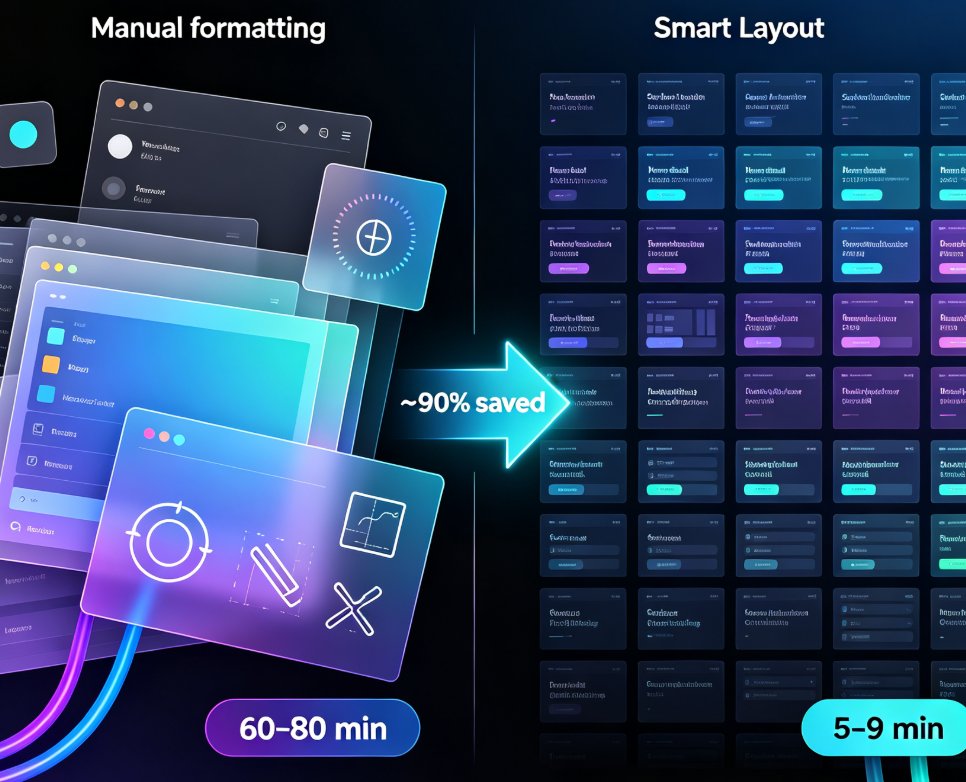
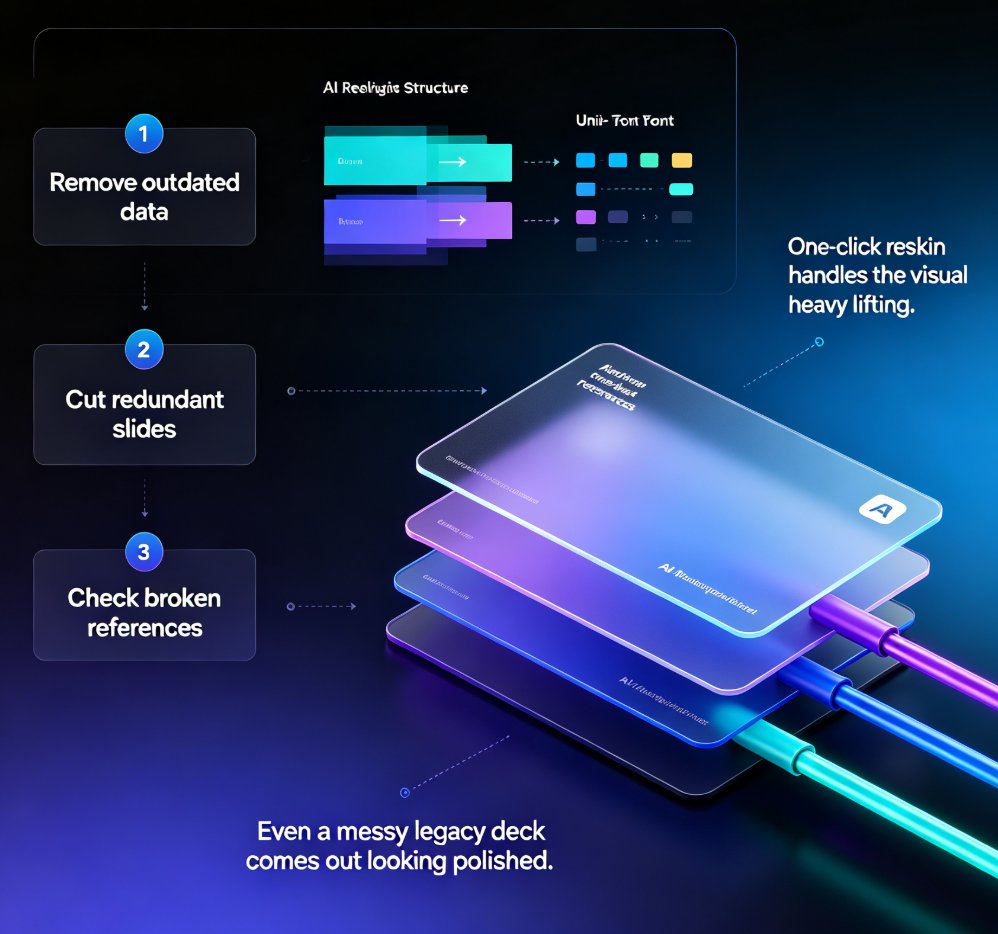
Smart layout is replacing manual formatting as the industry standard for presentations. One-click design systems automatically unify fonts, colors, and spacing, cutting formatting time by roughly 90% and letting non-designers produce polished decks without touching a font menu. Zendeck's one-click reskin is a concrete example of this trend: paste in an outline, and the system generates a structured, visually consistent deck in minutes. This article explains how smart layout works under the hood, why manual formatting is dying, and what it means for educators, trainers, and teams who want brand-consistent courseware without a design department. If you're still formatting slides by hand, you're paying a tax you don't need to pay.

Turn Old Slides into Video Courses: Zendeck's PPT-to-Video in 3 Steps

PPT to Video 2026-08-24 3047

Turn old static slides into narrated video micro-courses with Zendeck's PPT-to-Video in 3 simple steps. Repurpose legacy decks into engaging training content in under an hour — no design skills needed. Learn the exact workflow, best practices, and time-saving tips to unlock years of reusable training material. This guide covers importing and cleaning up old decks, adding AI or human narration, and exporting shareable video courses that you can track and optimize. Perfect for training managers, educators, and content teams looking to maximize the value of their existing presentation assets. Stop rebuilding the same content from scratch and start converting what you already have into formats your audience actually watches.

Word-to-PPT Automation: The End of Manual Copy-Paste for Educators and Trainers

AI Courseware 2026-08-24 2882

Word-to-PPT automation is transforming how educators and trainers build decks. Instead of copy-pasting lecture notes into PowerPoint slide by slide, tools like Zendeck parse your Word outline and generate a professionally structured, visually consistent presentation in minutes. This article breaks down the workflow, compares manual vs automated deck-building time, and shares practical tips for structuring your Word documents for clean AI conversion. If you're an educator, trainer, or course creator who's tired of losing hours to formatting, this guide shows you how to reclaim that time — and produce decks that actually look good. Learn how Zendeck's outline-to-slide conversion works, what to avoid, and why Word-to-PPT automation is becoming a standard expectation in modern presentation tools.