Popular Articles

A curated collection of the most-read and editor-picked articles — see what everyone's reading.

402 articles

Keep Your Brand Consistent: One-Click Reskin for Every Presentation

AI Courseware 2026-08-26 2404

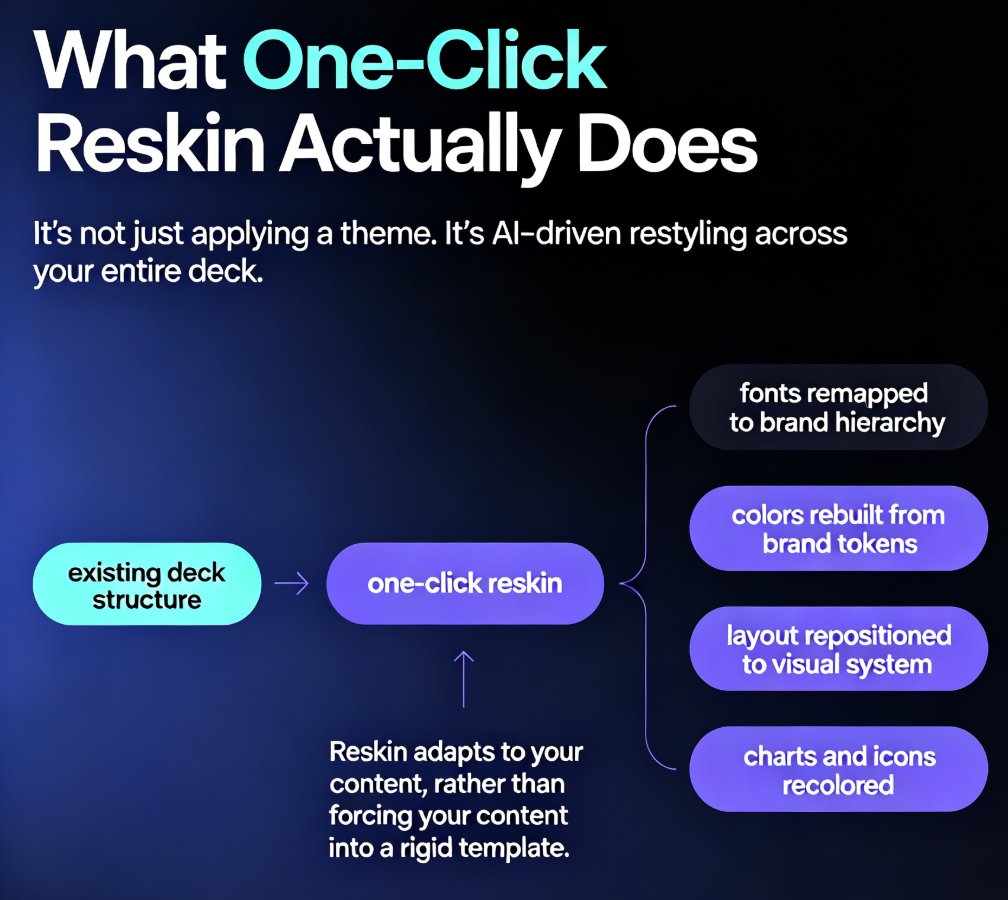
One-click reskin in Zendeck automatically unifies fonts, colors, and layout across every presentation, so your brand stays consistent without manual design work. Learn how AI-powered reskin eliminates the pain of restyling decks by hand — and why marketing, HR, and training teams are adopting it as their default workflow. This guide covers what reskin actually does, how it compares to manual restyling, step-by-step usage, and how to pair it with brand kits and smart templates for zero-effort brand governance. We also break down the hidden costs of inconsistent branding, the time savings you can expect, and the common mistakes to avoid when rolling out reskin across your team. If you've ever shipped a deck with mismatched colors or outdated logos, this is the fix you've been looking for — no design degree required.
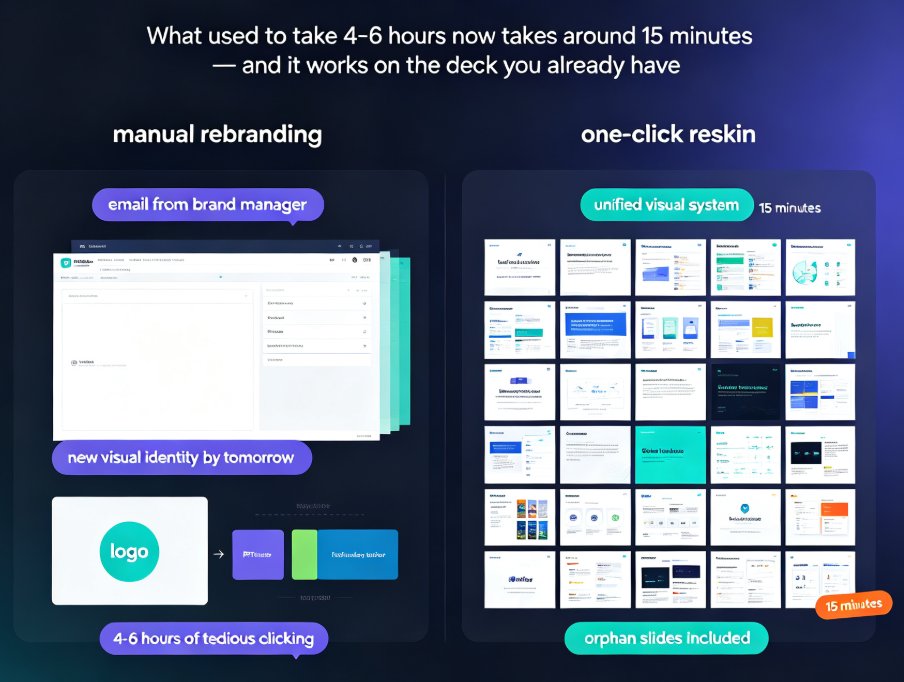
One-Click Reskin: How to Rebrand a 50-Slide Deck in Minutes

PPT Tutorial 2026-09-17 2403

Rebranding a 50-slide deck doesn't have to eat your whole week. Zendeck's one-click reskin unifies fonts, colors, and layouts across every slide in minutes — no manual slide-master surgery, no starting over. This practical tutorial walks you through the complete reskin workflow, compares it with the old manual approach, and shows the real time savings with data. Whether you're consolidating brand identities, adapting a deck for a new client, or just tired of inconsistent typography, this is the fastest path from chaotic to cohesive. Learn when reskin works, when it doesn't, and how to get the most consistent results in under 15 minutes.

Collaborate with External Clients on Zendeck: A Step-by-Step Sharing Guide

Presentation Skills 2026-08-12 2388

Learn how to collaborate with external clients on Zendeck with step-by-step sharing, permissions, version control, and comment threads. Keep your brand standards intact while working seamlessly with stakeholders. This guide covers everything from setting permissions to managing feedback, so you can deliver polished decks without the chaos of email attachments and version conflicts.

5 Ways Zendeck Smart Layout Cuts Presentation Design Time

PPT Tutorial 2026-09-18 2364

Zendeck's smart layout feature auto-unifies fonts, colors, and alignment, cutting presentation design time by up to 80%. This practical guide breaks down five before-and-after scenarios, from untangling mismatched fonts across 40 slides to turning a Word outline into a finished, on-brand deck in one pass. Built on documented results from L&D teams and training managers, we show exactly where the hours go when you format manually — and how one-click smart layout removes them. Includes time-saving benchmarks, a side-by-side comparison chart, and the step-by-step workflow you can apply to your next deck. If you build slides for training, sales, or teaching, this is the fastest path from blank template to ready to present.

How to Add Voiceover and Subtitles to Your Slides with Zendeck's AI

Knowledge Video 2026-08-18 2355

Learn how to add voiceover and subtitles to your slides with Zendeck's AI-powered PPT-to-video feature. This step-by-step guide walks you through built-in speech synthesis and auto-generated subtitles to create accessible, narrated micro-courses in minutes — no external tools, no recording studio, no manual captioning. Zendeck turns your existing deck into a polished knowledge video that keeps learners engaged and meets accessibility standards. Discover how to choose natural-sounding voices, control pacing, auto-sync subtitles, and export a shareable MP4. Perfect for educators, trainers, HR teams, and content operators who want professional results without design or video editing skills. By the end, you'll have a complete workflow for turning any slide deck into a video your audience actually watches.

No Camera, No Studio: Turn PPT into Narrated Micro-Courses with Zendeck

PPT to Video 2026-09-11 2347

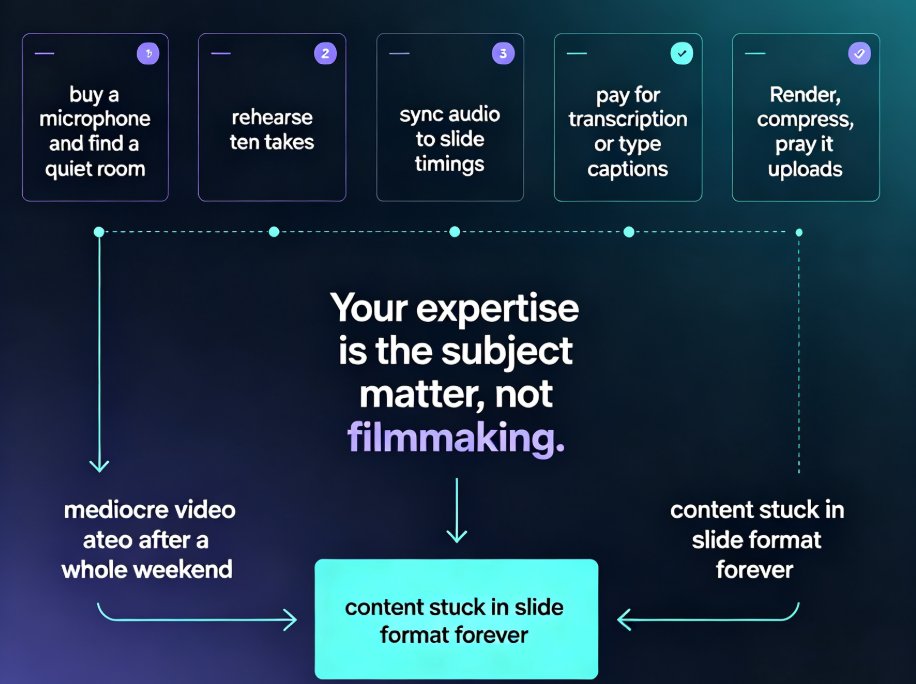
Turn static PowerPoint decks into professional narrated micro-courses with Zendeck's PPT-to-video feature. No camera, microphone, or editing skills required — just upload your slides, pick an AI voice, and Zendeck generates a polished MP4 with synchronized subtitles and an optional digital human presenter. This walkthrough covers the complete workflow: importing decks, choosing narration voices, editing auto-captions, using the presenter avatar, and exporting for your LMS or YouTube. We also compare production times against traditional studio and DIY recording so you can plan your course pipeline with real numbers. Whether you're a teacher who needs reusable video lessons, an HR trainer shipping compliance modules, or a content operator building a micro-course library, this guide shows why PPT-to-video is becoming the 2026 corporate training standard.