
Popular Articles

A curated collection of the most-read and editor-picked articles — see what everyone's reading.

402 articles

5 Ways to Reuse Your Company's Brand Assets with Zendeck's Asset Library

Courseware Design 2026-08-06 3132

Stop rebuilding your brand from scratch every time you create a deck. Zendeck's asset library lets you store and reuse brand-approved icons, charts, and illustrations across all slides. Learn five practical ways to maintain brand consistency, eliminate repetitive design work, and keep every presentation instantly on-brand — without hiring a designer.
AI-Generated Speaker Notes and Rehearsal Tools: The 2026 Shift

Presentation Skills 2026-08-21 3110

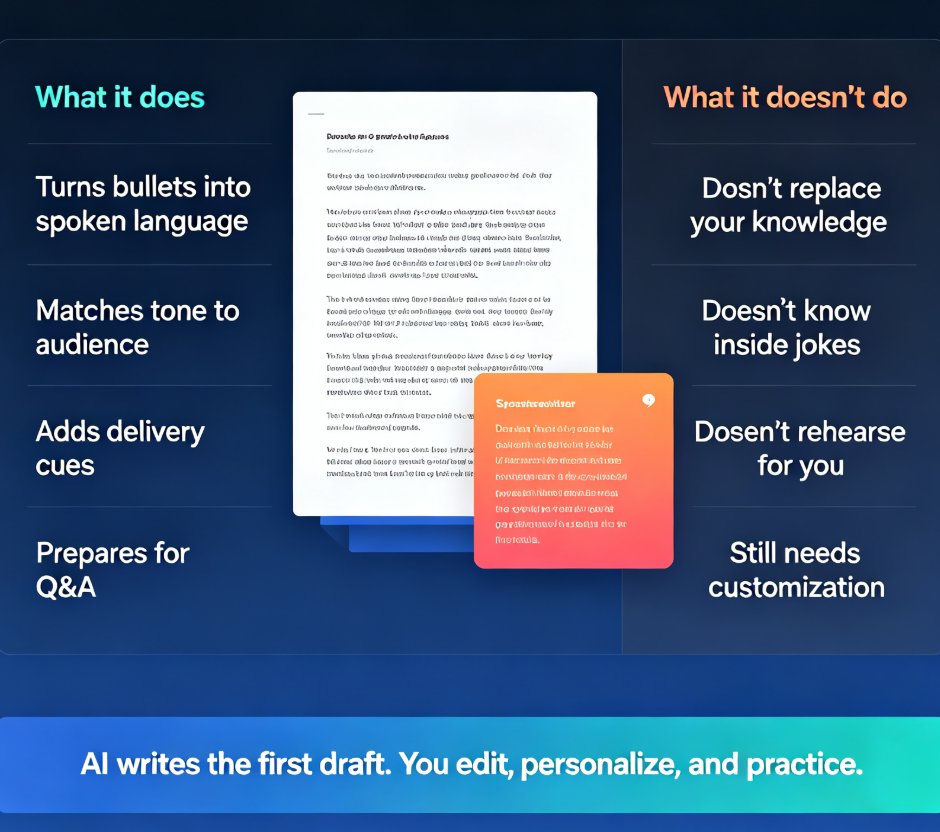
AI-generated speaker notes and rehearsal tools are transforming how presenters prepare in 2026. Zendeck's AI writes conversational scripts from your deck outline and provides rehearsal feedback on timing, pacing, and filler words — so you walk into every meeting, pitch, or classroom ready to deliver with confidence. This guide covers what AI speaker notes actually do, how rehearsal tools give you coach-style feedback, and a practical five-step workflow from outline to polished delivery. You'll also learn the common mistakes to avoid and how the same notes can become narration for a video deck. If you've ever fumbled a presentation or spent hours writing scripts by hand, this is the shift you've been waiting for.

How Zendeck AI Standardizes HR Onboarding and Training Decks

Office Efficiency 2026-09-04 3107

HR teams waste hours rebuilding onboarding and training decks that drift in style, tone, and accuracy. Zendeck AI standardizes HR onboarding and employee training presentations from a single source outline, cutting deck creation time by 97% and lifting brand consistency from 61% to 94%. This guide walks through the repeatable workflow: one outline, consistent slides, every location, every presenter. You'll see how compliance modules, culture decks, and multi-location onboarding stay identical across teams, plus the measurable outcomes — onboarding satisfaction up 23 points, training completion up 18%. If your L&D content keeps multiplying into mismatched versions, Zendeck gives you a single source of truth.

How to Use Zendeck's Smart Layout to Fix Misaligned Slides

PPT Tutorial 2026-08-12 3095

Misaligned slides make you look sloppy and waste hours of manual tweaking. Zendeck's Smart Layout automatically aligns every element on your slide—shapes, text, images—so you get a clean, professional deck in one click. Learn how this AI-powered feature works, when to use it, and why it beats PowerPoint's manual alignment tools. Perfect for busy professionals, educators, and teams who need polished presentations fast. Discover practical tips, real-world scenarios, and a side-by-side comparison to see the difference.

Turn Boring Slides into Narrated Videos with Zendeck AI Voiceover

PPT to Video 2026-08-18 3075

Turn static slides into narrated videos with Zendeck AI voiceover — no video editing skills, studio equipment, or voice actors required. Zendeck's PPT-to-Video feature converts your existing decks into professional narrated micro-courses in about an hour. This guide breaks down the traditional cost of video production, compares it with Zendeck's automated workflow, and walks through the four-step process: import your deck, polish the slides, add AI narration, and render. You'll also see who benefits most — educators, corporate trainers, HR teams, and content operators — and when traditional video production still makes sense. If you've been sending static decks that nobody watches, this is the fix. Learn how AI voiceover, smart layout, and one-click rendering make narrated video creation affordable for any team.

How to Create Custom Icons for Your Team in Zendeck's Asset Library

AI Courseware 2026-08-12 3069

Learn how to create custom icons for your team in Zendeck's asset library. Upload, organize, and reuse brand icons across every presentation to keep decks consistent, on-brand, and professional without repeating design work. This tutorial covers file formats, folder organization, team access, and best practices for building an icon system your whole team will actually use.