
Popular Articles

A curated collection of the most-read and editor-picked articles — see what everyone's reading.

402 articles

From Outline to Video: A Complete Workflow for Creating Micro-Courses with AI

Micro-Course Production 2026-08-06 3234

Creating micro-courses from scratch is time-consuming. With Zendeck, you can transform a Word outline into an AI-generated presentation and then into a narrated video in minutes. This complete workflow shows educators and trainers how to produce engaging micro-learning content without design skills or video editing software. Learn the step-by-step process from outline to video, including tips for maximizing speed and learner engagement.

Accessible AI Presentations: WCAG Compliance Is the New Trend

Courseware Design 2026-08-12 3224

Accessible AI presentations are no longer optional — WCAG compliance is becoming the new standard in slide design. With over 1.3 billion people worldwide living with a disability, every deck you create either includes or excludes a significant portion of your audience. Zendeck's AI-powered presentation platform helps you generate WCAG-compliant slides with proper color contrast, descriptive alt text, logical reading order, and structured heading hierarchies — automatically, without extra design effort. This guide breaks down what WCAG compliance actually means for presentations, why AI tools are transforming accessibility workflows, and how you can create inclusive decks that work for every viewer. From practical step-by-step workflows to real-world impact, you'll learn how to make your next presentation accessible, compliant, and more effective for everyone — including the 1.3 billion people your current deck might be leaving out.

How to Create a Product Demo Video with Zendeck's PPT-to-Video

PPT to Video 2026-08-13 3223

Learn how to create a product demo video with Zendeck's PPT-to-Video — no video editor or screen recording required. Turn feature slides into a narrated, on-brand demo in minutes, re-record single slides instead of full takes, and export multiple versions for sales, marketing, and multi-language teams. This guide covers the exact workflow: outline, slide generation, per-slide narration, export, and variant creation. It also compares PPT-to-video with traditional screen recording so you know when each approach wins. If your product demos keep getting delayed, outdated, or never made, this is the workflow that fixes it. Includes practical tips on pacing, scripting, and keeping demos under three minutes, plus answers to common questions about preserving screenshots, using AI voiceover, and updating videos when your product changes.

Export Zendeck AI Presentations to PPTX, PDF, and Google Slides

PPT Tutorial 2026-08-06 3214

Zendeck's multi-format export eliminates lock-in: export your AI presentations to PPTX, PDF, and Google Slides. This tutorial covers when to use each format—for collaboration, preservation, or online editing—and how to export in one click. Whether you're a trainer sharing slides with a client or a teacher submitting courseware, Zendeck ensures your deck works anywhere. Stop worrying about compatibility and start sharing with confidence.

Complex Word Docs Break PPT? Zendeck AI Rebuilds Clean Slides

AI Courseware 2026-08-25 3209

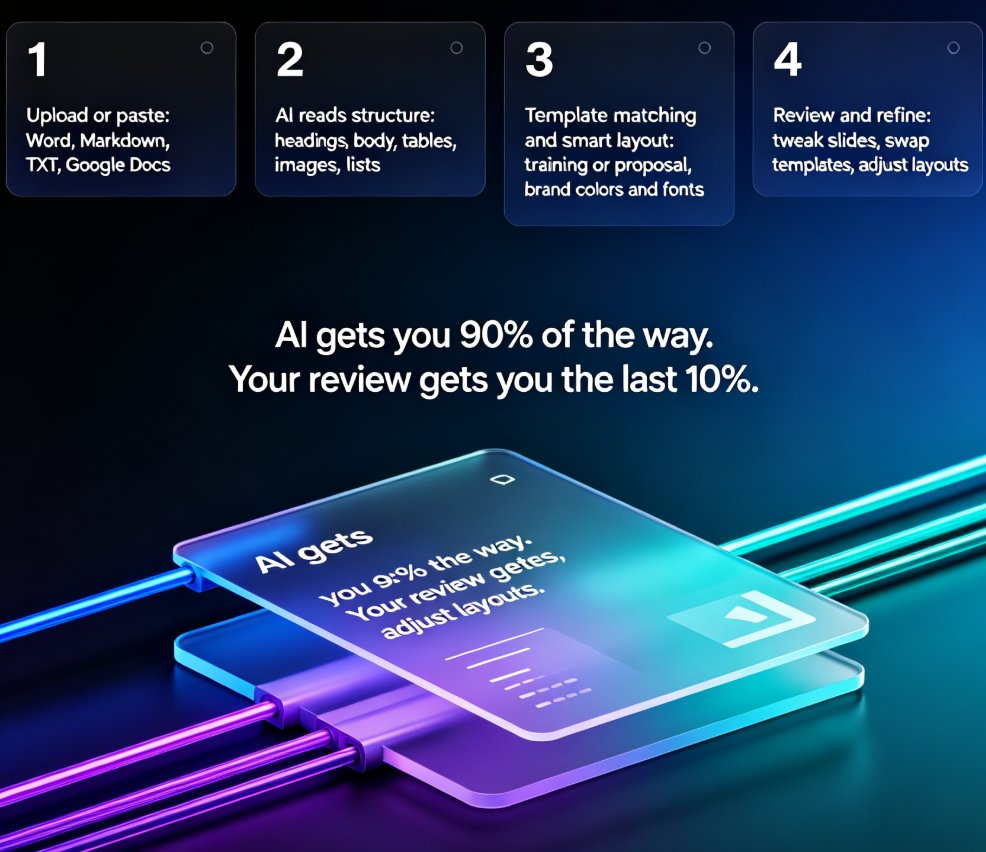
Struggling to convert complex Word documents into clean PPT slides without losing structure? Zendeck AI rebuilds your document's headings, tables, images, and nested styles into professionally designed slides automatically. Unlike traditional import tools that break formatting and create messy layouts, Zendeck reads your document's semantic hierarchy and reconstructs each section as a presentation-ready slide. This guide explains why Word documents break in PowerPoint, how Zendeck's AI-driven rebuild differs from naive import, and what actually gets reconstructed — tables become data slides, nested lists become structured slides, and heading hierarchies become your presentation's narrative flow. Save hours of manual reformatting on every deck, whether you're an educator, trainer, or HR professional.

How Sales Teams Use Zendeck's Smart Layout to Standardize Client Decks

Presentation Skills 2026-08-11 3209

Sales teams waste hours fixing off-brand, inconsistent client decks. Zendeck's Smart Layout automatically unifies fonts, colors, and slide structure so every rep delivers a polished, on-brand pitch. This guide walks through setup, workflow, and best practices — plus a before/after comparison showing how standardization cuts review time from hours to minutes. Learn how to make Smart Layout the backbone of your sales enablement stack and keep every client deck looking like it came from one designer.