Why Memory-Rich AI Is the Next Big Thing in Course Deck Creation
Why Memory-Rich AI Is the Next Big Thing in Course Deck Creation
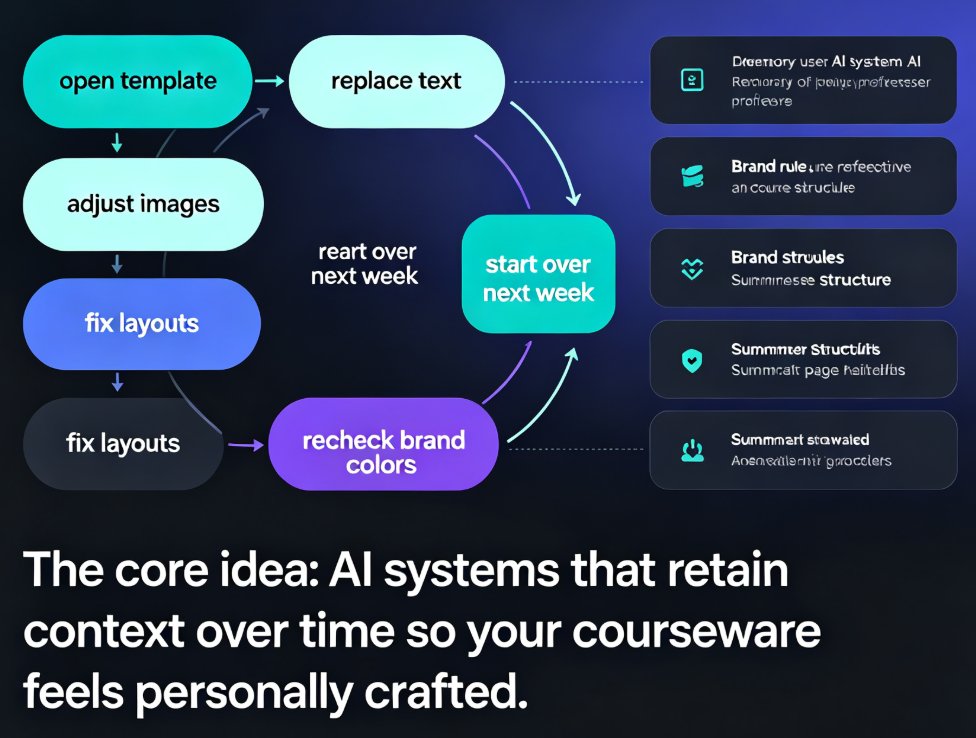
Let's be real: if you make course decks or training material for a living, you've been stuck in the same loop for years. Open a template, replace the text, adjust the images, fix the layouts that break when your content doesn't match the original design, recheck the brand colors, and start all over again next week. It's not the teaching that's hard—it's the deck wrangling.
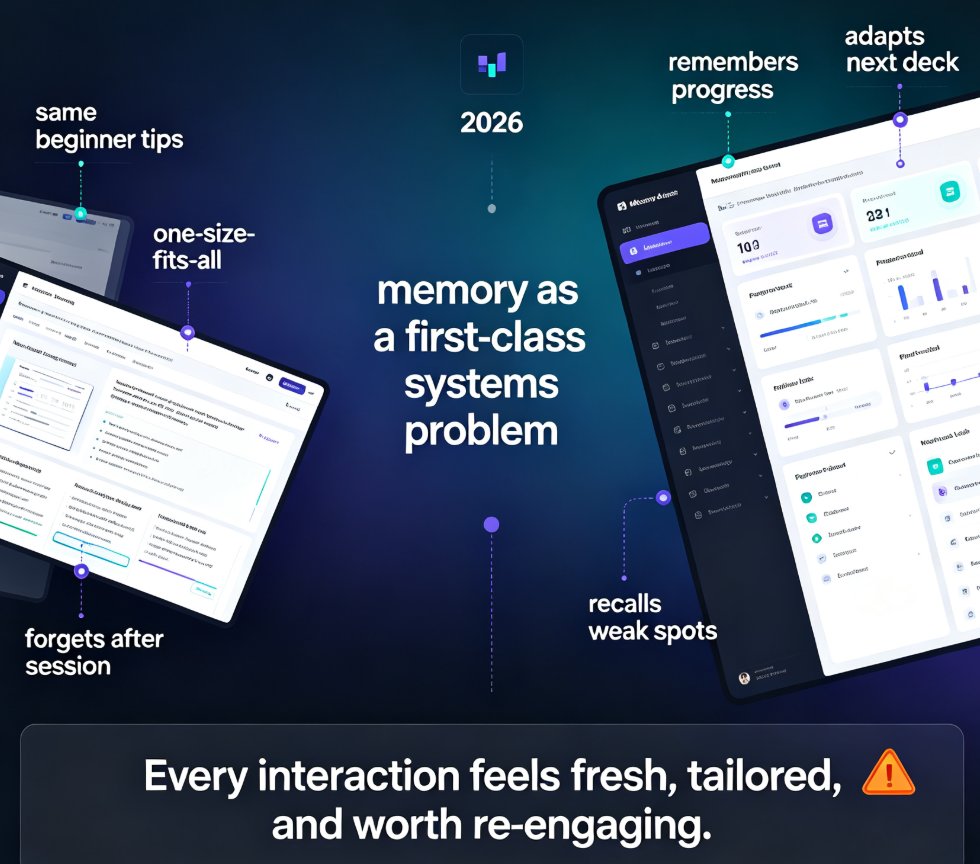
That's why the shift to memory-rich AI matters more than most trend talk. Memory-rich AI isn't just another way to generate slides from a prompt. It's software that remembers how you work and gets better with every deck you create. The core idea: AI systems that retain context over time so your courseware feels personally crafted—without you redoing the same work. Colleen Jones of Content Science puts it plainly: memory-rich AI is designed to "retain, retrieve, and apply meaningful information over time so interactions improve with use, not reset with each prompt or task."
Here's what that means in practice for course creation, why it's becoming table stakes in 2026, and how tools like Zendeck are already moving in this direction.
I. The Problem: Every Deck Starts from Zero
If you've used AI presentation tools, you've probably run into this paradox: the tool generates a perfectly decent deck in 60 seconds, but it doesn't know what you did last week. It doesn't know your default font preference, your organization's colors, your standard course structure, or the fact that you always use a summary slide at the end. So you spend the next hour telling it what it should have known.
That's the core limitation of memory-poor AI: every prompt starts fresh, context is shallow or temporary, and learning is indirect. Here's how that plays out in the real world:
- Brand inconsistency: Your leadership team's onboarding deck uses version 2 of the brand guidelines, but this week's tool applies fontSize that looks like it belongs to last year's rebrand.
- Layout repetition: You manually fix the same layout issue in every deck because the tool never remembers the fix you applied last time.
- Style drift: You pick slightly different fonts, colors, and slide styles across a course series, and suddenly your 10-module training looks like 10 different decks from 10 different companies.
- Audience amnesia: The tool doesn't remember your students or your training audience—so it suggests generic charts for data that a specific group of learners consistently struggles with.
Sound familiar? If you've made more than three decks in a professional context, it probably does. The cost is more than wasted time. It's the energy you should be spending on content quality itself.
II. What Memory-Rich AI Changes for Courseware
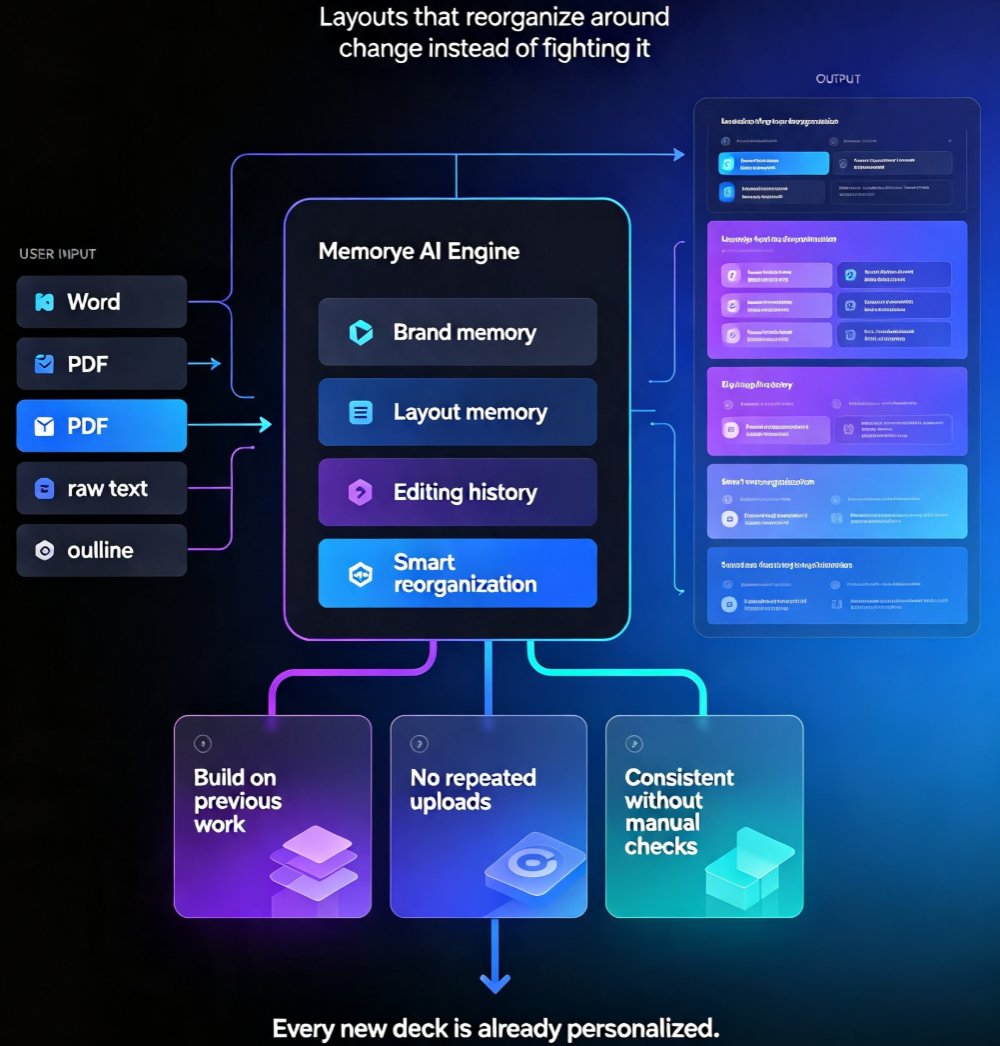
Memory-rich AI flips that entire workflow. Instead of resetting after every task, the system builds a working relationship with you. It notices that you always use the "lecture" template for Monday sessions and the "workshop" template for Friday sessions. It notes that your department recently switched accent colors, and it updates your decks accordingly. It tracks which slide layouts your viewers actually engage with and nudges you toward those structures.
The table below shows the practical shift this creates in course deck production:
| Aspect | Before Memory-Rich AI | With Memory-Rich AI Today |
|---|---|---|
| Layout | Manually adjust each slide when content differs from template | Adaptive layouts reorganize around your actual content, remembering your preferred structure |
| Branding | Apply colors, fonts, and logos manually or with a static brand kit | Brand rules recognized from your past decks and enforced automatically |
| Editing | Hunt through menus and drag-and-drop every element | Conversational edits—just describe what you want changed, and it applies across relevant slides |
| Consistency | Each new deck starts from a generic base | Coherent style maintained across a series or a whole course catalog, matching your past choices |
| Viewer insight | Share a PDF and hope people read it | Slide-level analytics, then future decks benefit from that data automatically |
Here's a visual look at the time difference on a typical 15-slide course deck:
The memory-rich advantage isn't just speed—it's consistency you don't have to think about. Because the tool remembers your decisions, every deck in a course series comes out looking like part of the same family, even if you made the decisions weeks apart.
III. Why This Matters for Course Deck Creation Specifically
Courseware is a unique beast. Unlike a one-off sales pitch or product launch deck, a course is a series of connected materials—often created incrementally over weeks or months. Each new module builds on the last. When the AI forgets the previous module's style, you end up with a disjointed learning experience.
Consider what memory-rich capability means in action:
- Recurring course structures. Many educators use a consistent pattern: learning objectives, core content, examples, quiz, summary. Memory-rich AI learns that this is your preferred structure and generates new modules with it automatically.
- Brand and accessibility consistency. A course series should be consistent not just visually, but in accessibility features—alt text style, subtitle format, contrast patterns. Memory-rich systems can remember these rules and apply them consistently across every slide. The growing focus on accessible AI presentations means this isn't a nice-to-have anymore; it's expected.
- Audience adaptation. Trainers who work with different cohorts find that certain slide types need extra explanation or different pacing. A memory-rich tool can track—with your confirmation—that last month's cohort engaged more with case-study slides and adapt accordingly in the next run.
Put simply: if you have ever wanted a tool that works alongside you rather than starting over every time, memory-rich AI is the answer. And this isn't speculative future tech—the workflow shift is already visible in how modern tools like Zendeck approach smart layouts.
IV. How Zendeck Approaches Memory-Rich Courseware
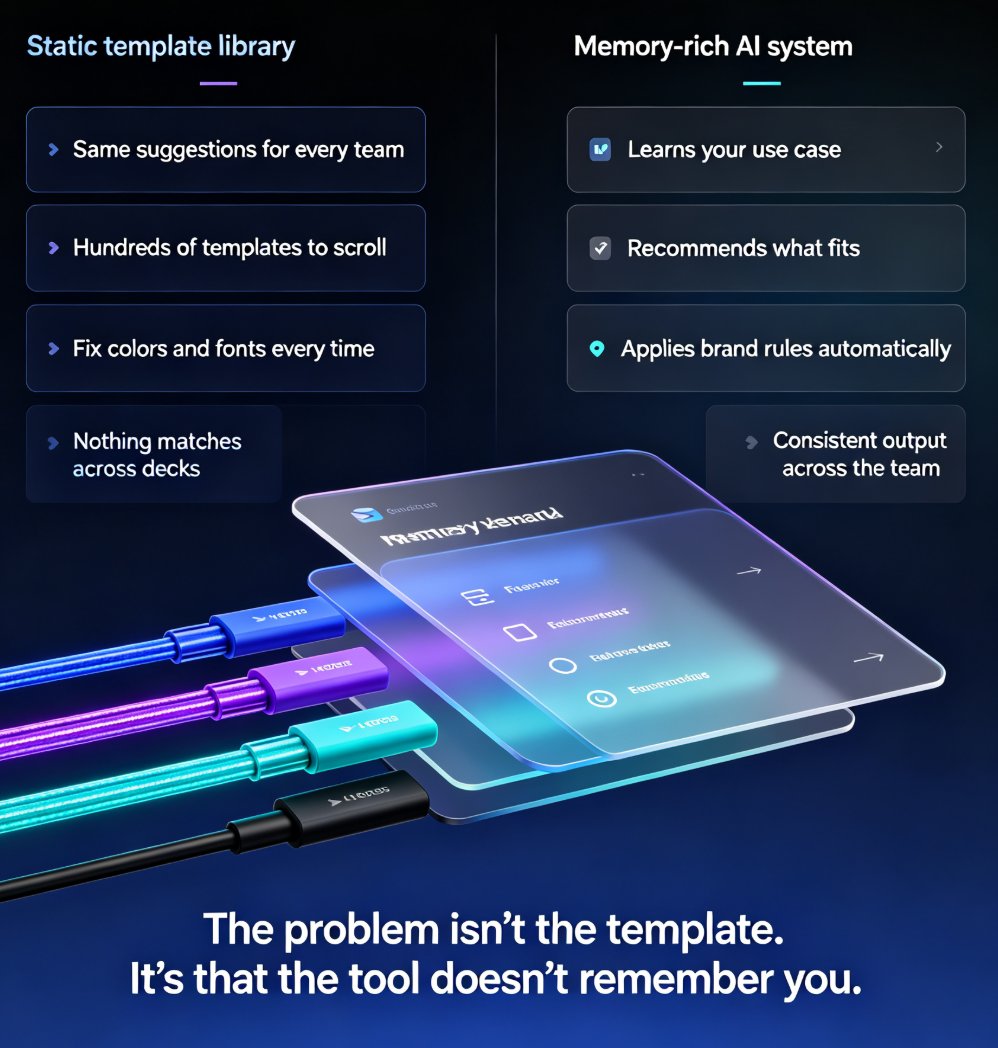
Let's look at Zendeck through the memory-rich lens. Zendeck's core engine is built around adaptive layouts and smart design automation—it watches how you structure content and adjusts its output to match your style. It's not just a template picker; it's a system that learns your presentation DNA.
When you create a course deck in Zendeck, you can:
- Import a Word outline or paste Markdown, and the engine generates a structured, visually consistent deck—all while respecting the layout patterns you've used before.
- Use the one-click reskin to automatically unify fonts, colors, and layout across a set of slides. If your style preferences shift mid-project, the tool remembers your choice and can apply it uniformly.
- Leverage the template library of premium templates, with the AI suggesting the right look based on your content type—picking a boardroom-appropriate design for a compliance training module or a more dynamic layout for a student workshop.
The history you build in Zendeck—the templates you keep, the layouts you fix, the assets you repeatedly use—feeds into a more personalized experience over time. The more academic or corporate decks you create, the better the tool aligns with your default settings. This isn't a claim that Zendeck is a fully self-aware memory system, but it's the principled direction: design that remembers, rather than design that forgets.
If you're building a library of courseware, this kind of continuity is game-changing. Your custom brand kit can carry over from one module to the next, and your template selection evolves to match the content you're producing. That's the practical payoff of memory-rich thinking.
V. Making Memory-Rich AI Work for You in 2026
Okay, so how do you actually benefit from this trend today? Here are three concrete moves:
1. Standardize your course structure. The AI can only learn your patterns if you have patterns. Define a template for each course type—and stick to it. Use the same opening and closing slide format for every module of a series. The AI will pick up on this structure and eventually offer to generate new modules with it automatically.
2. Feed the system your decisions. When the tool gives you a choice—a layout variation, a color scheme, a font pairing—be consistent in what you pick. If you always select the same accent color, the system gets the signal. If you want your courseware to be accessible, consistently add and approve alt text patterns; the engine will learn to include them by default.
3. Create and reuse brand assets. The more you use your dedicated AI-powered asset library, the more the system recognizes your visual language. Store your charts, icons, and illustrations in one place. Memory-rich AI is only as rich as the training data you provide it.
And here's a small tip from someone who's watched people fumble with AI tools: don't treat each deck as a one-off assignment. Treat your deck history as a library. Every deck you create—past and future—is a data point that makes the next one faster. The more you build, the better the tool gets at predicting what you need.
VI. The Bottom Line: Context Is the New Content
The next evolution of AI presentation tools won't be about generating more slides faster. It will be about generating slides that already fit your world. Memory-rich AI is the shift from AI that answers to AI that remembers. For course deck creators—educators, trainers, L&D teams—that's the difference between starting from zero and starting from a running start.
With tools like Zendeck moving beyond static templates toward context-aware design, the question isn't whether you'll adopt a memory-rich workflow. It's whether you'll start building your deck history now or leave it for the next module. The smart money is on starting now—your future self will thank you during the next course release.
FAQ
What is memory-rich AI in the context of presentation tools?
Memory-rich AI refers to systems that retain and apply meaningful information from past interactions, so they get better with use. In presentation tools, this means the software remembers your brand colors, preferred fonts, content structure, and past editing choices—applying them automatically to new decks instead of starting from zero each time.
How does Zendeck use memory-rich AI for course decks?
Zendeck's smart layout engine and template system learn from your preferences over time. When you build courseware, it remembers your chosen styles and structures. On your next project, it applies those same choices automatically, so you get consistent, brand-aligned decks without hunting through menus or manually adjusting every slide.
Why is memory-rich AI important for educators and trainers?
Educators and trainers often create similar types of courses repeatedly—training material, lectures, or onboarding decks. Memory-rich AI removes repetitive formatting work, enforces consistent branding across a series of courses, and lets teachers focus on content quality instead of layout mechanics. That's a huge productivity win.
What's the difference between generic templates and memory-rich AI?
A generic template is a static starting point—it looks the same for everyone. Memory-rich AI adapts to your specific context: your past decks, your brand guidelines, your audience's needs. It's not about picking from a template library; it's about the tool knowing your style and applying it without asking.
Will memory-rich AI replace the need for design skills?
Yes, for most practical purposes. Memory-rich AI handles design consistency, layout adaptation, and visual hierarchy automatically. That means someone with no graphic design training can produce course decks that meet brand standards and look professionally crafted—as long as the tool has learned their preferences.