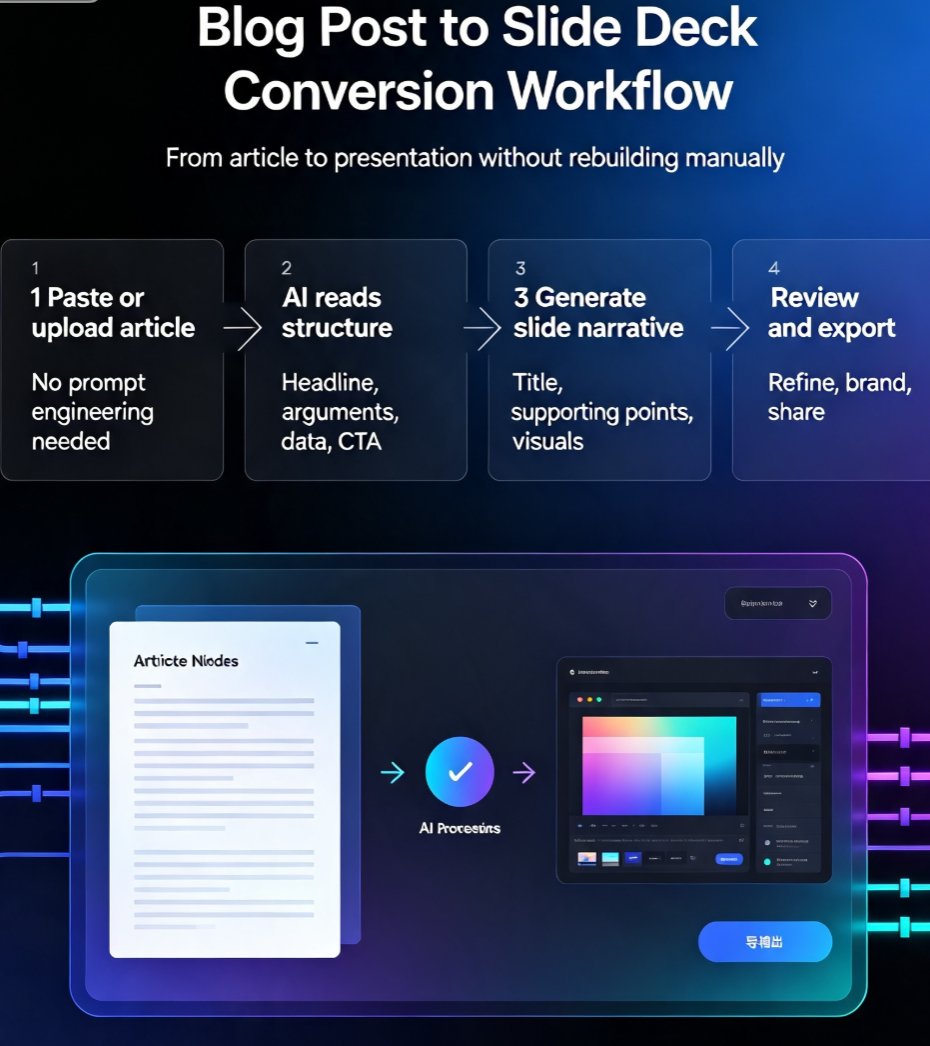
How to Build a Webinar Deck That Converts with Zendeck
You've got a webinar coming up. You've got great content, a solid audience, and a clear goal. But your slide deck looks like a wall of text from 2005. Sound familiar? You're not alone. Most webinar decks fail not because the content is weak, but because they're poorly structured, visually boring, and missing a clear call to action. The result? Attendees tune out, engagement drops, and your conversion rate suffers.
Let's be real: you don't have hours to spend wrestling with PowerPoint templates or learning design software. You need a deck that looks professional, tells a compelling story, and drives action—fast. That's where AI comes in. With tools like Zendeck, you can turn a rough outline into a polished, branded webinar deck in minutes, not days. In this guide, I'll walk you through exactly how to build a webinar deck that converts, step by step.
I. Why Most Webinar Decks Fail to Convert
Before we talk solutions, let's diagnose the problem. After reviewing hundreds of webinar decks across industries, I've noticed the same recurring issues:
- Text overload: Slides crammed with paragraphs. Attendees can't read and listen at the same time.
- No visual hierarchy: Everything is equally important, so nothing stands out.
- Off-brand design: Colors, fonts, and layouts that clash with your company's identity.
- Weak or missing CTA: The deck ends with a thank-you slide instead of a clear next step.
- Inconsistent flow: Slides jump from topic to topic without a logical narrative.
The pain point is clear: a poorly designed deck undermines your expertise and kills conversions. Your audience judges your credibility within seconds. If your slides look amateurish, they'll assume your product or service is too.
II. The Anatomy of a Converting Webinar Deck
A webinar deck that converts follows a proven structure. It's not about fancy animations or flashy graphics—it's about clarity and persuasion. Here's the skeleton you should build on:
- Hook: Grab attention in the first 30 seconds. A shocking stat, a bold question, or a relatable pain point.
- Problem: Clearly articulate the challenge your audience faces. Make them feel understood.
- Solution: Introduce your product or service as the answer. Focus on benefits, not features.
- Proof: Show social proof—case studies, testimonials, or data. This builds trust.
- CTA: End with a specific, action-oriented call to action. What do you want them to do next?
Every slide should serve one purpose: move the audience closer to the CTA. If a slide doesn't support that goal, cut it. This might sound obvious, but you'd be surprised how many decks are filled with filler content.
◉ What makes a webinar deck convert?
It's not just the content—it's the design and flow. A converting deck uses short bullets, strong visuals, and a consistent brand identity. It tells a story that resonates with the audience's pain points and offers a clear path forward. The best decks are the ones that feel effortless to follow, even when the topic is complex.
III. How Zendeck Helps You Build It Fast
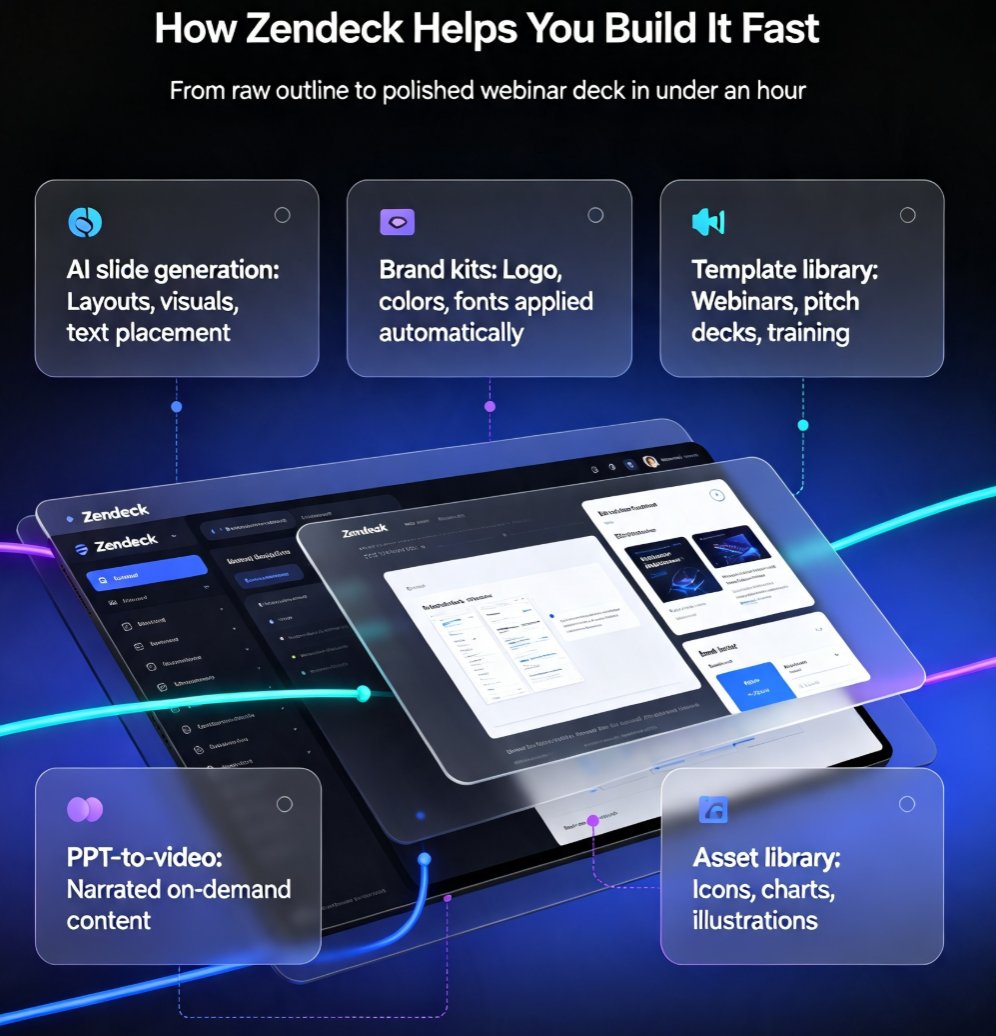
Now, let's talk about the tool. Zendeck is an AI-powered presentation platform designed for non-designers. It takes your raw content—a Word outline, Markdown, or even a brain dump—and generates a structured, visually consistent deck in seconds. Here's what makes it ideal for webinar decks:
- AI slide generation: Paste your outline, and Zendeck creates slide layouts with appropriate visuals and text placement.
- Brand kits: Upload your logo, colors, and fonts once. Zendeck applies them automatically to every slide, ensuring brand consistency.
- Template library: Choose from premium templates designed for webinars, pitch decks, and training.
- PPT-to-video: Turn your deck into a narrated video, perfect for on-demand webinars or follow-up content.
- Asset library: Access icons, charts, and illustrations to enhance your slides without hunting for stock images.
The result: you go from a rough outline to a polished, branded deck in under an hour. No design skills required. This is a game-changer for busy professionals who need to create compelling presentations on a tight deadline.
IV. Step-by-Step: Building Your Webinar Deck with Zendeck
Let's walk through the actual process. I'll use a hypothetical webinar about "How to Increase Customer Retention" as an example.
Step 1: Outline Your Content
Start with a simple outline. Don't worry about design—just get your ideas down. For a 30-minute webinar, aim for 15-20 slides. Here's a rough structure:
- Hook: "Why 70% of customers churn within the first 90 days"
- Problem: The cost of churn
- Solution: Your retention framework
- Proof: Case study results
- CTA: Book a demo
Step 2: Import into Zendeck
In Zendeck, you can paste your outline as Markdown or upload a Word document. The AI will parse your content and generate a first draft of slides. This is where the magic happens—the AI suggests layouts, breaks up long paragraphs, and adds visual elements.
Step 3: Apply Your Brand Kit
If you haven't set up a brand kit yet, do it now. Upload your logo, set your brand colors, and choose your fonts. Zendeck will automatically apply these to every slide. This ensures your deck looks like it was designed by your marketing team, not a random template.
Step 4: Refine and Customize
Review the generated slides. You'll likely want to tweak some wording, swap out images, or reorder slides. Zendeck's editor is intuitive—you can drag and drop, edit text directly, and use the asset library to add icons or charts. Don't be afraid to make it your own.
Step 5: Add Engagement Prompts
A converting webinar isn't a monologue—it's a conversation. Add slides with polls, questions, or prompts like "Drop your thoughts in the chat." Zendeck makes it easy to insert these interactive elements.
Step 6: Export and Present
Once you're happy, export your deck as a PDF or PPTX. If you want to create a video version, use Zendeck's PPT-to-video feature to add narration and export as MP4. This is perfect for sharing with attendees who missed the live session.
V. Tips for Maximizing Conversion
Even with a great deck, you need to optimize for conversion. Here are some practical tips I've learned from running dozens of webinars:
- Keep slides visual: Use images, charts, and icons to break up text. Aim for no more than 5-7 words per bullet.
- Tell a story: Weave a narrative throughout your deck. People remember stories, not data dumps.
- Use social proof: Include a customer quote or a key metric. For example, "Our clients see a 30% increase in retention within 3 months."
- Make your CTA impossible to miss: Use a contrasting color, bold text, and a specific action. Don't just say "Contact us"—say "Book your free demo today."
The biggest mistake I see is treating the CTA as an afterthought. Your entire deck should build toward that final ask. If you've done your job, the CTA feels like the natural next step, not a sales pitch.
VI. Measuring Success: The Numbers That Matter
How do you know if your webinar deck is actually converting? Track these metrics:
- Attendance rate: How many registered actually showed up?
- Engagement rate: How many participated in polls or asked questions?
- Conversion rate: How many took the desired action (e.g., booked a demo)?
To give you a sense of the impact, here's a comparison of the time investment between traditional deck creation and using AI:
| Aspect | Traditional (Manual) | AI with Zendeck |
|---|---|---|
| Time to create 20 slides | 6-8 hours | 30-60 minutes |
| Design consistency | Inconsistent | Brand kit enforced |
| Visual quality | Depends on skill | AI-optimized layouts |
| Revisions | Multiple rounds | Instant adjustments |
| Video export | Separate tool needed | Built-in PPT-to-video |
The time savings alone are enough to justify switching to AI. But the real win is the quality—you get a deck that looks professional and converts, without the stress.
VII. Real-World Scenario: From Outline to Webinar in 45 Minutes
Let me share a quick story. A client of mine—a SaaS company—needed to launch a webinar in less than a week. They had the content but no design resources. We used Zendeck to turn their outline into a 20-slide deck in about 45 minutes. We applied their brand kit, added a few custom icons, and exported it as a video for on-demand viewing. The webinar attracted 500 registrants, and the conversion rate to demo bookings was 12%—double their usual rate. The deck was a key factor in that success.
This isn't a one-off. I've seen the same pattern across industries: when you remove the design bottleneck, you can focus on what matters—your message and your audience.
VIII. Common Pitfalls to Avoid
Even with AI, there are traps you can fall into. Here are a few to watch out for:
- Overloading slides with AI-generated content: The AI gives you a starting point, but you need to edit for your specific audience. Don't just accept everything.
- Ignoring brand guidelines: Even with a brand kit, double-check that your deck aligns with your overall brand voice.
- Skipping the CTA: I've seen decks that end with "Thank you" and nothing else. Always include a clear, compelling call to action.
- Forgetting about accessibility: Make sure your text is readable, your colors have enough contrast, and your deck works for people with disabilities. Check out our guide on accessible AI presentations for tips.
The key is to use AI as a collaborator, not a replacement. You bring the strategy and the story; Zendeck handles the design and the busywork.
IX. Why Zendeck Stands Out
You might be wondering: "Why Zendeck and not Gamma or Canva?" Here's the thing—Zendeck is built specifically for professionals who need to create branded, conversion-focused decks quickly. Its AI understands presentation structure, not just design. It suggests content improvements, not just layouts. And its PPT-to-video feature is a game-changer for webinar content.
If you're serious about creating webinars that convert, Zendeck is the tool you need. It's not just about making slides—it's about making an impact.
FAQ
What is the most important slide in a webinar deck?
The call-to-action slide is the most critical because it drives the conversion. But it only works if the preceding slides build enough value and trust. Zendeck's AI helps you structure your deck so every slide leads naturally to that final CTA.
How long does it take to create a webinar deck with Zendeck?
With Zendeck, you can go from a rough outline to a polished, branded deck in under an hour. The AI generates slide layouts, suggests visuals, and applies your brand kit automatically, saving you hours of manual design work.
Can I use Zendeck to turn my webinar deck into a video?
Yes. Zendeck's PPT-to-video feature lets you add narration and export your deck as a video, perfect for on-demand webinars or follow-up content. This extends the life of your webinar and increases reach.
Do I need design skills to use Zendeck?
No. Zendeck is built for non-designers. The AI handles layout, typography, and color consistency, so you can focus on your message. You can also customize with templates and asset libraries if you want more control.
Ready to build your next webinar deck? Start with Zendeck and see the difference for yourself. You'll be amazed at how quickly you can go from a blank page to a polished presentation that actually converts.