Popular Articles

A curated collection of the most-read and editor-picked articles — see what everyone's reading.

506 articles

From Excel to Visual Story: Data Slides Made Easy with Zendeck

Courseware Design 2026-09-20 1580

Turning raw spreadsheet numbers into persuasive Excel-to-PPT data slides doesn't require a design degree. Zendeck's chart library, smart layout, and asset insertion tools turn the full data-to-deck pipeline — cleaning, chart selection, layout, context, and delivery — into a fast, foolproof workflow. This guide walks through every stage: how to clean a dataset so the story can breathe, which chart matches which relationship (and when to avoid pie charts), why one message per slide beats a wall of charts, and how to layer annotations, icons, and interactive elements without clutter. You'll also see how static slides grow into narrated micro-courses for training and async meetings. Includes chart selection tables, time-saving benchmarks, and field-tested habits for analysts, educators, and teams building data slides for meetings, reports, or courseware.
How to Create Accessible AI Presentations: WCAG Tips for Zendeck Users

Presentation Skills 2026-08-11 1568

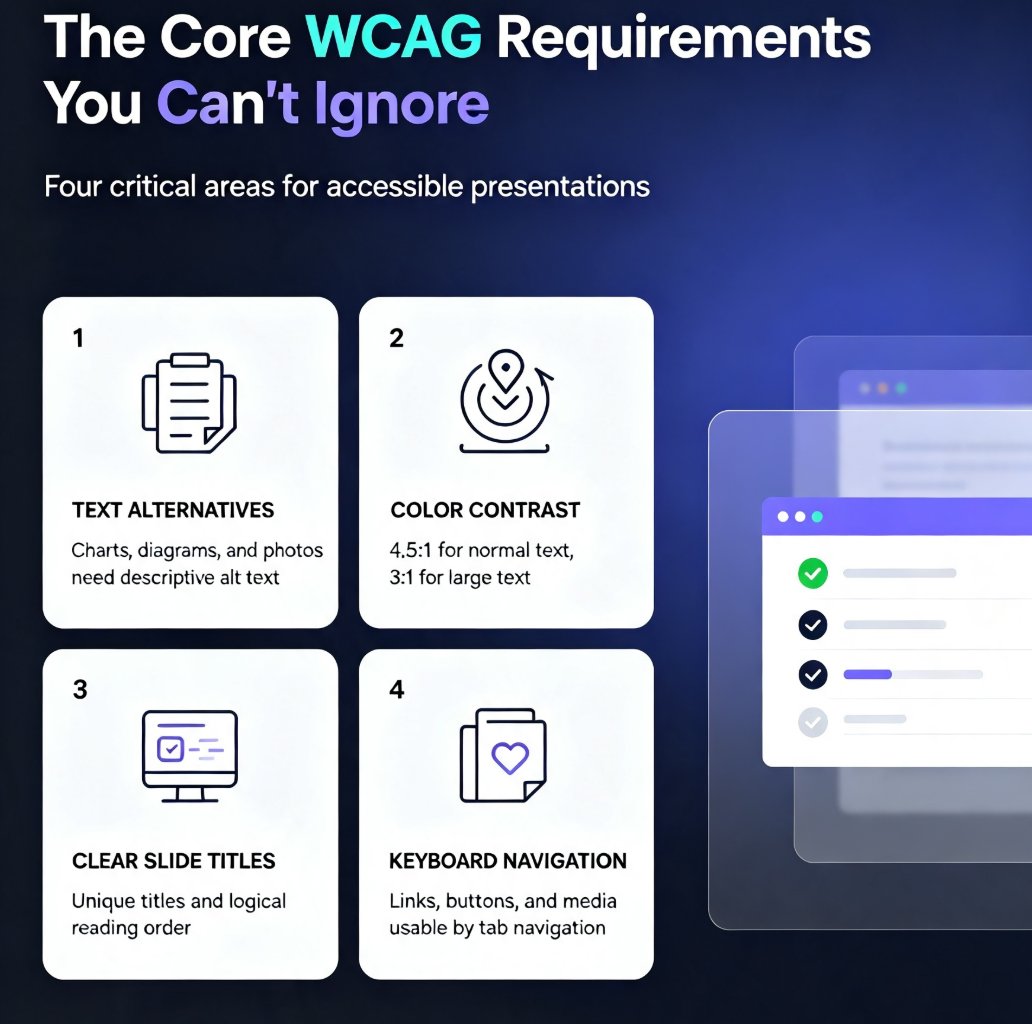
Learn how to create accessible AI presentations that meet WCAG 2.1 standards. Discover practical tips for using Zendeck's AI to automate alt text, contrast checking, and slide structure. Ensure your decks are inclusive for all audiences, including those with visual or motor impairments. This guide covers core WCAG requirements, step-by-step workflows, and common mistakes to avoid, helping you build compliant presentations faster without sacrificing design quality.

From PDF or Web to Slides: Zendeck's Multi-Format Import

Office Efficiency 2026-11-06 1547

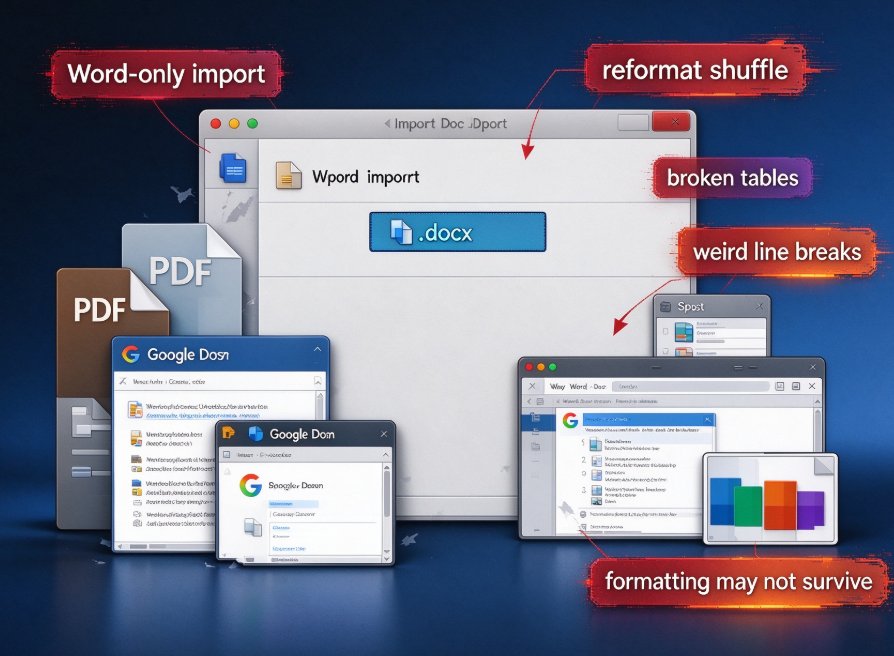
Zendeck's multi-format import lets you turn PDFs, web pages, and Word documents into polished slides in minutes. Stop copy-pasting from a 40-page report into PowerPoint — upload the source, review the AI-generated outline, and get a clean, on-brand deck. This guide compares the four routes to a finished presentation (manual paste, PowerPoint outline import, the Word-to-PDF pipeline, and AI-driven import), with a practical look at pricing and positioning across tools like Plus AI and Gamma. You'll also get a step-by-step workflow for converting a research PDF or a web article into slides without losing your mind. Fastest isn't always best: literal conversion suits clean outlines, while AI rewrite handles dense documents. Learn when to use each, and how Zendeck combines multi-format import, smart layout, and template matching into one content pipeline.

Zendeck PPT-to-Video for Accessible Voiceover Lessons: A Teacher's Story

PPT to Video 2026-08-19 1546

Zendeck's PPT-to-video with AI voiceover helped a special education teacher create accessible lessons for students with visual impairments and reading difficulties. By converting slides into narrated videos with subtitles, she saw a 30% improvement in quiz scores and strong parent feedback. This case study walks through her exact workflow — upload, script, generate, share — and explains why narrated video decks are becoming the accessibility baseline in education and corporate training. You'll learn how to add narration to slides, auto-generate subtitles, and create replayable lessons in about 20 minutes, with no video editing experience required. If you're a teacher, trainer, or instructional designer looking for an accessible alternative to static slide decks, this is the guide for you.

Too Many Icons, No Design Eye? Zendeck's Asset Library Chooses for You

Courseware Design 2026-10-22 1541

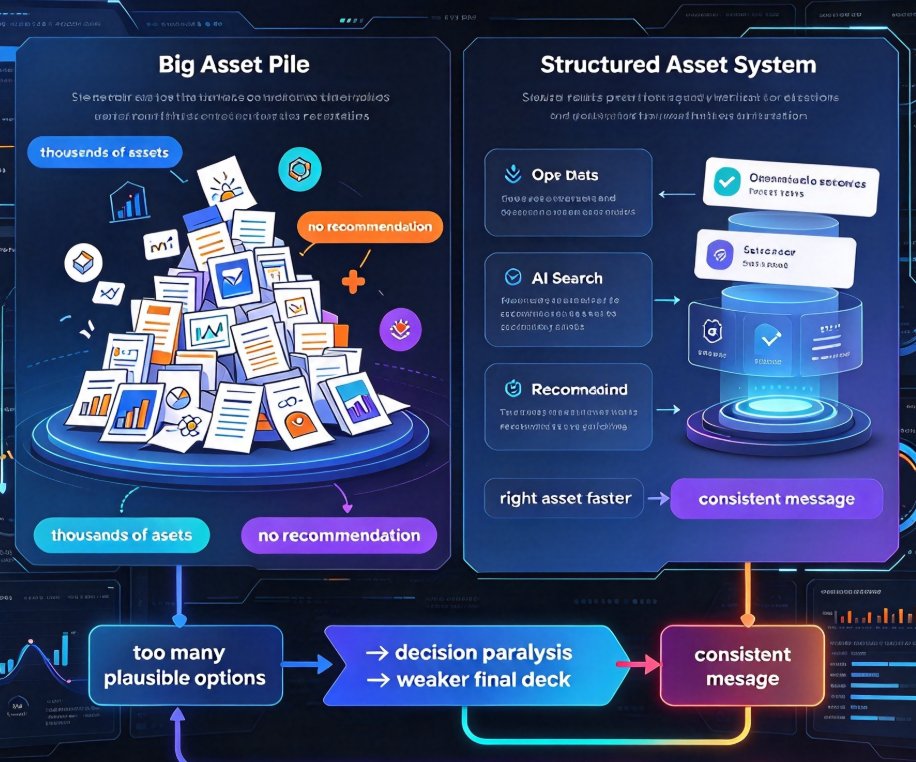
Even with thousands of free icons at your fingertips, picking the right visual for a slide takes time, confidence, and a design eye most of us don't have. Zendeck's asset library changes that: instead of dumping 2,000 search results on you, it reads the slide's content and your brand kit, then suggests the icons, charts, and illustrations that actually fit. The result: decks that look professionally designed — without you becoming a designer or sinking twenty minutes per slide into stock sites. This guide covers why traditional asset search fails, what makes an asset library genuinely useful (tagging, metadata, AI enrichment), how Zendeck's context-aware suggestions close the gap, and how educators, trainers, and content teams can apply it right away. If you've ever stared at a magnifying-glass icon for ten minutes, this article is for you.

Team Presentation Collaboration: Real-Time Editing and Shared Templates

Office Efficiency 2026-09-02 1522

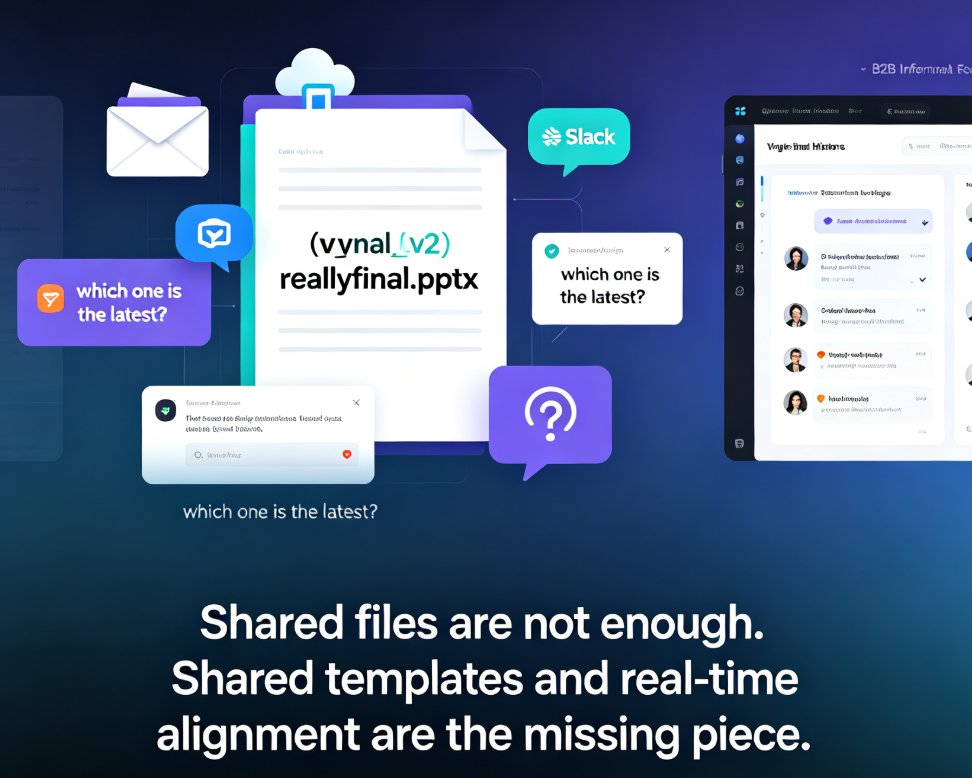
Real-time collaboration in presentation tools has become essential for team productivity — but shared templates are the missing piece for brand consistency. This guide breaks down how multi-user editing, version history, and shared asset libraries work together to eliminate version-control chaos, showing how Zendeck's collaborative platform lets teams edit decks simultaneously while keeping every slide on-brand. Based on real workflows from Google Slides, PowerPoint, and modern AI presentation platforms, you'll learn a practical five-step collaboration workflow, what to look for in a collaboration stack, and why auto-applied brand kits beat manual design discipline. Whether you're a team lead, trainer, or content operator, this is the playbook for shipping better decks faster.

▲