How to Create a Compliance Training Deck with Zendeck's Templates and AI
Let's be honest: compliance training has a reputation problem. Dense regulatory text, endless bullet points, and slides that put people to sleep before slide three. Yet for HR and L&D teams, compliance training is non-negotiable — anti-harassment, data privacy, workplace safety, financial regulations. Get it wrong and you're looking at audit failures, legal exposure, and a workforce that checked out long ago.
The good news? Building a compliance deck that's accurate, on-brand, and actually engaging doesn't have to take three weeks. With the right templates and AI, you can go from a raw outline to a polished, regulation-ready deck in hours.
This guide walks you through exactly how to do that with Zendeck — from importing your source material to generating consistent, on-brand slides, adding interactive elements, and even turning the finished deck into a narrated micro-course.
01. Why Most Compliance Decks Fail
Here's the uncomfortable truth: most compliance training fails not because the content is wrong, but because the format is broken.
Compliance requirements are easier to retain when presented as actionable checklists rather than paragraphs of regulatory language.
Think about the last compliance deck you sat through. Chances are it was a wall of text — legal jargon, dense paragraphs, maybe a few clip-art icons that haven't aged well. The trainer read the slides aloud. Nobody asked questions. Everybody nodded along and forgot everything by Friday.
The core problem is a mismatch between how regulators write and how humans learn. Regulators write to be legally precise. Humans learn through structure, repetition, and visual cues. When you drop a legal document into a slide deck without restructuring it, you get slides that are technically accurate but pedagogically useless.
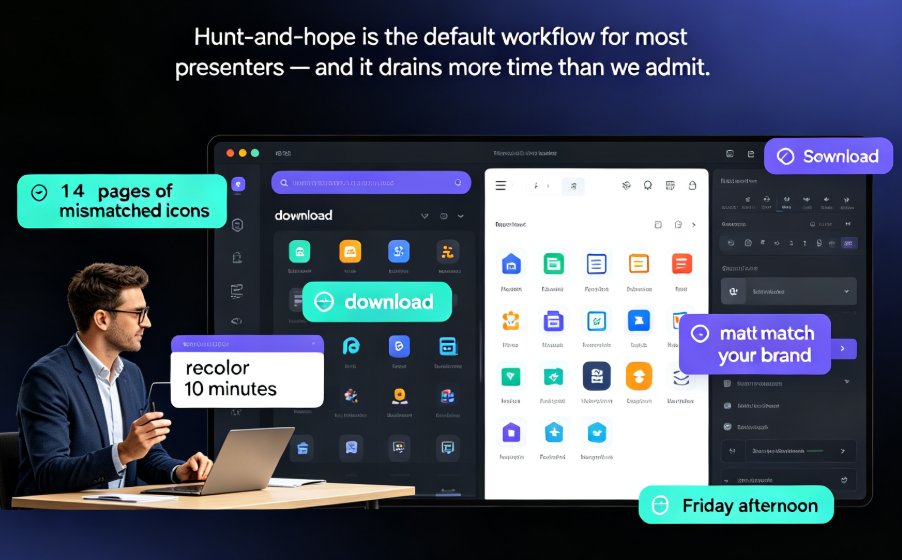
There's also the consistency problem. Compliance decks are often built by different people at different times — one person makes the anti-harassment module, another handles data privacy, a third does workplace safety. Each one uses a different template, different fonts, different color schemes. The result is a training library that looks like it was assembled by three different companies.
And then there's the update problem. Regulations change. When they do, someone has to manually hunt through every slide deck, find the outdated content, and fix it — a process that's slow, error-prone, and usually done at the last minute.
02. What a Good Compliance Deck Actually Needs
Before we talk tools, let's define what "good" actually means for compliance training. Based on what works in practice, a solid compliance deck has four characteristics:
| Characteristic | Why It Matters | Common Failure |
|---|---|---|
| Accuracy | Regulatory content must be current and correct | Outdated regulations, misquoted policies |
| Clarity | Dense text converted to visual structure | Walls of legal text, no hierarchy |
| Consistency | Uniform branding across all modules | Different templates, fonts, colors per module |
| Engagement | Interactive elements improve retention | Passive slides, no quizzes or scenarios |
Accuracy is non-negotiable — that's the whole point of compliance training. But clarity, consistency, and engagement are where most decks fall short. And here's the thing: those three are exactly where AI and good templates can help the most.
03. The Zendeck Workflow: From Outline to On-Brand Deck
So how do you actually build a compliance deck with Zendeck? The workflow is simpler than you'd expect, and it's designed to remove the busywork that usually eats your week.
Step 1: Dump your source material.
You probably have your compliance content somewhere already — a Word document, a PDF of the regulation, a policy manual, or even just a rough outline. Zendeck lets you import Word documents, PDFs, Markdown, or raw text directly. No reformatting, no copy-pasting into a dozen text boxes.
Step 2: Let AI structure it.
Once your content is in, Zendeck's AI analyzes the structure and generates a slide deck with a logical flow. It breaks dense paragraphs into digestible sections, converts procedural text into structured lists, and creates a visual hierarchy that makes the content scannable.
This is where the magic happens. Instead of manually deciding where each paragraph goes, the AI does the heavy lifting — and you review and refine.
Step 3: Apply a template that fits.
Zendeck's template library includes options designed for corporate training and courseware design. Pick one that matches your organization's tone — clean and professional for financial compliance, warmer and more approachable for workplace culture training.
Step 4: Polish with design suggestions.
Zendeck's AI-powered design suggestions help you refine each slide — adjusting spacing, aligning elements, and recommending visual treatments that make the deck look professionally designed. You don't need to be a designer to get a designer-quality result.
The whole process — from import to a polished first draft — typically takes minutes, not days. That's a game-changer for L&D teams juggling tight deadlines and complex regulations.
Here's how the traditional approach stacks up against the Zendeck workflow:
| Task | Traditional Approach | With Zendeck |
|---|---|---|
| Importing source content | Manual copy-paste into slide placeholders | Direct import of Word, PDF, Markdown, or raw text |
| Structuring content | Manual outlining and slide-by-slide layout | AI generates structured deck from source material |
| Applying branding | Manual font/color changes per slide | Brand kit applies automatically |
| Adding interactivity | Separate tool or manual hyperlinks | Built-in quizzes and scenario questions |
| Updating for regulation changes | Manual search-and-replace across decks | Re-import updated source, AI refreshes content |
| Creating video version | Separate production process | PPT-to-video conversion with narration |
04. Consistency Across Hundreds of Slides
Remember the consistency problem I mentioned earlier? Zendeck solves it with brand kits.
A brand kit locks in your fonts, colors, and layout rules so every compliance module looks like it came from the same team — because it did.
Set up your brand kit once — your logo, your color palette, your typography — and every deck you generate automatically follows those rules. No more hunting for the right font. No more "which shade of blue are we using this quarter?" debates.
This matters more than you'd think. When employees see consistent, professional training materials, it signals that the organization takes compliance seriously. A sloppy, inconsistent deck sends the opposite message — that compliance is an afterthought.
For teams managing multiple compliance modules, this is huge. You can generate a data privacy deck, an anti-harassment deck, and a workplace safety deck, and they'll all share the same visual language. If you're managing a large training library, this kind of brand consistency is worth its weight in gold.
05. Making Compliance Engaging: Quizzes and Interactivity
Here's where most compliance decks die: the engagement gap. Employees zone out because the content is passive. They're told what to do, but they never have to think about it.
The fix is interactivity. Add quizzes, scenario-based questions, and branching scenarios that force learners to apply what they've learned. Instead of "here's the policy on harassment," you present a realistic scenario and ask, "What would you do?"
Zendeck supports interactive elements that make this practical. You can embed interactive quizzes directly into your deck, create scenario-based questions, and build branching paths where learners see different content based on their answers. This turns a passive presentation into an active learning experience.
Interactive quizzes transform compliance training from a passive lecture into an active learning experience — and learners retain far more when they have to apply the rules.
The research backs this up. Interactive training consistently outperforms passive reading for retention, especially for procedural content like compliance rules. When learners have to make decisions and see consequences, the information sticks.
06. From Static Deck to Micro-Course
Once your compliance deck is polished, there's one more step worth considering: turning it into a video micro-course.
Compliance training often needs to reach people who can't sit through a live session — remote workers, shift employees, new hires who join mid-quarter. A narrated video version of your deck solves that problem.
Zendeck's PPT-to-video feature converts your slides into a narrated micro-course. You can add voiceover, set the pacing, and export a video that employees can watch on their own schedule. This is especially useful for onboarding and annual refresher training.
The workflow is straightforward: polish your deck, add narration, and export. You get a video course that maintains all the visual consistency of your original deck — no separate production team required.
For L&D teams, this is a massive time-saver. Instead of building a slide deck and then separately producing a video course, you do it once and get both formats. This is part of a broader shift where AI-generated video decks are replacing traditional corporate training — and compliance is one of the best use cases.
07. Keeping Compliance Decks Current
Regulations change — that's a fact of life in compliance. The good news is that updating a Zendeck deck is much easier than rebuilding from scratch.
When a regulation is updated, you don't need to manually hunt through your deck for outdated content. Re-import the updated source material alongside your existing deck, and Zendeck can generate refreshed content while maintaining your preferred structure. The visual design stays consistent; only the content updates.
This is a huge relief for L&D teams that dread the annual "update all the training" cycle. Instead of a week of tedious editing, it's an afternoon of review and refinement.
The ability to refresh content without rebuilding the deck is what separates a sustainable compliance program from a scramble-every-quarter one.
If you've got a library of older PowerPoints sitting around, you can also convert those legacy decks into interactive micro-courses rather than starting from zero — a smart way to modernize your compliance training without wasting existing work.
FAQ
Q: Can Zendeck handle complex regulatory content?
A: Yes. Zendeck imports Word documents, PDFs, Markdown, and raw text, then uses AI to structure dense regulatory content into digestible slides with visual checklists and clear hierarchy. You always review and refine the AI's output to ensure accuracy.
Q: How do I keep compliance decks on-brand?
A: Zendeck's brand kits lock in your fonts, colors, and layout rules. Once set up, every deck you generate automatically follows your brand guidelines, so all compliance modules look consistent.
Q: Can I add quizzes to compliance training?
A: Absolutely. Zendeck supports interactive quizzes and scenario-based questions that you can embed directly into your deck, turning passive content into active learning.
Q: How do I update a compliance deck when regulations change?
A: Re-import the updated regulation alongside your existing deck. Zendeck generates refreshed content while maintaining your preferred structure and visual design, so updates take hours instead of days.
Q: Can I turn a compliance deck into a video course?
A: Yes. Zendeck's PPT-to-video feature converts your slides into a narrated micro-course, perfect for remote employees, onboarding, and annual refresher training.