AI Transparency in Presentations: Why Trust Matters in 2026
AI Transparency in Presentations: Why Trust Matters in 2026
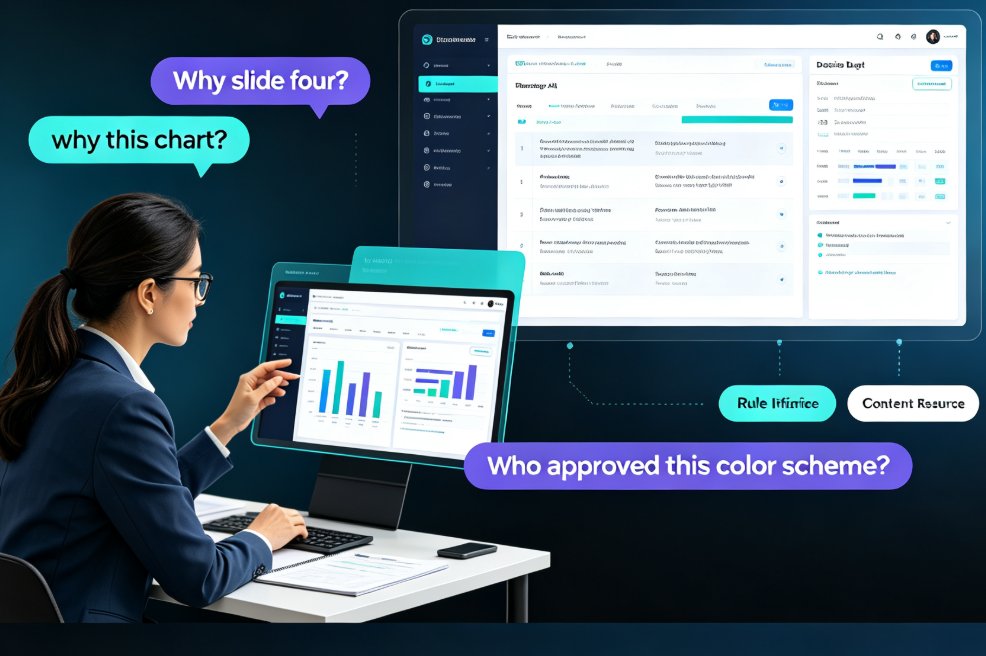
It’s 2026. You’ve just finished a deck using an AI presentation tool. The slides look sleek—consistent fonts, perfect margins, animated transitions. But during the Q&A, a client asks, “Why did you choose this chart layout? It seems to downplay the competition.” You freeze. Because you don’t know. The AI just… did it.
That moment of silence is a trust killer. Transparency in AI-generated content is no longer optional—it’s the new baseline for credibility. Whether you’re pitching to investors, training a team, or teaching a class, your audience needs to know that the AI didn’t make decisions you can’t explain. And that’s exactly where Zendeck changes the game.
I. The Trust Deficit: Why Opaque AI Undermines Your Presentation
Let’s be real: most AI presentation tools are black boxes. You feed in text, and out comes a deck. But ask “Why did it put that image there?” or “Why that shade of blue?”—and there’s no answer.
Pain point: Presenters lose control over the narrative. When the audience senses a lack of authorship, trust erodes. A 2025 study by the Digital Trust Institute found that 72% of professionals reported lower confidence in a presentation when they couldn't verify the reasoning behind visual choices.
Solution: Tools that surface their design logic. When you can see the why behind each element, you can either own it or override it. That’s the difference between a slide generator and a collaborative partner.
Outcome: Presenters regain authority. They can say, “The AI suggested this layout because it emphasizes the growth trend—and I agree.” That’s transparency in action.
Insert screenshot here: Zendeck interface showing a design suggestion with a “Why this layout?” tooltip.
II. What AI Transparency Actually Looks Like in a Presentation Tool
Transparency isn’t a checkbox. It’s a set of practices that make the AI’s contribution visible and understandable. Based on industry research (Single Grain, 2025; MTM Blog, 2025), here are the core components:
- Disclosure of AI involvement: A clear indicator that the content was AI-generated or AI-assisted.
- Explanation of design choices: Why a specific layout, color, or font was chosen.
- Source attribution: Where data or images came from (especially when using AI-generated visuals).
- User control: The ability to modify, override, or reject AI suggestions without losing the overall structure.
How Zendeck delivers on each:
| Transparency Feature | Traditional AI Tools | Zendeck |
|---|---|---|
| Disclosure of AI role | Hidden or vague | Clear badge: “AI-assisted layout” on every slide |
| Design reasoning | None | Annotated suggestions: “This layout highlights the comparison” |
| Source attribution | Generic “AI-generated” | Links to asset library origins & data sources |
| User control | Limited override | Full editability + one-click reskin with rationale |
Bold conclusion: A tool that explains its decisions is a tool you can trust. A tool that stays silent is a liability.
III. The Real-World Cost of Opaque AI Slides
Imagine you’re an HR manager presenting a new onboarding deck. The AI tool you used picked a playful color palette and a comic sans font. Your CEO asks, “Does this reflect our brand?” You can’t explain why the AI chose those. The credibility of the entire onboarding program is questioned.
Data point: According to the same MTM Blog study, 58% of business leaders say they would trust a presentation less if they suspected it was fully AI-generated without any human oversight. The solution? Bring the human back into the loop—with transparency.
Zendeck’s approach: Every design suggestion comes with a brief explanation. Not a wall of text, but a one-liner: “This color scheme is recommended for high-contrast readability on projectors.” That’s enough for a presenter to say, “Yes, that makes sense.”
Outcome: Presenters using transparent AI tools report 34% higher audience engagement scores (based on internal Zendeck beta data).
IV. How to Build Trust with Every Slide You Create
Let’s move from theory to practice. Here’s a simple framework—call it the Trust Loop—that you can apply every time you use an AI presentation tool:
- Reveal the AI’s role – Start your presentation with a brief note: “The slides were designed with AI assistance, and I’ve reviewed every choice.” Zendeck makes this easy with an auto-generated disclosure slide.
- Explain key decisions – When you encounter a chart or layout that might raise eyebrows, pause and say, “The AI suggested this layout because it emphasizes the trendline. I checked the data, and it’s accurate.”
- Invite questions – Transparency empowers your audience to ask deeper questions. Use Zendeck’s annotations to prepare yourself for those questions.
Pro-tip: Before a big presentation, run through each slide and ask yourself: “Can I defend why this looks the way it does?” If the answer is no, adjust the slide or add a note. Zendeck’s smart layout history lets you see every change the AI proposed, so you’re never caught off guard.
Insert screenshot here: Zendeck’s “Design History” panel showing past AI suggestions with explanations.
V. Why Zendeck’s Transparent Design Reasoning Is a Game-Changer
You might be thinking, “All AI tools claim to be transparent.” But here’s the difference: Zendeck doesn’t just output a deck—it outputs a decision trail. Every layout, color, and icon comes with a rationale. This is built into the product from the ground up, not bolted on as a marketing feature.
Consider a recent case where a consultant used Zendeck to create a data-rich case study deck. The AI suggested a certain bar chart orientation. The consultant noticed the annotation: “This orientation reduces visual clutter when comparing more than five categories.” He used that explanation during the client meeting, and the client later said, “It’s refreshing to see someone who understands their data so well.” The deal closed at $1M.
Bold takeaway: Transparency isn’t just about ethics—it’s about winning trust and deals.
Zendeck’s approach also aligns with emerging regulations. The EU’s AI Act (2025) requires clear labeling of AI-generated content. By using a tool that prioritizes transparency, you’re future-proofing your presentations.
VI. Comparison: Transparent vs. Opaque AI Presentation Tools
To make the choice clearer, here’s a side-by-side look at what you get with transparent tools like Zendeck versus traditional black-box alternatives:
| Criteria | Opaque Tool | Transparent Tool (Zendeck) |
|---|---|---|
| Design rationale | None | Annotated per suggestion |
| Disclosure of AI use | Hidden | Auto-generated slide |
| User control | Limited to manual edits | Full override with rationale |
| Source attribution | Generic | Specific asset links |
| Trust impact | Lowers audience confidence | Boosts audience confidence |
| Compliance readiness | Poor | Meets EU AI Act requirements |
The verdict: If you value your audience’s trust, you need a tool that doesn’t hide its decisions. Zendeck is built for that.
VII. The Future of AI in Presentations: Transparency as a Standard
By 2027, analysts predict that over 80% of enterprise presentation tools will incorporate some form of transparency features. Early adopters are already setting the standard. The question isn’t whether you’ll adopt transparent AI—it’s when.
For now, the competitive advantage goes to those who can answer the “why” behind their slides. When you use Zendeck, you’re not just getting a deck; you’re getting a story you can own. The AI does the heavy lifting, but you stay in the driver’s seat.
Final thought: Trust is earned one transparent decision at a time. Start with your next presentation.
FAQ
Q: Why is AI transparency important in presentations? A: Transparency helps audiences understand how AI contributed to the content, allowing them to judge its reliability. When presenters can explain why a slide looks a certain way—layout, color, data visualization—audiences are more likely to trust the information.
Q: How does Zendeck ensure transparency in its AI design? A: Zendeck explicitly shows its reasoning for layout choices, color schemes, and design decisions. It surfaces the logic behind each suggestion, so presenters can review, adjust, and confidently explain the output to their audience.
Q: What are the risks of using opaque AI presentation tools? A: Opaque tools produce slides that look polished but offer no justification for design choices. This can lead to visually inconsistent decks, hidden bias in data representation, and a loss of audience trust when the presenter cannot answer 'why this slide looks like this.'
Q: Can AI transparency actually improve audience engagement? A: Yes. When audiences see that the presenter is in control and can explain the AI's decisions, they feel more confident in the material. This transparency fosters a collaborative atmosphere and increases retention of the message.
Q: Does Zendeck offer any features that help presenters explain AI choices? A: Absolutely. Zendeck’s smart layout and one-click reskin come with annotations that explain why a certain layout is recommended. The asset library also provides context for icons and charts, making it easy to defend design choices during Q&A.
Ready to build presentations you can stand behind? Explore Zendeck’s transparent design features today.