Top Zendeck Templates: Professional Training Decks for HR and L&D Teams
Building a new-hire onboarding deck from a blank slide is a special kind of misery. The content is ready — org chart, benefits summary, compliance paperwork — but every text box lands three pixels off, font sizes quietly drift by page 12, and by Thursday you've promised yourself this is the last time. Sound familiar? That's why most HR and L&D teams I talk to have stopped building training courseware from scratch altogether.
The shift isn't laziness. It's about where your hours actually matter. The reason template-driven training wins is simple: layout is a solved problem, and content accuracy is the only bottleneck left. When you remove the design grind, you free up time to check that every policy quote is correct and every learning objective is actually covered.
During onboarding, it signals to a new hire that you care about their experience from day one. For compliance, it protects the company. For skills, it builds careers. Zendeck's template library exists for exactly these moments — production-ready deck structures you can fill in, rebrand, and roll out fast.
Why Template Archetypes Beat Generic Roundups
Most template lists you'll find online are fine — they show pretty covers and tell you to "pick your favorite." That's like handing someone a menu with 200 dishes and no recommendations. Decision paralysis hits, and you still end up with a deck that doesn't match the training scenario.
Let's be real: the template you need for a 20-minute safety compliance refresher is not the template you need for a six-week leadership certification program. They have different pacing, different content density, and different visual rhythm. A compliance slide needs clean warning callouts and clear sign-off prompts. A certification deck needs progress milestones and assessment blocks.
The 2026 trend in template libraries is context-awareness — matching the template archetype to the job it's supposed to do, not just the aesthetic. Platforms are moving from "nice-looking generic decks" to "structures that understand how training flows." If you're designing with a deck that fits your use case's structure, you cut revision cycles dramatically.
Zendeck's library is built around this idea. Instead of one generic "training" bucket, the templates are organized around the way trainers and HR teams actually think: onboarding, compliance, soft skills, business training, and micro-course formats. You pick the scenario first, then refine the look.
The Onboarding Archetype: First Impressions, Structured
The new-hire induction is your highest-leverage training moment. A well-run onboarding builds trust and retention. A messy one quietly plants doubts in week one. The Zendeck onboarding archetype solves the common chaos: too many agendas, inconsistent scheduling, and a wall of company history with no clear progression.
A good onboarding deck, regardless of vendor, shares the same skeleton: - Day-one agenda and welcome message - Company mission, values, and culture snapshot - Role-specific roadmap for the first 30/60/90 days - Practical logistics: tools, benefits, policies - Key contacts and where to ask for help
That's exactly the structure the onboarding templates in Zendeck's library support. You drop in your outline or paste Markdown, and the system generates a coherent, visually consistent sequence — agendas format themselves, culture sections get balanced image slots, and the 30/60/90 roadmap lays out cleanly without you nudging alignment for an hour.
Teams using structured onboarding templates cut deck production time from a full day to under an hour — and that estimate includes editing for content accuracy. You still own the substance; you just stop renting design anxiety.
If you're assembling an induction program from scratch, the template structures pair naturally with the trainer-focused library guide, which walks through which deck types fit which teaching moment.
The Compliance Archetype: Clean, Clear, Audit-Ready
Compliance and safety training has different demands than onboarding. The stakes are higher, the language must be precise, and you often need proof of completion — a sign-off page, a quiz, a record that someone actually read the policy. The compliance archetype is built for this density.
Visually, these decks favor restraint. Strong typography, clear warning callouts, minimal decorative noise. Zendeck's compliance-style templates reflect that: structured sections for legal text, embedded checklist blocks, and slide layouts that keep quotes and directives legible on-screen and in print.
Here's where template structure does real work: - Policy summaries stay scannable instead of turning into text walls. - Scenario blocks ("What would you do?") prompt discussion in a natural flow. - Acknowledgment slides give learners a clean way to attest understanding.
When a safety policy changes, you update one deck and re-roll it out — no rebuilding from zero. This is the practical payoff of keeping training assets in reusable template form.
For audit-heavy environments, the sign-off slide is a lifesaver. It's not a fancy feature; it's a structural guarantee that the "did they read it" question has a clear answer. That alone saves HR teams hours of chase-up emails.
Skills, Certification, and Soft Skills: Decks That Teach and Test
Beyond onboarding and compliance, most L&D teams juggle a third category: skills development. Product training, manager fundamentals, customer service refreshers, certification prep. These decks do more than inform — they need to build capability and measure progress.
The skills archetype in Zendeck's library brings in assessment-friendly blocks: milestone slides, checkpoint quizzes, and reflection prompts that slot into the flow without breaking the visual theme. You can structure a deck that teaches, then verifies, then points the learner to the next module.
The biggest mistake trainers make here is treating a training deck like a report — dense paragraphs and no interaction. The fix isn't necessarily to add a full interactive course; it's to choose a template that gives each concept room to breathe and a checkpoint to land on. A two-hour certification prep becomes a sequence of teach-review-confirm beats instead of a slideshow.
For teams that eventually want these decks as video, the skills archetype also works nicely as source material — clean layouts narrate well, and structured modules convert smoothly into micro-course segments.
Matching Template to Training Scenario
Here's a quick reference for which template archetype fits which training moment. Use it as a starting point, then adjust for your organization's tone.
| Zendeck template archetype | Best fit for | Key structural features | Typical build time |
|---|---|---|---|
| Onboarding / Orientation | New-hire induction, role transitions | Agenda slides, culture section, 30/60/90 roadmap, key contacts | ~30 minutes |
| Compliance & Safety | Policy rollouts, mandated training | Warning callouts, acknowledgment/sign-off slide, scenario blocks | ~45 minutes |
| Skills & Certification | Product training, leadership programs, cert prep | Milestone slides, checkpoint quizzes, reflection prompts | ~40 minutes |
| Micro-course / Video | Converting decks to narrated courses | Narration-ready layouts, subtitle compatibility, clean pacing | ~20 minutes |
One honest note: build time assumes your content is roughly ready. The template saves layout effort, not thinking effort. And that's the right division of labor.
Brand Consistency Without the Design Grind
Here's the friction I hear from HR teams constantly: "We found a great template, but our colors are wrong, and our logo looks pasted on." Generic templates break brand governance. That's a real problem when your training materials must reflect company standards.
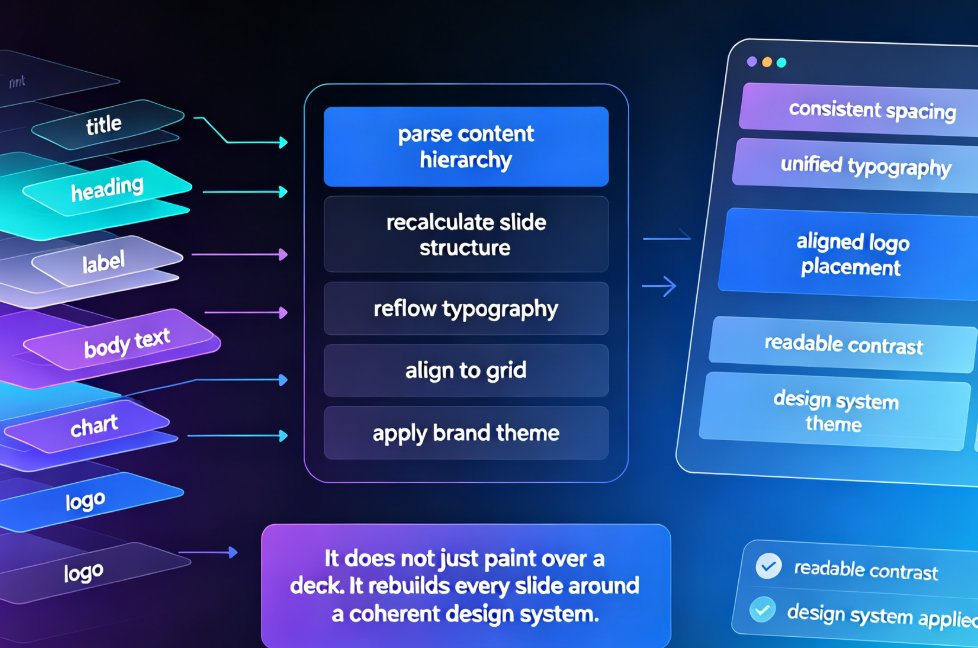
Zendeck solves this with the Brand Kit. Store your logo, brand colors, and fonts once, and they apply automatically across whatever template you choose. The onboarding deck, the compliance module, and the skills course all look like they came from the same design system — without a designer touching any of them. Brand consistency is no longer a design skill; it's a configuration step.
This matters more than aesthetics. Consistent visuals build trust in the material. Learners notice when a deck looks off-brand — it subtly undermines the message. With the Brand Kit, every training asset ships with the right color, logo, and typography, even when five different team members built five different courses.
For teams rolling out broad training programs, this is the difference between "templates are nice" and "templates are infrastructure." A consistent brand across every course makes the whole L&D function look more professional, which is a cheap win.
From Deck to Micro-Course in One Flow
A template that looks great on screen still isn't enough if your team needs video courses. More and more training is consumed async — employees watch a narrated deck on their own schedule. Zendeck's PPT-to-Video feature turns your finished training deck into a narrated micro-course with auto-generated subtitles.
This is where template structure pays off twice. A well-structured training deck narrates cleanly. Clear headings, balanced slides, and logical sections mean the voiceover lands naturally and viewers follow along without confusion. Using a template designed with this in mind removes most of the rework you'd expect in video production.
The workflow is simple: build the deck from a template, polish the content, generate the video, share the link. No studio, no screen recorder, no editing timeline. For compliance refreshers or onboarding follow-ups, a narrated deck becomes a reusable asset in your training library.
If this is on your roadmap for 2026, the template choice you make now will either make or break your future conversion to video. Decks with clean archetypes convert beautifully; decks built on cluttered layouts become video editing nightmares.
Your Next 15 Minutes: A Smarter Approach
The template strategy I give every L&D team starts with a simple audit: list your recurring training topics, then map each one to a template archetype. Onboarding, compliance, skills, and micro-course formats cover most needs. You don't need 50 templates; you need a few good archetypes you can rebrand and adapt.
Here's how to get from "blank slide despair" to "solid training deck" in under an hour: 1. Pick the right archetype — start with onboarding, compliance, or skills based on the audience. 2. Paste your outline — Zendeck generates the initial structure with the template's visual language applied. 3. Edit for accuracy, not layout — your time goes to content correctness. 4. Apply brand standards — the Brand Kit brings colors and fonts into place. 5. Convert if needed — turn the deck into a narrated micro-course for async distribution.
The bonus of this approach: consistency. Your compliance deck and your onboarding deck share design DNA. Learners recognize the format, which reduces cognitive friction — they focus on the content, not on decoding a new visual style every session.
You don't need to be a designer to ship training that looks professional and teaches effectively. You need the right template archetype and a tool that respects your time. Zendeck handles the layout; you handle the expertise. That's the trade every HR and L&D team should be making in 2026.
FAQ
Does Zendeck have templates built specifically for new-hire onboarding?
Yes. Zendeck's onboarding archetype includes agenda slides, role roadmap layouts, and culture sections. Paste your outline or Markdown, and the platform generates a structured induction deck in minutes — you mainly edit content instead of rebuilding layout.
Can I enforce company branding across every training template I use?
Absolutely. Zendeck's Brand Kit stores your fonts, colors, and logo, then applies them automatically to whichever template you choose. A compliance deck and a leadership course can share completely different layouts but still look like they came from the same brand team.
How do compliance and safety templates handle mandatory sign-off slides?
The compliance archetype includes dedicated acknowledgment and sign-off slide blocks, plus quiz-style checkpoints. Drop a confirmation slide at the end of a policy rollout so learners can attest they read and understood the material — critical for audit trails.
Can I turn a template-based training deck into a narrated video course?
Yes. Zendeck's PPT-to-Video feature adds narration and auto-generates subtitles. Many L&D teams convert their onboarding and compliance decks into reusable micro-courses without booking a studio.