Curated workplace insights to help you work smarter

Zendeck curates workplace efficiency, industry insights, and software tutorials to help you find useful information faster。

506 articles 8 Categories
Latest Articles

Collaborate with External Clients on Zendeck: A Step-by-Step Sharing Guide

Presentation Skills 2026-08-12 2388

Learn how to collaborate with external clients on Zendeck with step-by-step sharing, permissions, version control, and comment threads. Keep your brand standards intact while working seamlessly with stakeholders. This guide covers everything from setting permissions to managing feedback, so you can deliver polished decks without the chaos of email attachments and version conflicts.

How to Use Zendeck's PPT-to-Video to Create a Product Demo Video

PPT to Video 2026-08-12 808

Learn how to use Zendeck's PPT-to-Video to create a professional product demo video in minutes. This step-by-step guide covers the entire workflow, from preparing your script to adding overlays, CTAs, and chapters. Discover how Zendeck's AI-powered tool turns your slides into engaging video demos that convert viewers into customers. Save hours of editing time and produce polished demos without any video editing skills. Perfect for marketers, product managers, and SaaS teams looking to showcase features effectively.

How Long Does Zendeck's PPT-to-Video Take? A Complete FAQ

PPT to Video 2026-08-12 3544

Wondering how long Zendeck's PPT-to-Video takes? This complete FAQ answers your timing questions and explains the rendering pipeline in plain terms. Whether you're converting a 10-slide training deck or a 50-slide compliance course, we break down the factors that affect conversion time—slide count, narration length, resolution, and more. Learn how Zendeck's AI-powered video export turns your slides into narrated micro-courses in minutes, not hours. Get realistic expectations, step-by-step workflow tips, and pro advice to speed up your video production. If you're a trainer, educator, or content creator, this guide will save you time and frustration. Start creating engaging video content with Zendeck today.

Why Does Zendeck's Smart Layout Produce Consistent Slides? FAQ

Courseware Design 2026-08-12 1050

Zendeck's Smart Layout automatically unifies fonts, colors, and spacing across every slide, so your deck stays visually consistent without manual design work. This FAQ explains how the auto-formatting engine works, when Smart Layout shines versus manual design, and how to keep every slide on-brand — even when multiple people build the deck. Learn the three rules behind consistent slides, see a practical comparison of Smart Layout vs. manual design scenarios, and get answers to the most common questions about automatic formatting. If your AI-generated slides still look messy, this guide shows you exactly where the inconsistency comes from and how to fix it in one click. Whether you're a teacher, trainer, or team lead, you'll walk away with a clear playbook for producing decks that look intentional, polished, and professional every single time.

How to Use Zendeck's Smart Layout to Fix Misaligned Slides

PPT Tutorial 2026-08-12 3095

Misaligned slides make you look sloppy and waste hours of manual tweaking. Zendeck's Smart Layout automatically aligns every element on your slide—shapes, text, images—so you get a clean, professional deck in one click. Learn how this AI-powered feature works, when to use it, and why it beats PowerPoint's manual alignment tools. Perfect for busy professionals, educators, and teams who need polished presentations fast. Discover practical tips, real-world scenarios, and a side-by-side comparison to see the difference.

How to Create Accessible AI Presentations: WCAG Tips for Zendeck Users

Presentation Skills 2026-08-11 1568

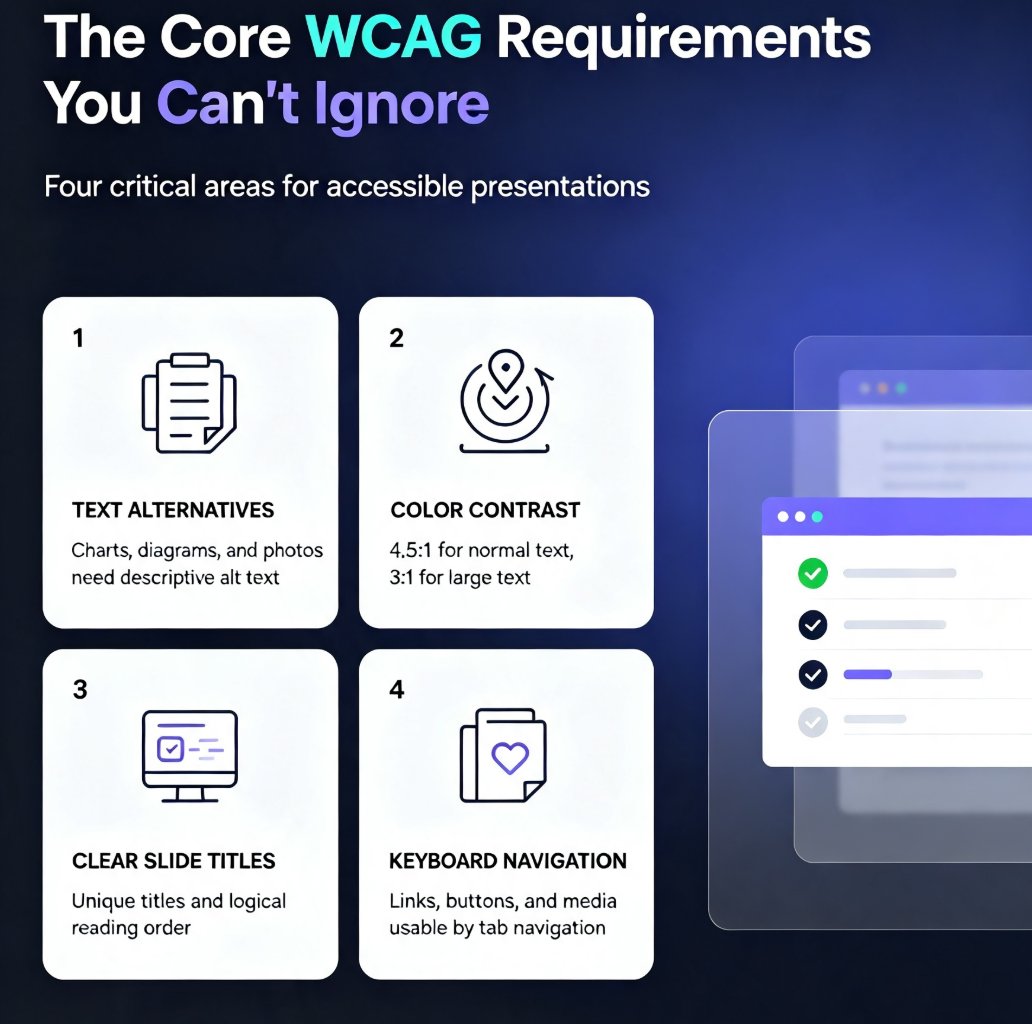
Learn how to create accessible AI presentations that meet WCAG 2.1 standards. Discover practical tips for using Zendeck's AI to automate alt text, contrast checking, and slide structure. Ensure your decks are inclusive for all audiences, including those with visual or motor impairments. This guide covers core WCAG requirements, step-by-step workflows, and common mistakes to avoid, helping you build compliant presentations faster without sacrificing design quality.

▲