
Curated workplace insights to help you work smarter

Zendeck curates workplace efficiency, industry insights, and software tutorials to help you find useful information faster。

506 articles 8 Categories
Latest Articles

Word to PowerPoint in Minutes: How Zendeck AI Turns Outlines into Slides

AI Courseware 2026-08-20 2288

Turn Word outlines into polished PowerPoint decks in minutes with Zendeck's AI. Zendeck reads your document's structure — not just the text — and generates professionally formatted slides with consistent typography, layouts, and visuals. Perfect for educators, trainers, and busy professionals who have content ready but no time for manual slide design. Learn the exact workflow, see a real classroom scenario, and get tips for clean imports every time. This guide covers the step-by-step process, compares manual vs. AI conversion times, and explains why understanding document structure matters more than you think. If you've ever spent hours copying and pasting content from Word into PowerPoint, this article will change how you build presentations. We'll walk through a real trainer's workflow, break down the time savings with actual numbers, and show you how to get the best results from your own documents — whether they're clean outlines or messy brain dumps.
Word to Slides: AI Outline Import Streamlines Deck Creation

AI Courseware 2026-08-20 2970

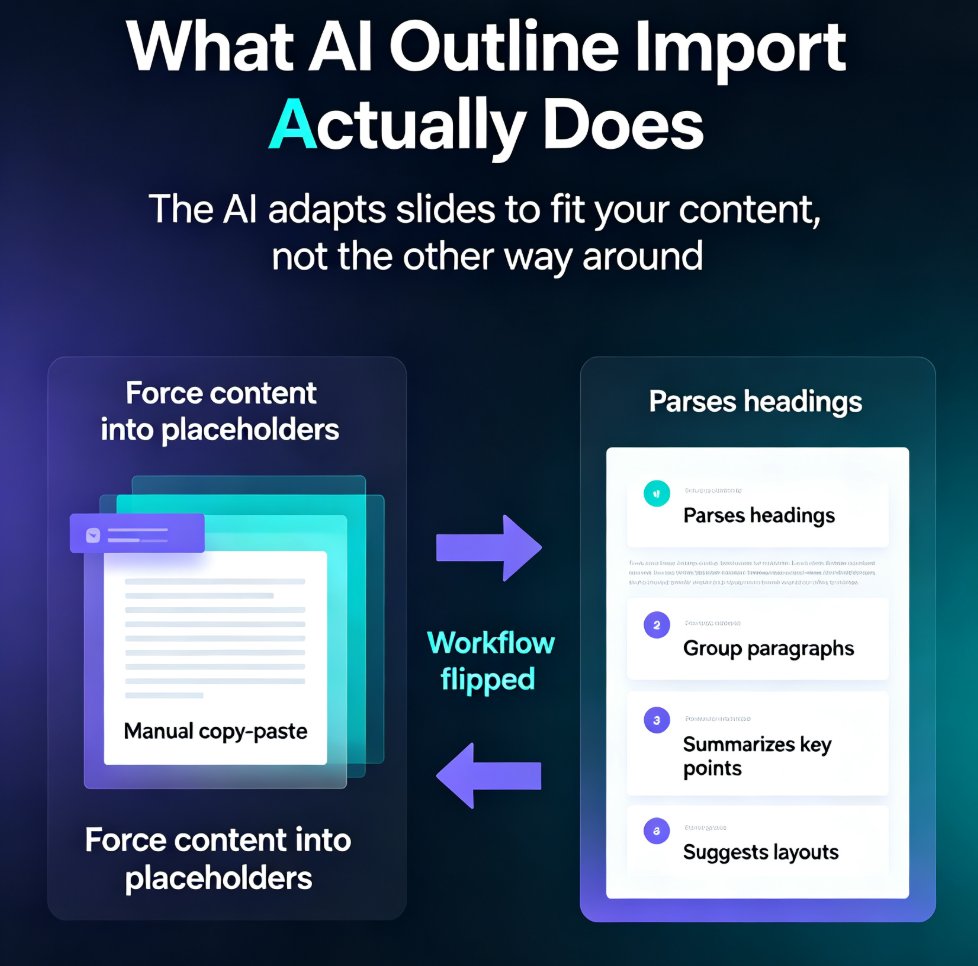
Stop copy-pasting Word documents into PowerPoint. AI outline import turns your existing Word files, outlines, and notes into structured, designed slides in minutes. Zendeck's Word-to-PPT feature analyzes headings, paragraphs, and lists, then generates a polished deck — saving you up to 75% of the time manual conversion takes. Learn how to convert Word to slides, what the AI does automatically, and best practices for preparing your document. Whether you're a trainer, consultant, or HR professional, this guide shows you how to go from document to deck without the grunt work. Includes a step-by-step tutorial, a manual vs. AI comparison, and answers to common questions about Word import, outline structure, and editing AI-generated slides.

AI Transparency in Presentation Tools: What Users Should Expect in 2026

AI Courseware 2026-08-19 3656

AI transparency in presentation tools is now a 2026 procurement requirement for schools and enterprises. This guide breaks down exactly what you should expect from AI presentation tools — written no-training commitments, clear content ownership, export and deletion controls, role-based permissions, and audit logs — and shows how Zendeck's transparent data handling and secure sharing give institutions the confidence to adopt AI courseware at scale. Inside, you'll find the five-point buyer's checklist, the three security tiers that define the 2026 market, and a practical framework for evaluating any vendor before you upload a single confidential slide. If you're choosing an AI presentation platform for your team, this is the transparency standard you should hold them to.

No Voice Talent? Turn PPTs into Professional Videos with Zendeck AI

PPT to Video 2026-08-19 853

Turn your PowerPoint slides into professional narrated videos without a microphone or recording studio. Zendeck's AI narration and PPT-to-video conversion let educators, trainers, and content teams create polished micro-courses in under an hour. No voice talent, no equipment, no audio editing — just pick an AI voice, generate the narration, and export a video-ready MP4. This guide walks through the complete workflow, compares time and cost against traditional recording, and shares practical tips for making AI-narrated videos sound natural. If you've been avoiding video content because recording feels like a production project, this is the solution you've been waiting for. Learn how to auto-generate speaker notes, sync narration to slide timing, and produce training videos, compliance courses, and product demos that look and sound professional — all from the tool you already use to build decks.

One-Click Design Consistency: How Zendeck's Smart Layout Unifies Decks

Presentation Skills 2026-08-19 1201

Struggling with decks that look like three different teams built them? Zendeck's smart layout unifies fonts, colors, and alignment in one click, turning messy presentations into polished, professional decks. This guide explains how one-click design consistency saves hours of manual fixing, protects your brand's credibility, and makes every slide look like a single designer created it — even when five people touched the content. You'll get a practical walkthrough of the smart layout feature, an honest comparison of manual vs. automated design fixes, and the common mistakes to avoid so your decks stay clean. Whether you're an educator, trainer, HR manager, or content operator, Zendeck's smart layout removes the design skill barrier and delivers consistent, on-brand presentations every time. If you've ever wasted an afternoon aligning boxes and matching hex codes, this is the workflow upgrade you've been waiting for.

How a Sales Team Used Zendeck Templates to Win Deals with Case Studies

Presentation Skills 2026-08-19 2133

Learn how a B2B sales team used Zendeck templates and AI-powered charts to cut deck preparation time from 3 hours to 30 minutes and boost win rates by 25%. This case study shows how non-designers can build polished, data-rich case study presentations that convert prospects into customers. Discover the exact workflow, the template selection strategy, and the data visualization techniques that turned a scattered sales team into a consistent, credible, deal-closing machine — without hiring a single designer.

▲